


Maintain Wired Headset: Tips to Extend Lifespan
Maintain wired headset — Checklist: • inspect cables • clean earpads • store properly 🔧🎧 Practical steps to preserve sound quality and avoid premature replacements.
Read moreSmall vs large form factor mice: compare comfort, grip fit, and accuracy. Find the right mouse size for better control and fewer hand cramps 😊🖱️
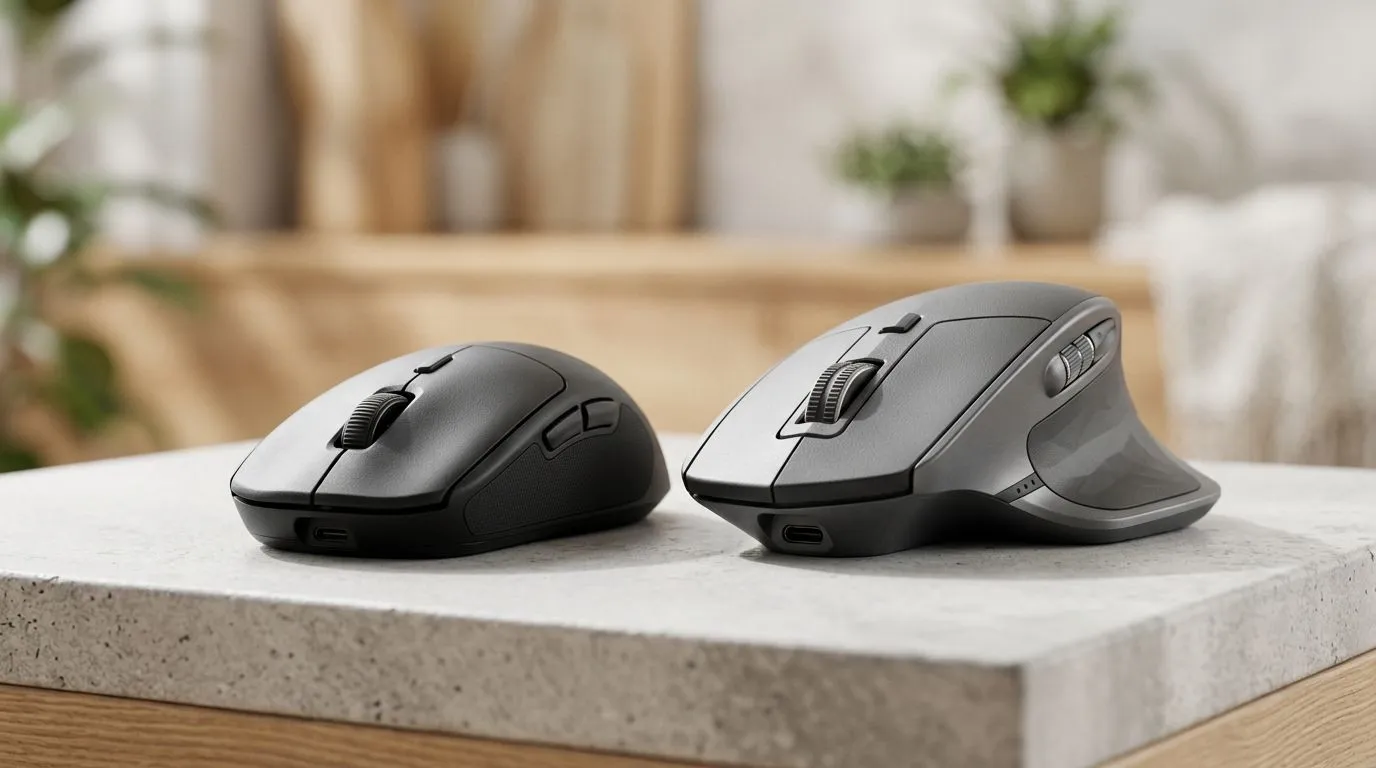
If you’re chasing that final percent in aim, start with something you can feel every match… your mouse shape. South African gamers often jump between FPS, MOBA, and productivity, but the grip matters more than RGB. A small-form mouse can feel perfect for palm size hands… until it starts cramping in round 3. A large-form mouse can feel stable on day one… then you notice wrist fatigue after a weekend of ranked. Let’s break down comfort and accuracy using real shopping choices. 🔥
Comfort isn’t “nice to have”. It’s the foundation of consistent tracking and clean flicks. When your hand is squeezed into an undersized mouse, your fingers compensate with tension. That tension changes how the mouse moves and stops micro-adjustments from feeling natural.
Here’s a simple way to think about it:
Accuracy improves when your grip stays the same from match to match. That means fewer “re-grips” mid-game and less sensor panic caused by accidental button presses.
Before you measure anything, identify your grip:
For buying guidance, you can browse relevant options and comparisons here: gaming mouse collections and specs.
Don’t just go by “small” or “large” in a listing. Check:
If you’re upgrading within a budget, consider the accessory ecosystem too. Sometimes the best “fix” is a better cable management setup for wired, or charging discipline for wireless.
And if you’re tuning your setup, browse compatible accessories here: mouse accessories you can add today. ✨
On Windows, set consistent DPI and sensitivity profiles before you start playing. Use in-game sensitivity settings only after you’ve matched mouse DPI. This reduces the “why is my aim off?” feeling when switching between FPS and desktop work.
Do a 60-second “comfort test” at home or on first use:
If you’re shopping deals, you can compare fit-related specs across models fast and stay within budget. Look for today’s best pricing in ZAR here: best gaming mouse deals. 🚀
Choose small if:
Choose large if:
If you’re unsure, start with what your hand already does when you’re tired. Comfort wins long-term, and accuracy follows.
Ready to Find Your Perfect Match? The Mac vs Windows debate is complex, but for maximum power, choice, and value in South Africa, Windows is hard to beat. Explore our massive range of laptop specials and find the perfect machine to conquer your world.
Small vs large form factor mice feel different by grip. Smaller shapes often suit smaller hands; larger mice can reduce finger stretch for bigger hands.
Accuracy improves when the mouse size matches your grip and hand span. A proper fit supports steadier micro-movements and less tension.
Measure palm width and hand length, then compare to the mouse’s dimensions. Aim for minimal reach to main buttons and consistent contact.
Often yes. Many fingertip grips prefer smaller form factors because the hand stays more relaxed while fingers control clicks and movement.
Large mice can be more comfortable for palm grip if your palm fully rests. Look for a shape that keeps your wrist supported and buttons reachable.
Yes. Poor fit can force overreaching or awkward wrist angles. Choosing the correct mouse size reduces strain and improves endurance.
Sensor tracking mainly depends on sensor quality and settings. But mouse size affects your control, which can change how accurately you move.
Consider weight, shape, button placement, cable flexibility, and feet smoothness. A size-matched ergonomic shape can outperform a heavier, mismatched one.
Maintain wired headset — Checklist: • inspect cables • clean earpads • store properly 🔧🎧 Practical steps to preserve sound quality and avoid premature replacements.
Read more
Fix crackling headset fast: step-by-step checks for cables, connectors, drivers, and settings to remove static or distorted audio on wired headsets 🎧⚙️
Read more
Stereo vs mono headsets: learn which delivers clearer calls, better spatial music, or simpler mono voice performance — pick the right headset for meetings, music, or gaming 🎧💬
Read more
- Compare gaming headset vs studio headphones; - Assess comfort, mic and sound; - Recommend best daily picks. Gaming headset vs studio headphones: learn which suits work, music and casual gaming. 🎧⚖️
Read more
- Check pressure points - Compare earcup materials - Adjust clamp and fit Best gaming headsets for glasses: quick guide to reduce temple pressure, pick breathable memory foam earcups, and optimize fit for long sessions 🕹️👓
Read more
Gaming microphone noise reduction: Use beamforming mics, AI noise suppression, and hardware filters to cut background noise and boost in-game voice clarity. 🎧⚙️ Learn setups, settings, and top mic features.
Read more
Snapdragon X2 NPU Explained: How 80 TOPS Changes. Plain-English explanation of what it means, why it matters & how it affects your buying decisions in SA.

HBM? High Bandwidth Memory Used in GPUs and AI. Plain-English explanation of what it means, why it matters & how it affects your buying decisions in SA.

How much should you spend on sim racing accessories in South Africa for a realistic setup? We break down budgets by quality tiers, so you buy smart gear and avoid overspending 🎮💸

G-Sync and FreeSync? Variable Refresh Rate. Plain-English explanation of what it means, why it matters & how it affects your buying decisions in SA.

AMD Laptop: Value. SA-focused analysis with local pricing data, real-world insights & actionable buying advice.

How MacBook Neo Handles 30+ Chrome Tabs with Only. SA-focused analysis with local pricing data, real-world insights & actionable buying advice.

Why Apple Put 8GB RAM in MacBook Neo: The A18 Pro. SA-focused analysis with local pricing data, real-world insights & actionable buying advice.

Upgrade your work laptop with a New Motherboard. Step-by-step instructions with SA-specific tips, common pitfalls to avoid & expert recommendations.
Maintain wired headset — Checklist: • inspect cables • clean earpads • store properly 🔧🎧 Practical steps to preserve sound quality and avoid premature replacements.
Fix crackling headset fast: step-by-step checks for cables, connectors, drivers, and settings to remove static or distorted audio on wired headsets 🎧⚙️
Stereo vs mono headsets: learn which delivers clearer calls, better spatial music, or simpler mono voice performance — pick the right headset for meetings, music, or gaming 🎧💬
- Compare gaming headset vs studio headphones; - Assess comfort, mic and sound; - Recommend best daily picks. Gaming headset vs studio headphones: learn which suits work, music and casual gaming. 🎧⚖️