



PCIe 5.0 vs PCIe 4.0 for Video editing in 4k in SA
PCIe 5.0 vs PCIe 4.0 for video editing in 4k is mainly about fit, features, compatibility, cost, and upgrade path, not one automatic winner. SA buyers should match the choice to the setup.
Read moreEvery spec on smart feature priorities explained in plain English. What matters for gaming and creator work in 2026, what's marketing fluff, and how each number translates to real-world performance.
Building a rig in South Africa means making tough choices. When your budget is tight, where do you put your hard-earned ZAR? Do you chase faster Wi-Fi, stack up terabytes for your Steam library, or invest in premium fans to beat the December heat? Let us break down the smart feature priorities for South Africans choosing between faster networking, more storage and better cooling.
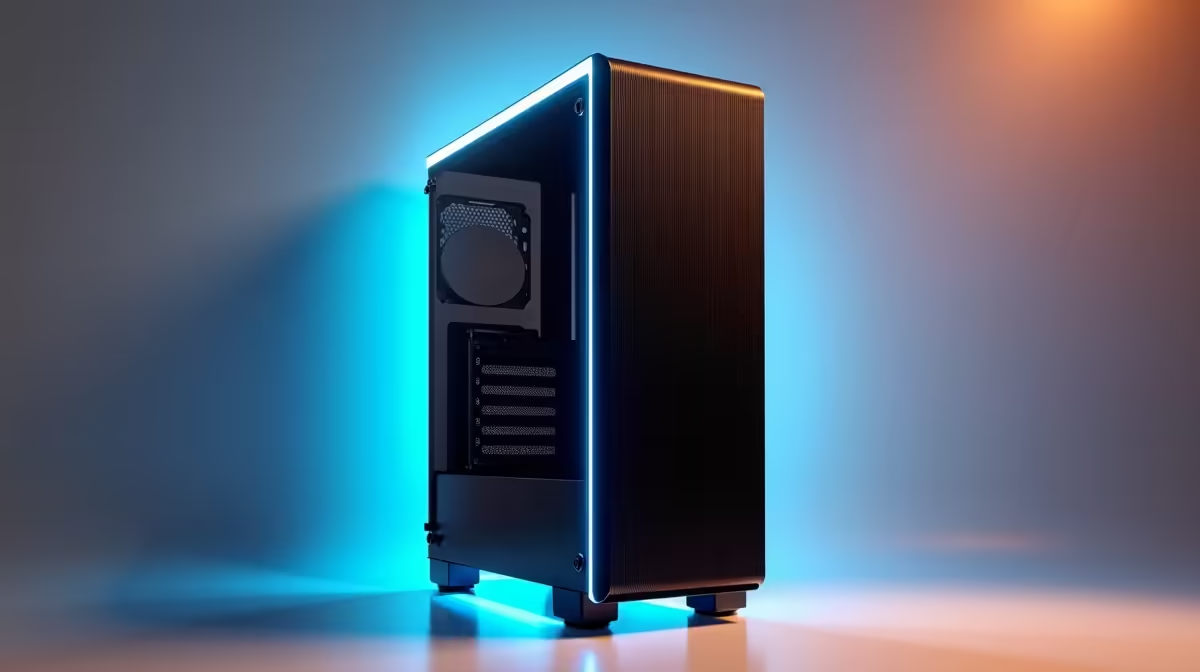
South African summers are notoriously brutal on hardware. If your gaming room feels like a sauna, your frame rates will inevitably suffer. Thermal throttling kicks in the moment components overheat... forcing your system to slow down to protect itself. A quality liquid cooler or a high-airflow case keeps your CPU and GPU running at peak speeds.
If you are browsing the latest gaming PC deals, always look for builds featuring mesh front panels and robust aftermarket coolers. Better cooling is not just about raw performance. It actively extends the lifespan of your most expensive components.
Modern games are absolutely massive. Top-tier titles easily eat up well over 150GB of space. A standard 500GB drive fills up much faster than you might think. Upgrading to a 1TB or 2TB NVMe SSD means you stop deleting old favourites just to make room for new releases.
Furthermore, modern NVMe SSDs drastically reduce your loading screens. If you want maximum value for your Rands, keep a close eye on weekly tech specials to grab high-capacity drives when prices drop. Storage has become affordable enough that you simply shouldn't compromise on speed or size.
Fibre internet is highly accessible across the country now. However, a weak router or a cheap Wi-Fi card will instantly bottleneck your connection. If you play competitive shooters, your ping is everything. Faster networking ensures stable latency to both local and international servers.
A motherboard equipped with Wi-Fi 6 or a dedicated 2.5GbE LAN port is essential for serious gamers. This is especially vital if you are picking up one of the best laptops for sale in South Africa. With a portable machine, you rely entirely on wireless stability when moving around your home.
Always prioritise cooling first if you live in hotter provinces like KwaZulu-Natal or the Northern Cape. You can easily plug in an external NVMe drive later, but replacing a heat-damaged processor is a costly nightmare.
How do you balance your final build? Establishing smart feature priorities for South Africans choosing between faster networking, more storage and better cooling ultimately comes down to your daily habits.
If you download massive files constantly, prioritise storage. If you grind ranked multiplayer matches, upgrade your networking gear. If you hate loud fan noise and sudden frame drops, robust cooling wins every single time.
Ready to Build Your Ultimate Setup? Balancing your budget doesn't mean you have to settle for less. Whether you need blazing-fast storage, premium cooling, or high-speed networking, Evetech has the hardware you need. Explore our massive range of PC components and find the perfect parts to conquer your next gaming session.
The products, tools and accessories referenced in this article are stocked at Evetech.co.za with local SA warranty, ZAR pricing and nationwide delivery.
The article breaks down the real-world impact on gaming FPS, creator workflows and everyday responsiveness — not just raw spec numbers.
Only a handful of specs meaningfully change your experience. The guide ranks them by real impact so you spend on what counts.
We cover upgrade headroom, platform longevity and the specific features worth paying extra for if you plan to keep this build for several years.
The article includes a clear generational uplift summary so you can judge whether upgrading from your current hardware is worthwhile.
PCIe 5.0 vs PCIe 4.0 for video editing in 4k is mainly about fit, features, compatibility, cost, and upgrade path, not one automatic winner. SA buyers should match the choice to the setup.
Read more
Wi-Fi 7 vs Wi-Fi 6e for competitive esports comes down to router support, latency goals, device compatibility, and coverage. SA buyers should match the choice to the real network setup.
Read more
ATX 3.1 vs ATX 3.0 for mMO and live-service games buyers - what changes is mostly about compatibility, budget, upgrade path, and setup fit. SA buyers should check device support and real needs before expecting a clear win from either option.
Read more
LGA 1851 vs LGA 1700 can affect Twitch and YouTube streaming when gaming and encoding share CPU resources. For SA creators, the real-world difference depends on encoder choice, memory support, motherboard cost, thermals, and upgrade plans.
Read more
X870E vs X670E for aaa single-player gaming is mainly about fit, features, compatibility, cost, and upgrade path, not one automatic winner. SA buyers should match the choice to the setup.
Read more
Hall Effect switches vs Mechanical switches for mMO and live-service games is mostly about compatibility, budget, upgrade path, and setup fit. SA buyers should check device support and real needs before expecting a clear win from either option.
Read more
A fake 113GB GTA VI ISO reportedly used empty padding around a small malware payload. SA gamers should delete unofficial builds, keep Windows security active and wait for official channels.

Wi-Fi 6E vs Wi-Fi 6 matters for 4K video editing when files move across a network. The real-world difference between Wi-Fi 6E and Wi-Fi 6 for video editing in 4K depends on NAS access, cloud uploads, router range, and SA creator workflows.

The difference between PCIe 5.0 and PCIe 4.0 for SA gamers is mostly bandwidth headroom. Compare GPU slot needs, NVMe speed, motherboard support, and upgrade timing before paying extra for a newer platform.

Gaming PC stuck pixel checks in South Africa should confirm the monitor fault first. Use colour tests, screenshot comparison, cable swaps, display menu checks, and clear photos before deciding on support.

Shokz OpenFit Air 2 earbuds weigh 7.2g each and use a redesigned dual-driver open-ear layout. SA buyers should choose them for comfort and awareness, not maximum isolation.

AMD's current driver now lists a Radeon RX 9050 4GB, while product coverage details a narrowed memory system. SA buyers should weigh the low VRAM ceiling against current local Radeon options.

Samsung Display has demonstrated a 16-inch 2.5K OLED laptop panel running at 300Hz. SA buyers should wait for a named notebook, full panel specifications and a local price before planning an upgrade.

Microsoft says some Windows 11 game crashes after recent updates are linked to RGB-related drivers. Affected SA gamers should confirm the update and driver before using the published registry workaround.

RTX 5090 on a 650W PSU is a tight pairing with very limited headroom. For SA gaming PCs, focus on total system draw, PSU quality, connector support, CPU choice, and avoid OC plans unless the full build is carefully power-limited.
PCIe 5.0 vs PCIe 4.0 for video editing in 4k is mainly about fit, features, compatibility, cost, and upgrade path, not one automatic winner. SA buyers should match the choice to the setup.

850W PSU safety for RTX 5090 is plausible with a quality unit and balanced parts. In SA, confirm connector support, CPU power draw, case airflow, PSU age, and spare capacity before building around 850W.
Wi-Fi 7 vs Wi-Fi 6e for competitive esports comes down to router support, latency goals, device compatibility, and coverage. SA buyers should match the choice to the real network setup.