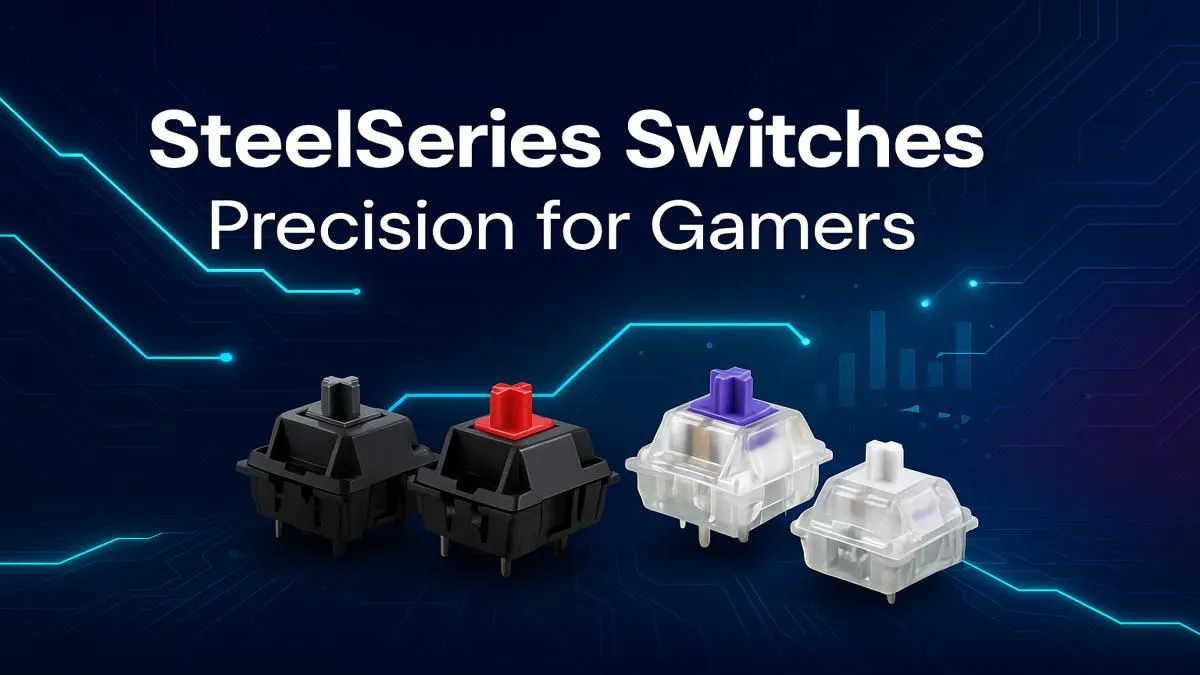
That split-second difference between a glorious headshot and a frustrating respawn screen... what if it wasn't just your aim? Your keyboard's switches are the engine under the hood, and for South African gamers, choosing the right SteelSeries switches can be the key to unlocking next-level precision. This guide breaks down everything you need to know, helping you find the perfect feel for your playstyle and dominate the competition. Ready to get technical? Let's dive in.
Why Your Keyboard Switch Choice Matters
Before we get into the specifics of SteelSeries switches, let's cover the basics. A keyboard switch is the mechanism beneath each keycap that registers a keystroke. Different switches have unique characteristics affecting how a key feels, sounds, and responds. The three main factors are:
- Actuation Point: The distance a key needs to be pressed to register the input. A shorter actuation means a faster response.
- Feedback Type: How the switch communicates that a keypress has been registered. This can be a physical bump (tactile), an audible click (clicky), or completely smooth (linear).
- Operating Force: The amount of pressure (measured in grams) needed to press the key.
Getting this right is crucial for both comfort and performance, and you don't need to break the bank to get started, with many affordable gaming keyboards offering excellent switch options.
Decoding the Types of SteelSeries Switches
SteelSeries has engineered a fantastic lineup of switches, each tailored to different gamers. Understanding the colour-coding and naming is your first step toward finding the perfect match.
OmniPoint 2.0: The Speed Kings 🚀
The crown jewel of the SteelSeries keyboard switches lineup is undoubtedly the OmniPoint. These aren't your average mechanical switches; they use magnetic sensors (Hall effect) to let you customise the actuation point on a per-key basis, from a lightning-fast 0.1mm to a deliberate 4.0mm.
- Feel: Linear (smooth)
- Best For: Competitive FPS and rhythm gamers who demand the absolute fastest response time. The ability to set a hair-trigger actuation for WASD and a deeper one for ultimate abilities is a massive advantage.
QX2 Red (Linear): Smooth & Silent Operators
For gamers who crave speed without the customisation complexity of OmniPoint, the QX2 Red switches are a top-tier choice. They offer a smooth, consistent press from top to bottom, allowing for rapid, successive keystrokes without any tactile interference. This makes them ideal for double-tapping and fluid movement in fast-paced games. They are often featured in excellent keyboard and mouse combos, giving you a consistent setup from the get-go.
- Feel: Linear (smooth and quiet)
- Best For: MMO, MOBA, and Action-RPG players who are constantly using abilities and need a reliable, non-fatiguing switch.
Pro Tip: Fine-Tune Your Speed 🔧
With SteelSeries OmniPoint switches, use the SteelSeries GG software to create different profiles. Set up a "Gaming" profile with ultra-low actuation on your movement and ability keys for instant response, and a "Typing" profile with a deeper actuation to prevent accidental keystrokes while working.
QX2 Brown (Tactile): The Balanced All-Rounder
If you use your PC for both intense gaming sessions and typing up assignments, the QX2 Brown is your best friend. It provides a small, noticeable bump halfway through the keypress. This tactile feedback confirms your keystroke without the loud "click" of a Blue switch, offering a satisfying middle-ground. This guide to SteelSeries switches wouldn't be complete without highlighting this incredibly popular, versatile option.
- Feel: Tactile (quiet bump)
- Best For: Hybrid users. Excellent for RTS games, coding, and anyone who wants tactile confirmation without driving their housemates crazy.
Customising Your SteelSeries Setup ✨
Your keyboard's feel doesn't have to stop with the stock switches. For enthusiasts, customisation is part of the fun. Many modern keyboards are "hot-swappable," meaning you can pull switches out and plug new ones in without any soldering. This allows you to experiment with different types or even buy individual keyboard switches to replace a faulty one.
Beyond the switch, you can completely change the look and feel of your board with a new set of custom keycaps. And for those marathon gaming sessions, don't forget about ergonomics; pairing your board with a good wrist rest can make a world of difference in comfort and prevent strain.
So, Which SteelSeries Switch Is Right for You?
Choosing the best SteelSeries switch is a personal journey, but here’s a quick summary to guide you:
- For the Competitive Edge: Go for OmniPoint 2.0. The adjustable actuation is unmatched for pure speed.
- For the Fast & Focused Gamer: QX2 Red (Linear) offers smooth, quiet, and rapid performance.
- For the Do-It-All User: QX2 Brown (Tactile) provides the perfect balance for gaming, typing, and everything in between.
Ultimately, the best switch is the one that feels right under your fingertips.
Ready to Find Your Perfect Match?
Choosing the right switch is personal, but understanding your options is the first step to victory. Whether you need the lightning speed of OmniPoint or the balanced feel of a Brown, the perfect keyboard is waiting. Explore our massive range of gaming keyboard deals and find the perfect board to elevate your game.