


RTX 4060 Ti Throttling Under Load: SA Temperature Guide
RTX 4060 Ti Throttling Under Load: Temperature. Everything you need to know with SA pricing, step-by-step instructions & expert recommendations.
Read moreLooking for the best storage solutions South Africa has to offer? Our guide breaks down everything from lightning-fast NVMe SSDs to high-capacity HDDs. We'll help you find the perfect drive for gaming, work, or backups, matching your budget and needs. 💻💾 Get ready to upgrade!
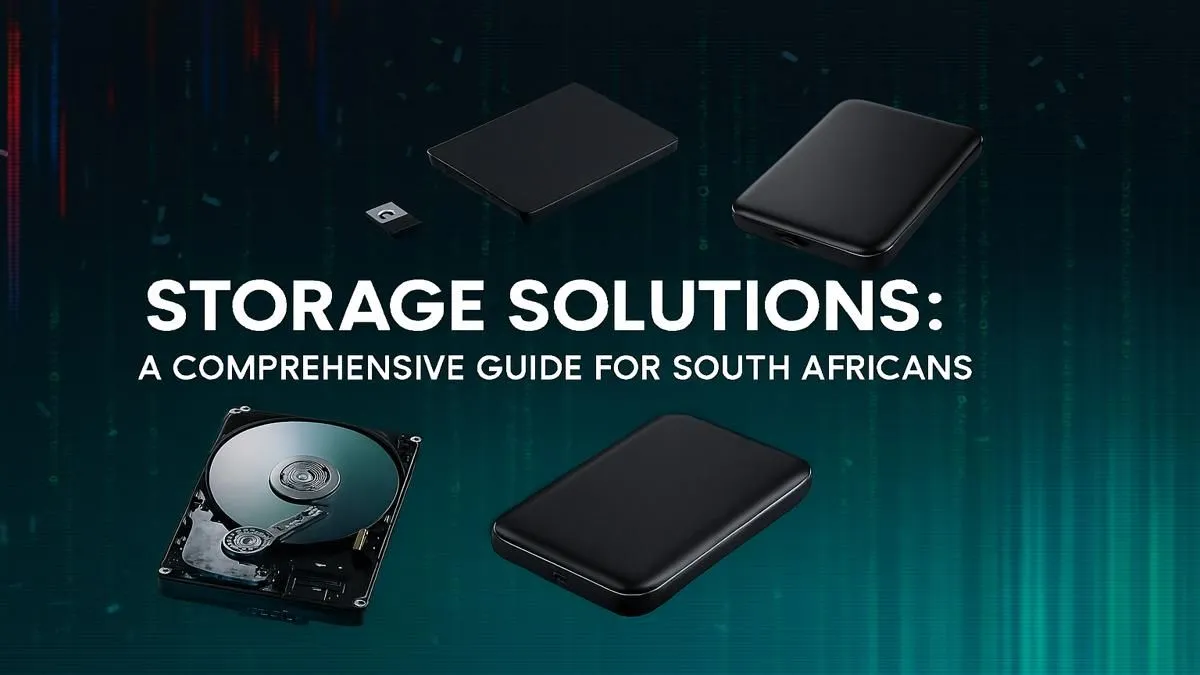
Is your PC feeling a bit sluggish? Waiting an eternity for your game to load while your mates are already dropping in? You're not alone. Choosing from the myriad of storage solutions South Africa has to offer can be overwhelming, but getting it right is crucial for a snappy, responsive rig. This guide cuts through the noise, helping you pick the perfect drive to slash load times and get you back in the game, faster. 🚀
In 2025, game install sizes are massive. Titles like Baldur's Gate 3 or the latest Call of Duty update can chew through 150GB of space without blinking. Relying on an old, slow hard disk drive (HDD) doesn't just mean longer loading screens; it can cause in-game stuttering and texture pop-in, ruining your immersion.
A modern storage solution is the backbone of a great gaming PC. It dictates how quickly your operating system boots, how fast your applications launch, and most importantly, how seamlessly your virtual worlds are rendered. For South African gamers, optimising this component is one of the most impactful upgrades you can make.
For years, the Hard Disk Drive (HDD) was the standard. It uses spinning platters to read and write data, like a tiny record player. While affordable for mass storage, its mechanical nature makes it slow.
Enter the Solid-State Drive (SSD). With no moving parts, an SSD uses flash memory to access data almost instantly. The difference is night and day. Upgrading to even a basic SSD makes an old PC feel brand new. If you're ready to leave mechanical drives in the past, exploring the wide world of modern SSDs is your first step.
Not all SSDs are created equal. The two main types you'll encounter when looking for storage solutions in South Africa are NVMe and SATA. Understanding the difference is key to matching the drive to your needs and budget.
NVMe (Non-Volatile Memory Express) SSDs are the current kings of speed. These small drives plug directly into your motherboard's M.2 slot, bypassing slower connection protocols and delivering mind-blowing read/write speeds.
SATA (Serial ATA) SSDs are the more traditional, rectangular drives that connect via a cable. While not as fast as NVMe drives, they are still leagues ahead of any HDD. They offer a fantastic price-to-performance ratio, making them a brilliant choice for a wide range of builds.
Before you buy a lightning-fast NVMe drive, double-check your motherboard's specifications. Make sure you have a compatible M.2 slot, and check if it supports PCIe 3.0 or 4.0 to get the speeds you're paying for. No M.2 slot? A SATA SSD is still a fantastic upgrade!
Let's be honest, tech can be pricey. The key to building a smart rig is finding that sweet spot between performance and price. When it comes to storage, a well-timed purchase can save you hundreds of Rands that you can put towards a better GPU or more RAM.
Keeping an eye on specials is the best way to maximise your budget. Whether you need a 1TB NVMe for your main drive or a 4TB SATA for your Steam library, you can often find top-tier performance at a discount. Always check for the best SSD deals available locally before making your final decision. ✨
Upgrade Your Speed Today Stop waiting and start playing. Find the perfect storage solution for your rig and budget with our unbeatable specials. Shop the best SSD deals at Evetech for performance that leaves lag in the dust.
For gaming, an NVMe SSD is the top choice for its incredible speed, drastically reducing load times. A secondary, larger HDD is great for storing game files affordably.
An SSD is essential for your operating system and frequently used apps for speed. An HDD offers more storage capacity for a lower price, ideal for media and backups.
For most users, a 1TB SSD is a great starting point. Gamers or content creators might need 2TB or more. Consider your budget and how you'll use your PC daily.
NVMe SSDs connect directly to the PCIe slot on your motherboard, offering much faster speeds than SATA SSDs, which use an older, slower cable-based interface.
Yes, you can store and play games from an external SSD for fast performance. An external HDD is better for archiving games you don't play often due to slower speeds.
A NAS (Network Attached Storage) acts as a private cloud in your home. It's perfect for centralizing file storage, backing up multiple devices, and streaming media.
RTX 4060 Ti Throttling Under Load: Temperature. Everything you need to know with SA pricing, step-by-step instructions & expert recommendations.
Read more
Apex Legends Max Settings on RTX 4080. Tested & verified settings for best FPS and visual quality on SA hardware budgets.
Read more
GPU Buying Guide. Everything you need to know with SA pricing, step-by-step instructions & expert recommendations.
Read more
GPU Terms Guide. Everything you need to know with SA pricing, step-by-step instructions & expert recommendations.
Read more
AMD Adrenalin Download & Setup Guide: GPU. Clear setup instructions with SA-specific considerations, troubleshooting tips & recommended components.
Read more
Back-to-School GPU Buying Guide. Everything you need to know with SA pricing, step-by-step instructions & expert recommendations.
Read more
Snapdragon X2 NPU Explained: How 80 TOPS Changes. Plain-English explanation of what it means, why it matters & how it affects your buying decisions in SA.

HBM? High Bandwidth Memory Used in GPUs and AI. Plain-English explanation of what it means, why it matters & how it affects your buying decisions in SA.

How much should you spend on sim racing accessories in South Africa for a realistic setup? We break down budgets by quality tiers, so you buy smart gear and avoid overspending 🎮💸

G-Sync and FreeSync? Variable Refresh Rate. Plain-English explanation of what it means, why it matters & how it affects your buying decisions in SA.

AMD Laptop: Value. SA-focused analysis with local pricing data, real-world insights & actionable buying advice.

How MacBook Neo Handles 30+ Chrome Tabs with Only. SA-focused analysis with local pricing data, real-world insights & actionable buying advice.

Why Apple Put 8GB RAM in MacBook Neo: The A18 Pro. SA-focused analysis with local pricing data, real-world insights & actionable buying advice.

Upgrade your work laptop with a New Motherboard. Step-by-step instructions with SA-specific tips, common pitfalls to avoid & expert recommendations.

Maintain wired headset — Checklist: • inspect cables • clean earpads • store properly 🔧🎧 Practical steps to preserve sound quality and avoid premature replacements.

Fix crackling headset fast: step-by-step checks for cables, connectors, drivers, and settings to remove static or distorted audio on wired headsets 🎧⚙️

Stereo vs mono headsets: learn which delivers clearer calls, better spatial music, or simpler mono voice performance — pick the right headset for meetings, music, or gaming 🎧💬

- Compare gaming headset vs studio headphones; - Assess comfort, mic and sound; - Recommend best daily picks. Gaming headset vs studio headphones: learn which suits work, music and casual gaming. 🎧⚖️