


Maintain Wired Headset: Tips to Extend Lifespan
Maintain wired headset — Checklist: • inspect cables • clean earpads • store properly 🔧🎧 Practical steps to preserve sound quality and avoid premature replacements.
Read moreChoosing between SVGA and Full HD projectors can be tricky on a South African budget. We break down the resolution differences to help you find the perfect business display balance without overspending. 📽️💼
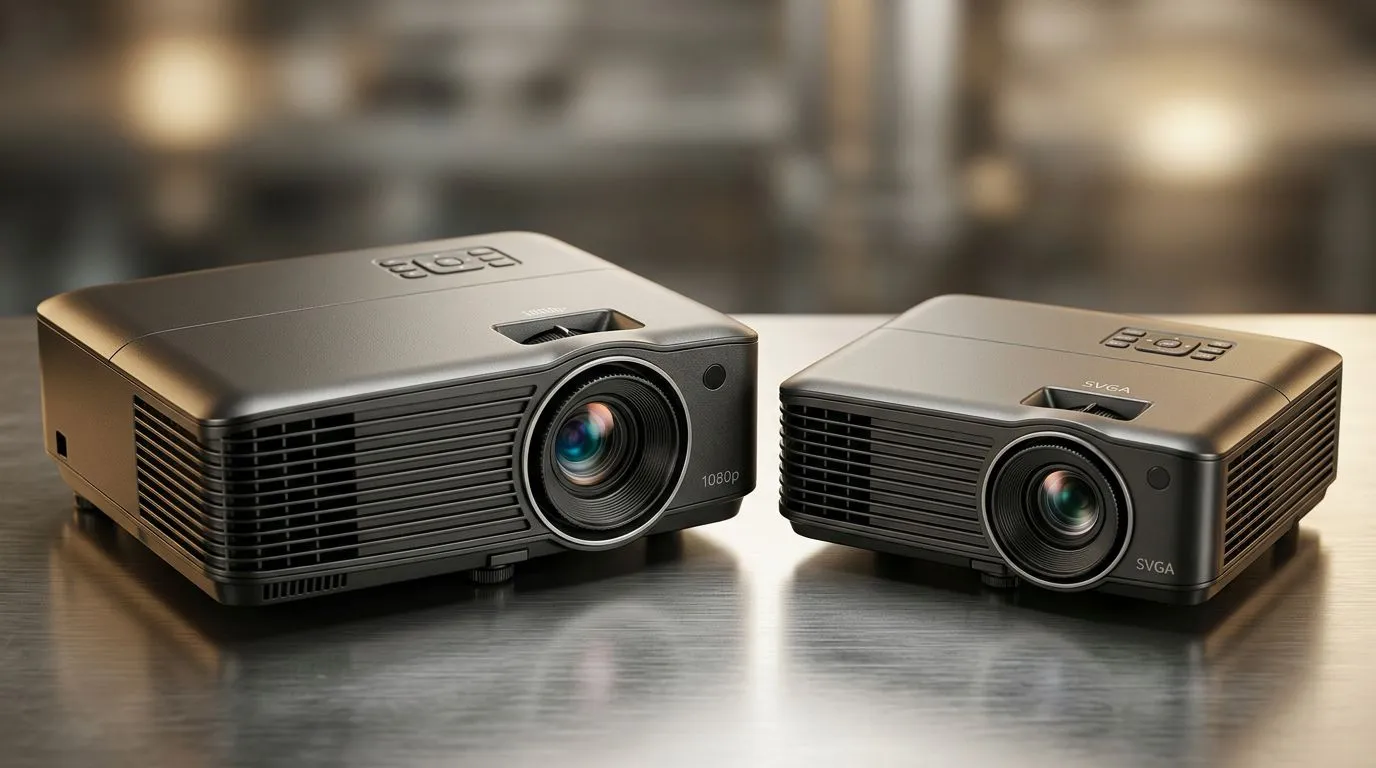
Buying a projector in South Africa is a bit like choosing a console… you want the right experience for your budget. But SVGA and Full HD can feel like alphabet soup, especially when you’re trying to game, watch movies, or run presentations. 🎮✨
In this guide, we’ll break down SVGA vs Full HD Projectors: Choosing the Right Fit for SA Budgets using real-world factors like image sharpness, throw distance, and brightness. Then we’ll help you pick one that won’t disappoint once the lights go down.
Resolution is the number of pixels a projector can throw onto your screen. More pixels generally means more detail.
That jump is why Full HD usually looks sharper on text, menus, and gaming HUDs. On the flip side, SVGA models can still be fine for older content, casual movie nights, or large setups where you sit farther away.
Here’s the part South African buyers often learn the hard way. If your seat is close to the screen (or you’re projecting onto a smaller wall), Full HD becomes much more obvious. If you sit far away and the wall is huge, SVGA can feel “good enough”… especially for Netflix-style viewing.
Resolution isn’t everything. Projectors also struggle in bright rooms. If your lounge gets daytime sun, your “best” projector still needs enough brightness to keep colours and contrast looking decent.
While brightness depends on the specific model, Evetech’s projector listings are a practical starting point because they help you filter by category and budget. Start with the options that match your spending plan first, then refine.
For example, you can browse projectors in a budget-friendly range here: Shop projectors under R7,000 at Evetech
Many people focus on resolution, then get stuck on connectivity. Before you commit, check what your sources output and what your projector accepts.
Common questions:
Also, measure your space. A great projector can still look “small” if your throw distance is wrong.
On Windows, use the PowerToys FancyZones utility to create custom snap layouts for your windows. It's a lifesaver for managing multiple apps on an ultrawide monitor, letting you organise your timeline, preview window, and asset folders perfectly for video editing.
Choose SVGA if:
Choose Full HD if:
Sometimes the best choice isn’t only resolution… it’s overall value, features, and long-term satisfaction. If you’re narrowing by brand, start here:
And if you want to compare across the full range without overthinking it:
If you’re still unsure, start with your room conditions and your typical content. That’s the shortcut most people miss.
Ready to Find Your Perfect Match? The Mac vs Windows debate is complex, but for maximum power, choice, and value in South Africa, Windows is hard to beat. Explore our massive range of laptop specials and find the perfect machine to conquer your world.
SVGA offers a lower resolution of 800x600 pixels, best for basic text, while Full HD provides 1920x1080 pixels, offering superior clarity for detailed charts and video.
Yes, if you are on a strict budget and only need to display simple text documents or basic slide decks in smaller meeting rooms with controlled lighting.
Full HD projectors are essential if your presentations include high-resolution images, complex spreadsheets, or video content that requires sharp detail.
Absolutely. SVGA projectors are generally the most affordable entry-level options, while Full HD models carry a premium for the increased pixel density.
While technically possible, SVGA will likely result in blurry faces and text. Full HD is highly recommended for modern video conferencing and professional setups.
SVGA uses a 4:3 aspect ratio, which is older. Full HD uses a 16:9 widescreen ratio, which is the current standard for most laptops and digital content.
Maintain wired headset — Checklist: • inspect cables • clean earpads • store properly 🔧🎧 Practical steps to preserve sound quality and avoid premature replacements.
Read more
Fix crackling headset fast: step-by-step checks for cables, connectors, drivers, and settings to remove static or distorted audio on wired headsets 🎧⚙️
Read more
Stereo vs mono headsets: learn which delivers clearer calls, better spatial music, or simpler mono voice performance — pick the right headset for meetings, music, or gaming 🎧💬
Read more
- Compare gaming headset vs studio headphones; - Assess comfort, mic and sound; - Recommend best daily picks. Gaming headset vs studio headphones: learn which suits work, music and casual gaming. 🎧⚖️
Read more
- Check pressure points - Compare earcup materials - Adjust clamp and fit Best gaming headsets for glasses: quick guide to reduce temple pressure, pick breathable memory foam earcups, and optimize fit for long sessions 🕹️👓
Read more
Gaming microphone noise reduction: Use beamforming mics, AI noise suppression, and hardware filters to cut background noise and boost in-game voice clarity. 🎧⚙️ Learn setups, settings, and top mic features.
Read more
Snapdragon X2 NPU Explained: How 80 TOPS Changes. Plain-English explanation of what it means, why it matters & how it affects your buying decisions in SA.

HBM? High Bandwidth Memory Used in GPUs and AI. Plain-English explanation of what it means, why it matters & how it affects your buying decisions in SA.

How much should you spend on sim racing accessories in South Africa for a realistic setup? We break down budgets by quality tiers, so you buy smart gear and avoid overspending 🎮💸

G-Sync and FreeSync? Variable Refresh Rate. Plain-English explanation of what it means, why it matters & how it affects your buying decisions in SA.

AMD Laptop: Value. SA-focused analysis with local pricing data, real-world insights & actionable buying advice.

How MacBook Neo Handles 30+ Chrome Tabs with Only. SA-focused analysis with local pricing data, real-world insights & actionable buying advice.

Why Apple Put 8GB RAM in MacBook Neo: The A18 Pro. SA-focused analysis with local pricing data, real-world insights & actionable buying advice.

Upgrade your work laptop with a New Motherboard. Step-by-step instructions with SA-specific tips, common pitfalls to avoid & expert recommendations.
Maintain wired headset — Checklist: • inspect cables • clean earpads • store properly 🔧🎧 Practical steps to preserve sound quality and avoid premature replacements.
Fix crackling headset fast: step-by-step checks for cables, connectors, drivers, and settings to remove static or distorted audio on wired headsets 🎧⚙️
Stereo vs mono headsets: learn which delivers clearer calls, better spatial music, or simpler mono voice performance — pick the right headset for meetings, music, or gaming 🎧💬
- Compare gaming headset vs studio headphones; - Assess comfort, mic and sound; - Recommend best daily picks. Gaming headset vs studio headphones: learn which suits work, music and casual gaming. 🎧⚖️