Splitting your week between an office desk and a home setup quietly wrecks your posture, because the two stations almost never match. One day you are at a fixed corporate desk tuned for someone else, the next you are hunched over a kitchen table. The fix for a hybrid desk setup is not buying more gear, it is recreating one consistent, correct posture in both places so your body stops readjusting every switch day.
Quick Answer
The two highest impact pieces for a hybrid worker are a height adjustable desk with memory presets and a quick adjust monitor arm. Save your seated and standing heights once, and a single button press recreates the same ergonomics every day, while the arm lets you match screen height to your eyes in seconds. Everything else, chair and peripherals, supports those two anchors.
Start with the desk: presets are the whole point
A height adjustable desk earns its place in a hybrid setup specifically because of memory presets. Most full featured electric desks store three or four heights, so you tap one button to drop to your exact seated height and another to rise to your standing height, with no fiddling each time. For someone whose posture resets every time they swap locations, that repeatability is the feature that matters.
Set your seated height so your elbows sit at roughly 90 degrees with your forearms level when your fingers rest on the keyboard. If your shoulders creep up or you reach down to type, the height is wrong. Then set a standing preset and aim for 15 to 30 minutes of standing per hour, using a reminder for the first few weeks until it becomes habit. Look for a desk with a solid lift capacity and centimetre level adjustment so the saved heights are precise rather than approximate.
The monitor arm does the daily heavy lifting
A monitor arm is what makes the standing transition actually usable. When you press the desk to standing height, your eye line rises too, and a fixed monitor stand leaves the screen sitting too low. A good arm lets you nudge the display up to match your new eye level in under fifteen seconds, so the top of the screen stays at or just below eye height whether you sit or stand.
For a hybrid worker the arm also clears desk space and lets you pull a laptop screen up to the right height instead of looking down at it. Position the monitor about an arm's length away with the top edge at or slightly below your eyes, and keep that geometry identical between sit and stand. The principle holds whether you run one screen or two.
The chair: where most of the day is spent
Even with a standing routine, most hybrid hours are seated, so the chair carries the load. Look for adjustable seat height, lumbar support that meets the curve of your lower back, and armrests you can set to keep your forearms supported at that same 90 degree elbow angle. A chair that matches your desk height is what keeps the saved presets meaningful, because a poorly set chair undoes a perfectly set desk. The gaming and ergonomic desk range at Evetech covers sit-stand models that suit long mixed work days and anchor a proper hybrid workspace.
If you are weighing models, the workspace accessories best sellers at Evetech are a quick read on which ergonomic desk accessories South African buyers are settling on, which helps narrow a shortlist before you commit.
Peripherals and the small details that compound
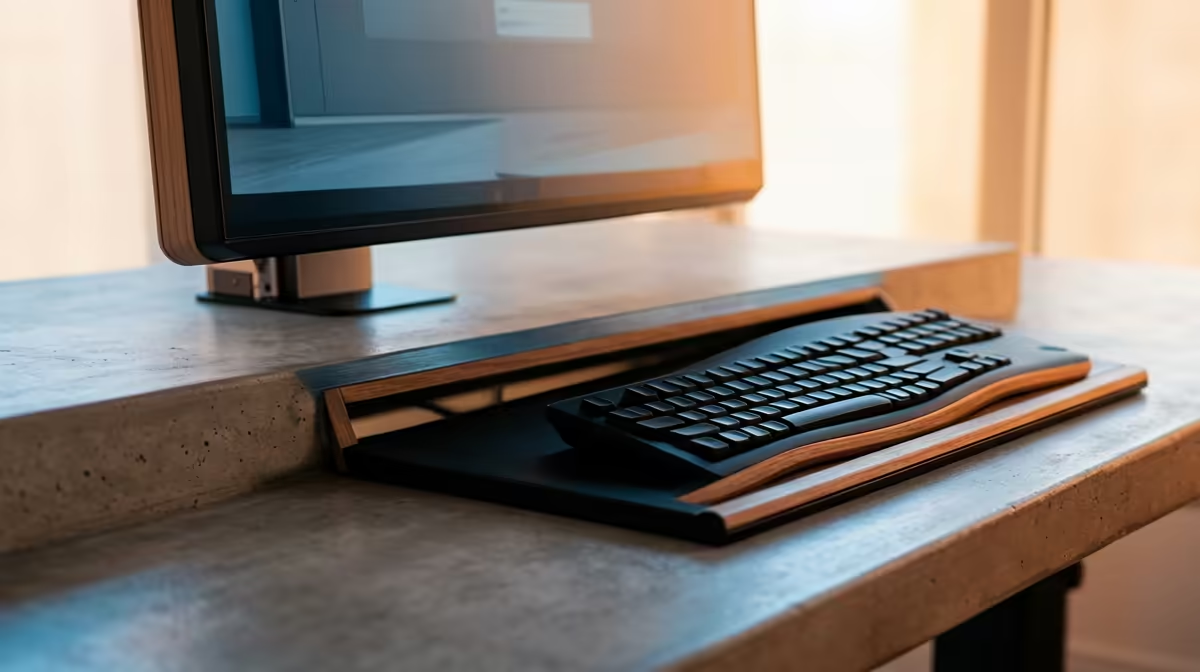
Once the big three are sorted, the small adjustments stack up. Keep your keyboard and mouse close so your elbows stay tucked rather than reaching forward. A wrist rest level with the keyboard keeps your wrists neutral. If you work off a laptop at home, a riser plus an external keyboard and mouse turns it into a proper screen at eye height rather than a neck strain machine. Decent lighting that does not glare on the screen rounds it out.
An anti-fatigue mat is worth adding once you commit to a standing routine. Standing on a hard floor for 15 to 30 minutes at a stretch is noticeably more tiring than standing on a cushioned mat, and fatigue is the main reason people abandon the habit. A mat with a gentle raised ridge to prop one foot against also lets you shift weight passively, which keeps the lower back from stiffening during a standing stretch.
The goal across all of it is one identical posture in two places. When your home station and your office station produce the same elbow angle, the same eye line, and the same back support, your body stops paying a tax every time you switch, and the aches that creep in from mismatched setups simply stop appearing.
Making the Sit-Stand Habit Stick
A height-adjustable desk only earns its keep if you actually use the standing setting. The most common failure mode is leaving the desk at sitting height indefinitely, which turns an expensive purchase into an expensive fixed desk.
The practical fix is a timer. Set a reminder for every 45 to 60 minutes in the first few weeks. When it fires, press the button and stand. After a month, most people find they reach for the button instinctively, without prompting, because they have associated the posture change with feeling better rather than feeling obligated.
A useful target is 15 to 30 minutes of standing per hour. Standing the full hour is no healthier than sitting the full hour; the benefit comes from the transition itself, from varying the load on the spine and engaging different muscles. Short, regular switches throughout the day produce better results than one long standing stint in the morning.
If your home office shares space with others, the desk's noise level matters too. A dual-motor frame with a steel frame raises and lowers smoothly and quietly, which is worth spending slightly more on if the desk lives in a bedroom or a shared flat.
Frequently Asked Questions
What is the single most important piece for a hybrid worker?
The height adjustable desk with memory presets, because it lets you recreate the exact same seated and standing posture at home and in the office with one button. Consistency between the two stations is what prevents the posture resets that cause hybrid worker aches.
How high should my desk be when seated?
Set it so your elbows rest at roughly 90 degrees with forearms level and shoulders relaxed when your fingers are on the keyboard. If your shoulders rise or you reach down to type, adjust until that elbow angle is comfortable, then save it as a preset.
How often should I switch between sitting and standing?
A common target is 15 to 30 minutes of standing per hour rather than standing all day. Use a timer for the first few weeks while the habit forms, then alternate based on how your back and legs feel.
Do I need a monitor arm if I only use a laptop?
A laptop on a desk sits too low and forces you to look down, straining your neck. A riser or arm that lifts the screen to eye level, paired with an external keyboard and mouse, fixes that, and an arm makes matching the height when you stand far quicker.
Will a gaming chair work for office work?
Yes, provided it has proper adjustability. Look for adjustable seat height, real lumbar support, and armrests you can set for forearm support. A well specified ergonomic chair handles long mixed work days as comfortably as gaming sessions.