Choosing a USB-C cable for high-wattage charging properly comes down to four decisions, and skipping straight past the first one is exactly why the other three end up not mattering at all.
Quick Answer
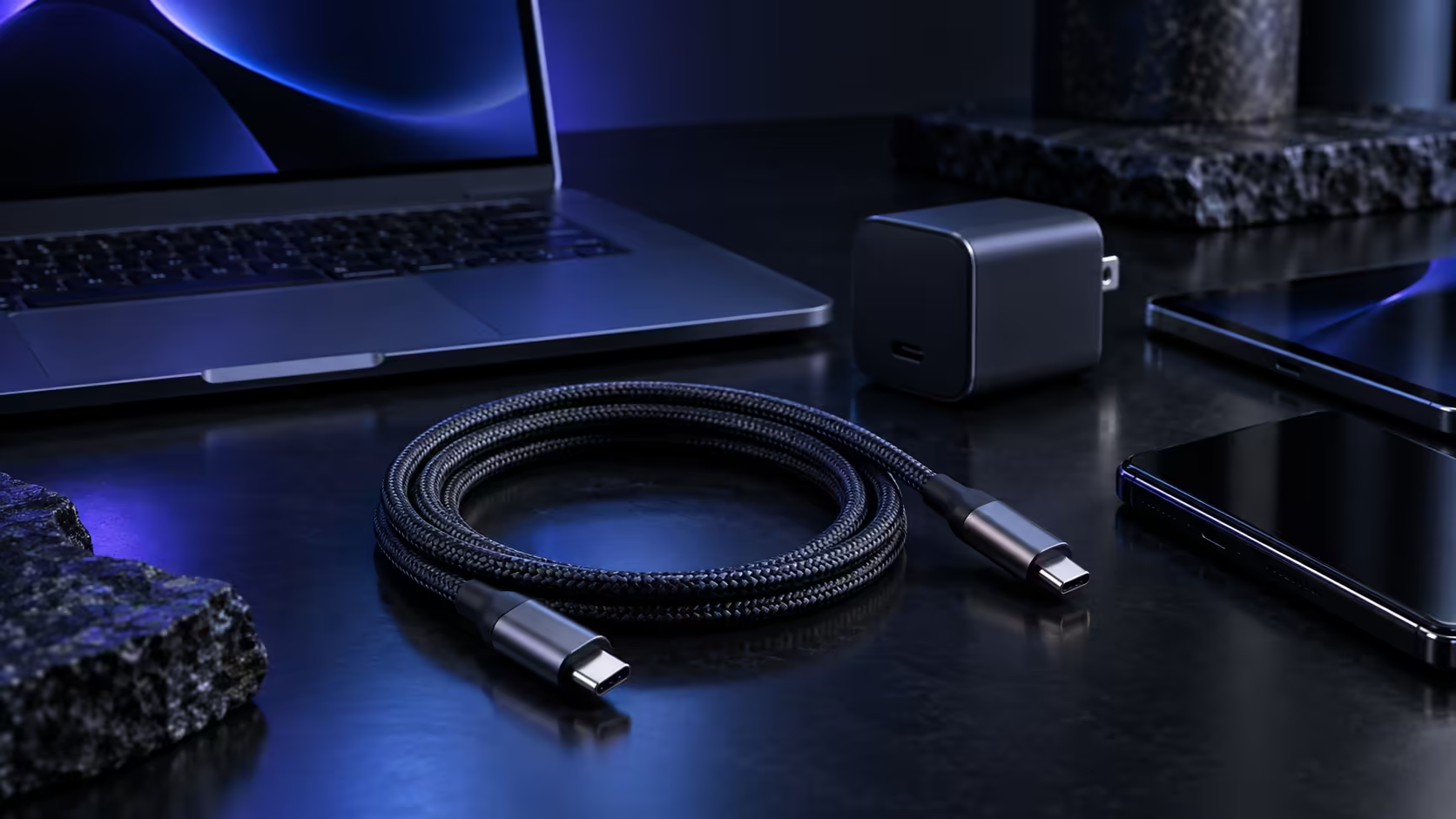
Work through four decisions in order: rating, certification, length, then bend life. The Anker 544 answers all four at R399, with 140W capability, USB-IF certification and a 30,000-bend bio-nylon jacket running the full 1.8m.
📋 Why treating this as four separate purchases helps
It is tempting to think of buying a USB-C charging cable as one decision, but treating it as four distinct checkpoints, each with its own pass or fail answer, makes the process far less error-prone than eyeballing a product page and hoping everything lines up. A cable that fails even one of the four checkpoints is worth passing over regardless of how well it performs on the other three, since a single weak link undoes the value of the rest.
🔢 Decision one: the current rating
Everything else in this guide depends on this figure. A cable needs a genuine 5A e-marker chip to carry anything above 60W, and without it the connection caps itself at that lower figure regardless of how capable the charger and device both are. Check for the amp rating stated directly on the comprehensive cable range, since "USB-C" alone as a connector description says nothing about the current class a specific cable actually belongs to.
🏷️ Decision two: certification
Once the rating looks right, confirm it with USB-IF certification on the USB-C connector itself, which means an independent test house verified the declared current matches the cable's actual build. This is the check that separates a genuinely capable cable from one that prints a high figure on the packaging without the wiring to back it up, a distinction that matters more the higher the wattage claimed.
🧵 Decision three: length and bend rating
Measure the actual distance the cable needs to cover instead of guessing at a convenient figure, since a cable pulled taut against its own limit puts strain right on the plug each time something nearby gets nudged or moved. Where a cable travels daily, in a bag or between rooms, a published bend rating such as 30,000 cycles becomes a genuinely useful figure; for a cable that stays permanently in one place, it matters considerably less.
🧭 Why skipping ahead in the order backfires
It is tempting to jump straight to the length or the bend rating, since those are the details a shopper notices first when browsing options side by side. But a cable that survives 30,000 bends and comes with a perfectly measured length is still useless for a demanding laptop if it caps the connection at 3A, which is exactly why the order matters as much as the checklist itself. Working top to bottom means every decision that follows only ever refines a choice that was already going to work, rather than papering over one that was never going to.
🔌 Decision four: matching it to how you actually use it
A docking station sitting close to a laptop on a desk favours a shorter, tidier cable, while a socket positioned further away calls for the longer option. Keep checking your charger's own wattage rating throughout this process too: a cable can only carry what it is asked to, it cannot make up for a weaker charger sitting upstream of it.
🧾 Working through the four decisions on an actual purchase
Take a real scenario: replacing a charging cable for a large laptop that regularly travels between a home office and a co-working space. Rating comes first, so a 5A cable capable of 140W is non-negotiable given the laptop's own demands. Certification comes next, confirming that rating is genuine rather than a printed claim. Length follows, measured against the actual distance from whichever desk the laptop lands at that day, and bend rating closes the list, mattering considerably here given how often the cable travels between locations.
Running through all four in this order, rather than picking whichever one happens to catch your eye on a shelf, is what actually produces a cable that performs the way you expect it to for years rather than months.
Frequently Asked Questions
If I only have time to check one of these four, which should it be?
The current rating, since nothing else on this list matters if the cable cannot carry the wattage your charger and device actually need in the first place.
Is it worth buying the highest-rated cable available regardless of my current charger?
It is a reasonable choice if a more powerful charger is even a plausible future purchase, since any extra capacity sitting in the cable just waits there quietly for the day something finally demands it.
Does a docking station need a different cable class from a direct charger connection?
No, the same rating and certification requirements apply regardless of whether the connection runs through a docking station or directly from a wall charger.
Can I skip the certification check if the price already looks reasonable?
Not advisable, since price alone does not confirm a cable's declared rating matches its actual build, which is exactly what certification is meant to verify independently.
Should bend rating ever outrank the current rating in this decision order?
No, the current rating always comes first, since a cable that cannot carry the wattage you need is unsuitable regardless of how well it might otherwise survive daily handling.
Does the order of these four decisions ever change for a simple, low-power setup?
The order stays the same, though the stakes shrink considerably for a phone-only setup, where even a basic 3A cable already meets the requirement comfortably at every one of the four steps.
How often should this whole checklist be revisited for an existing setup?
Whenever a new device joins the household or an existing cable is due for replacement, since either event is a natural point to confirm the current setup still matches what it is actually being asked to do.
Does this checklist apply the same way to a cable bought for a docking station specifically?
Yes, a docking station is simply another device on the other end of the cable, so the same four decisions apply to it exactly as they would to any laptop, phone or tablet sitting elsewhere in the house.
Should the checklist change if the cable is a gift for someone else's setup?
No real change, though it is worth confirming the recipient's own charger and laptop wattage beforehand, since the same four decisions still apply cleanly once you actually know what they are charging day to day.
Ready to choose a high-wattage cable with confidence?
Work through rating, certification, length and bend life in that exact order.