



PCIe 5.0 vs PCIe 4.0 for Video editing in 4k in SA
PCIe 5.0 vs PCIe 4.0 for video editing in 4k is mainly about fit, features, compatibility, cost, and upgrade path, not one automatic winner. SA buyers should match the choice to the setup.
Read moreClimate-controlled chair features manage seat ventilation and heating, while ergonomic controls adjust body position. The R16,599 AutoFull M6 Pro+ 2.0 combines both through an air-conditioned seat, dynamic lumbar support, 6D armrests and 160-degree recline.

Climate control changes the seat environment, while ergonomic adjustments change the body's relationship with the chair. This climate-controlled gaming chair guide separates those functions so buyers can judge the R16,599 AutoFull M6 Pro+ 2.0 accurately.
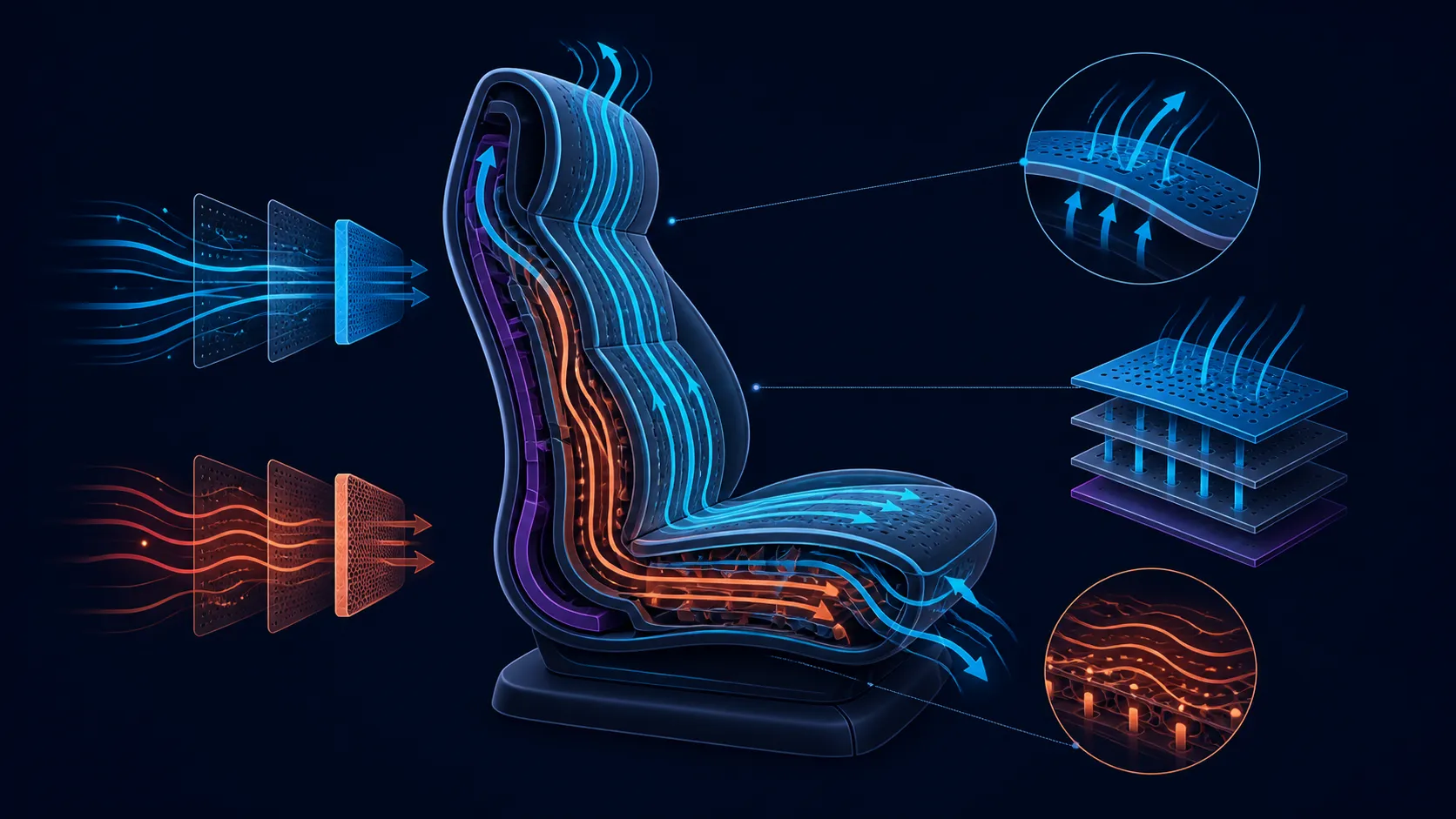
A climate-controlled chair actively changes the seat through ventilation, heating or both. The M6 Pro+ combines these two modes with a responsive lumbar area and broad arm positioning. Its 160-degree backrest and 3D ErgoCloud neck pillow extend the support package. Inspect operating details before assigning temperature, power or fan behaviour.
Ventilation is intended to manage airflow at the seat, while heating adds warmth. These are active functions rather than passive consequences of upholstery or room conditions. They can be useful when the user regularly experiences warm or cold seated sessions.
The feature name does not disclose a temperature range, number of fan settings, operating noise, power connection or automatic programme. Learn those details from the exact controls and instructions. Do not treat air-conditioned as a guarantee that every person will feel cool.
Start by recording the room conditions, clothing and session length that create a problem. Then test the relevant mode briefly. A function earns value when it solves a repeated need without making operation unnecessarily difficult.
Explore Evetech's AutoFull gaming chair collection with climate modes and operating questions in separate comparison columns.
As the sitter moves, the dynamic lumbar area changes its contact instead of preserving a single fixed relationship. Observe it during typing, gaming and breaks without treating the result as diagnosis, prevention or care.
Neck-area support comes from the 3D ErgoCloud pillow. Do not convert its dimensional label into assumed movement directions; test its contact on the intended user at relevant backrest angles.
Every support element still depends on basic fit. The M6 Pro+ sets capacity at 150kg, whereas seat width, backrest size and a user's proportions require their own measurements.
The chair has 6D foldable mechanical armrests with 360-degree adjustment. That combination creates flexibility without naming every axis. Compare the movements that matter for keyboard, mouse, controller and deeper recline positions.
Its backrest reaches 160 degrees. Treat this as the deepest endpoint, not the best working angle for everyone. Check the exact reclining and locking procedure, then change position gradually while monitoring lower-back, neck and forearm contact.
The armrests may need repositioning when the backrest moves. Test the chair as a coordinated system rather than ranking each maximum independently. A wide range is useful only when everyday positions are easy to reproduce.
Place the intended desk at the centre of comparisons across Evetech's gaming-chair category for South Africa.
At R16,599, score ventilation, heating, lumbar movement, arm adjustment, recline, neck support and capacity against the user's actual routine. Give frequent, useful functions more weight than impressive features that remain unused.
Keep unknown operating details visible. Temperature levels, fan noise, power arrangement, exact arm axes and recline locks should not receive an assumed answer. A clear question is safer and more useful than assuming a capability.
Also keep massage separate. Mechanical massage is a general premium-chair feature category, but the M6 Pro+ does not include it. Evaluate this AutoFull chair through its climate and adjustment functions.
Finally, reject therapeutic shortcuts. Ventilation, heating, lumbar movement and recline can change the setup experience without promising pain relief or a medical outcome. Comfort remains a personal assessment made through ordinary use.
For a showroom or home test, use a consistent sequence. Begin with basic fit, align the arms to the primary controls, observe lumbar contact and only then explore selected recline positions. Climate modes come last so temperature response does not obscure the earlier support observations.
Record every operating question that remains unresolved. A climate-control comparison should include start and stop behaviour, available levels, power arrangement and normal sound. A positional comparison should capture actual arm directions, lumbar response and the recline procedure. Keeping the questions visible is more useful than filling the table with assumptions.
Consider shared use separately. Two people may prefer different arm positions, lumbar contact and climate modes. Check how each setting is changed and whether the basic dimensions suit both users. Do not infer saved profiles, automatic recognition or app control.
The 150kg maximum belongs at the top of the capacity section, not inside a comfort score. It does not identify a recommended user size. Place seat and backrest measurements beside it before approving fit.
Create a seasonal usage estimate for ventilation and heating. A South African buyer may value airflow strongly in warmer periods and use heating differently. Frequency can change across the year without any need to promise a specific temperature result.
Finally, compare R16,599 with the functions that passed the test. If the owner values dynamic lumbar and arm movement but rarely uses climate, the score should say so. A transparent result can support the chair without pretending every premium function matters equally.
A climate chair may serve different purposes across the year, so one trial should not decide the whole ownership case. Sketch the likely warm-month and cold-month routines, including the time of day, typical clothing and desk task. Assign ventilation and heating their own expected-use totals. This prevents heavy use of one mode from being used to justify the other automatically.
Add a setup column for each season. Power routing, nearby furniture and the owner's preferred chair position may change when the room layout changes. Confirm the proper controls and care instructions for the exact unit before writing the sequence. Unknown fan behaviour, temperature range or noise should remain open questions; they are not safe deductions from the presence of active seat climate.
Review the plan after representative sessions. Record whether the mode was easy to start, whether it remained wanted and whether any support setting changed at the same time. If lumbar, arm or recline adjustments were altered, repeat the climate observation with those variables held steady. That discipline separates thermal preference from a more general change in posture.
Active ventilation and heating at the seat define the M6 Pro+ climate package.
Use the exact controls and instructions to identify available settings, power needs and normal operation.
Dynamic lumbar support changes its relationship as the person moves through seated positions.
Mechanical armrests provide folding, 360-degree positioning and a 6D designation; inspect their precise movement map directly.
Backrest travel on the M6 Pro+ ends at 160 degrees.
A 3D ErgoCloud neck pillow accompanies the chair's lumbar and recline features.
The chair supports up to 150kg, separate from seat and backrest fit dimensions.
Ready to compare climate, support and movement as separate decisions? Explore Evetech's gaming chair categories with a scorecard built around your room, body fit, desk and position routine.
Active ventilation and heating at the seat define the M6 Pro+ climate package.
Use the exact controls and instructions to identify available settings, power needs and normal operation.
Dynamic lumbar support changes its relationship as the person moves through seated positions.
Mechanical armrests provide folding, 360-degree positioning and a 6D designation; inspect their precise movement map directly.
Backrest travel on the M6 Pro+ ends at 160 degrees.
A 3D ErgoCloud neck pillow accompanies the chair's lumbar and recline features.
The chair supports up to 150kg, separate from seat and backrest fit dimensions.
PCIe 5.0 vs PCIe 4.0 for video editing in 4k is mainly about fit, features, compatibility, cost, and upgrade path, not one automatic winner. SA buyers should match the choice to the setup.
Read more
Wi-Fi 7 vs Wi-Fi 6e for competitive esports comes down to router support, latency goals, device compatibility, and coverage. SA buyers should match the choice to the real network setup.
Read more
ATX 3.1 vs ATX 3.0 for mMO and live-service games buyers - what changes is mostly about compatibility, budget, upgrade path, and setup fit. SA buyers should check device support and real needs before expecting a clear win from either option.
Read more
LGA 1851 vs LGA 1700 can affect Twitch and YouTube streaming when gaming and encoding share CPU resources. For SA creators, the real-world difference depends on encoder choice, memory support, motherboard cost, thermals, and upgrade plans.
Read more
X870E vs X670E for aaa single-player gaming is mainly about fit, features, compatibility, cost, and upgrade path, not one automatic winner. SA buyers should match the choice to the setup.
Read more
Hall Effect switches vs Mechanical switches for mMO and live-service games is mostly about compatibility, budget, upgrade path, and setup fit. SA buyers should check device support and real needs before expecting a clear win from either option.
Read more
A fake 113GB GTA VI ISO reportedly used empty padding around a small malware payload. SA gamers should delete unofficial builds, keep Windows security active and wait for official channels.

Wi-Fi 6E vs Wi-Fi 6 matters for 4K video editing when files move across a network. The real-world difference between Wi-Fi 6E and Wi-Fi 6 for video editing in 4K depends on NAS access, cloud uploads, router range, and SA creator workflows.

The difference between PCIe 5.0 and PCIe 4.0 for SA gamers is mostly bandwidth headroom. Compare GPU slot needs, NVMe speed, motherboard support, and upgrade timing before paying extra for a newer platform.

Gaming PC stuck pixel checks in South Africa should confirm the monitor fault first. Use colour tests, screenshot comparison, cable swaps, display menu checks, and clear photos before deciding on support.

Shokz OpenFit Air 2 earbuds weigh 7.2g each and use a redesigned dual-driver open-ear layout. SA buyers should choose them for comfort and awareness, not maximum isolation.

AMD's current driver now lists a Radeon RX 9050 4GB, while product coverage details a narrowed memory system. SA buyers should weigh the low VRAM ceiling against current local Radeon options.

Samsung Display has demonstrated a 16-inch 2.5K OLED laptop panel running at 300Hz. SA buyers should wait for a named notebook, full panel specifications and a local price before planning an upgrade.

Microsoft says some Windows 11 game crashes after recent updates are linked to RGB-related drivers. Affected SA gamers should confirm the update and driver before using the published registry workaround.

RTX 5090 on a 650W PSU is a tight pairing with very limited headroom. For SA gaming PCs, focus on total system draw, PSU quality, connector support, CPU choice, and avoid OC plans unless the full build is carefully power-limited.
PCIe 5.0 vs PCIe 4.0 for video editing in 4k is mainly about fit, features, compatibility, cost, and upgrade path, not one automatic winner. SA buyers should match the choice to the setup.

850W PSU safety for RTX 5090 is plausible with a quality unit and balanced parts. In SA, confirm connector support, CPU power draw, case airflow, PSU age, and spare capacity before building around 850W.
Wi-Fi 7 vs Wi-Fi 6e for competitive esports comes down to router support, latency goals, device compatibility, and coverage. SA buyers should match the choice to the real network setup.