



PCIe 5.0 vs PCIe 4.0 for Video editing in 4k in SA
PCIe 5.0 vs PCIe 4.0 for video editing in 4k is mainly about fit, features, compatibility, cost, and upgrade path, not one automatic winner. SA buyers should match the choice to the setup.
Read moreAn effective L-shaped gaming desk starts with two accurate wall measurements and a realistic seated-reach test. Plan monitor support, chair movement, legroom and rear cable access before assigning each return to gaming, work or storage.
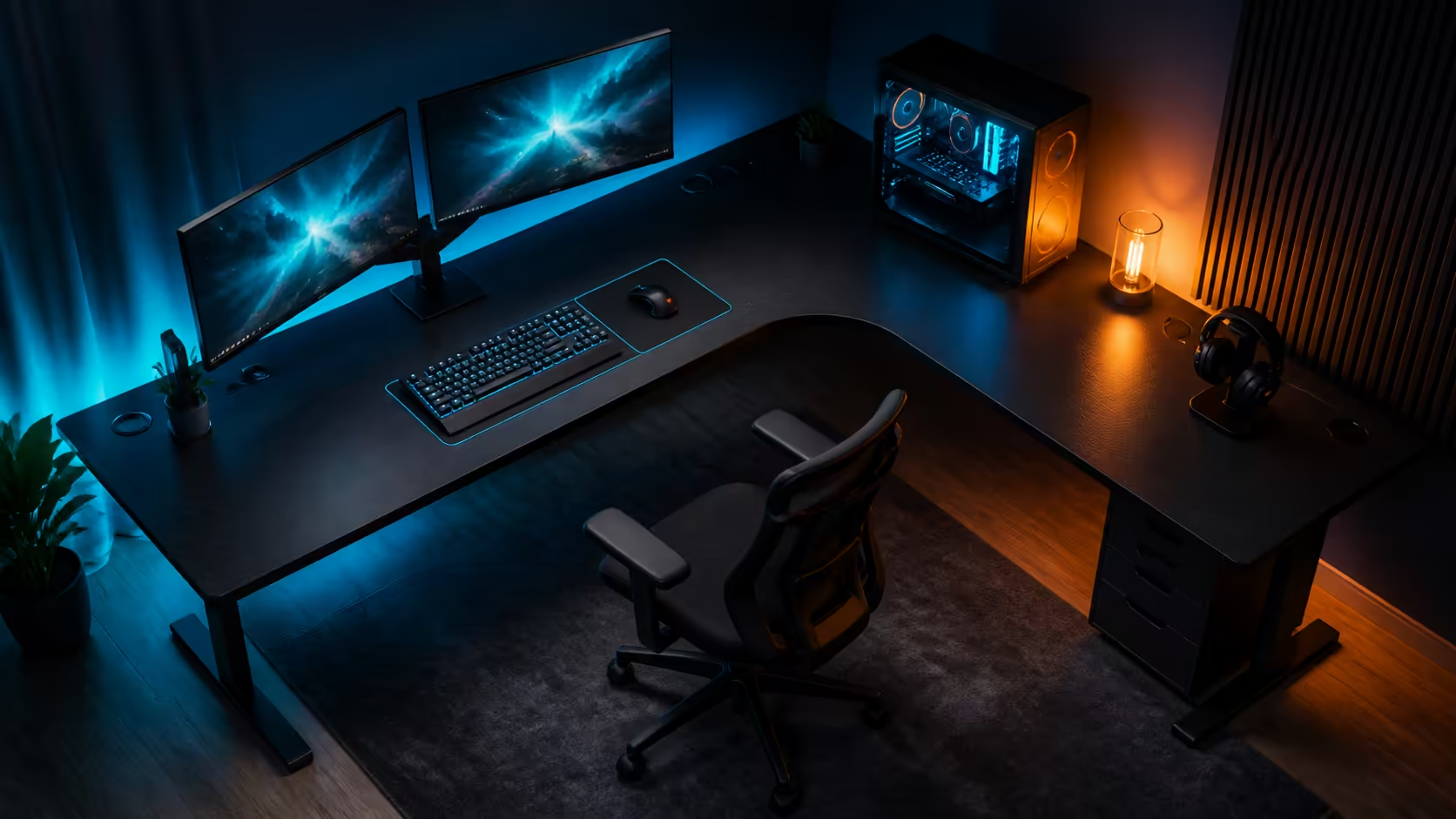
An L-shaped layout can create two useful runs, or it can consume a corner while leaving the user twisted between distant devices. This complete guide to L-shaped gaming desks treats the shape as a room-planning tool rather than a promise of capacity. Evetech's live gaming-desk category ranges from about R2,499 to R8,499 and provides straight-desk comparisons for the decision.
Treat Evetech's approximate R2,499-through-R8,499 gaming-desk prices as the category benchmark, then assess an L-shaped layout at room-plan level. Measure both walls, tape the entire footprint, preserve chair and door travel, and establish one direct primary-screen position. Give the return a defined role only after the central keyboard, mouse and monitor relationship is comfortable.
Measure each wall from corner to the first obstruction. Record skirting depth, plug locations, windows, curtains, doors, cupboards and floor changes. A return that fits wall-to-wall may still block a handle or trap access to a socket.
Draw the desk depth on the floor with painter's tape. Add the chair footprint at the working position and full pull-back, then walk the route through the room. Repeat the test with cupboard doors open and another person passing behind the chair.
Evetech's gaming desk category supplies current desk prices and published dimensions for straight-layout comparison. Apply the same equipment and circulation tests to every outline.
The return may need to occupy a particular wall because of a window, doorway or socket. Tape both orientations when the room allows it. Notice which direction supports the dominant hand, secondary work and cable entry without placing the user against a wall.
Future relocation matters too. A shape that works only in one corner has less flexibility than a straight surface that can move between walls.
Sit at the proposed intersection and place the primary screen template directly ahead. Mark keyboard depth, mouse sweep and forearm support. The visual corner is not automatically the correct working centre; its geometry can push equipment too far away.
Test the chair at the height used for long sessions. The shoulders should remain relaxed, the feet supported and the hips aligned with the main screen. If the return is used for typing, create a second complete position instead of rotating only the upper body.
The second run can hold a laptop and notes, audio or streaming controls, creative tools, or less frequently viewed displays. Give it one main purpose before adding accessories. Otherwise it tends to become storage that remains outside comfortable reach.
Keep daily controls in the closest zone, regular tools in a relaxed secondary reach and occasional items farther out. Surface area becomes useful through placement, not simply through total size.
Measure the physical width and stand footprint of every display. Cut cardboard templates and place them at approximate viewing height. A central ultrawide or dual pair can work when the outer edges remain comfortable to view; side screens should match their lower-frequency roles.
Do not let the inner corner force a primary monitor too far away. Check whether the stand base overlaps the keyboard zone. Monitor arms can reclaim surface depth when their mounting points, load and adjustment path suit the hardware, but the screens keep their full physical width.
The Arozzi gaming setup selection can inspire complete-room arrangements. Translate an appealing screen setup into the actual panel, stand and room measurements before relying on it.
Check daylight at the hours the room is used. A screen facing a window may show glare; a camera facing it may lose a clean background. Add lamp bases and lighting cables to the plan.
For multiple users, repeat the viewing test at each chair setting. Outer displays may require different angles, and a shared screen should not need a full rebuild between sessions.
Mark the PC, wall socket, power equipment and every device connection. Trace leads at realistic lengths, preserving service loops for display movement and enough access to unplug safely. The inner corner can become a useful transition point or a difficult cable trap depending on the route.
Separate power and signal leads where practical. Keep floor loops away from chair casters and walking paths. A tray, opening or tie point is useful only when it aligns with the actual branch it supports.
Browse Evetech's gaming setup category when coordinating the desk with screens, chairs and accessories. The route should follow the final equipment plan rather than a bare surface.
Label both cable ends and photograph the working route. Leave temporary connections reachable. Do not bind every lead into one permanent bundle, because replacing a webcam cable should not require dismantling the monitor power path.
Test a basic clean and connection change before declaring the layout complete. Rear edges and the inner corner need enough access for dust removal and inspection.
Place heavy equipment within supported regions and follow the chosen furniture's assembly guidance. Test the frame lightly loaded, then add monitors, the PC and accessories in stages. Check every floor contact after the final load settles.
Different movement sources require separate diagnosis. A screen may shake because of its stand or arm even when the desk feet stay planted. A cable may pull equipment during adjustment. Observe feet, surface and mounts while another user types or moves the mouse.
Carpet can compress over time, while hard flooring can reveal gaps or permit sliding. Protect the floor appropriately and recheck stability after several hours. Keep mat edges, debris and cables out from beneath contact points.
Record the successful equipment and foot positions. Re-test after a desk move, monitor upgrade or deep clean.
Use the taped or temporary plan for a work block and a gaming session. Count how often items move between zones, which controls require leaning and where chair travel fails. Include a call or stream if camera position matters.
Then remove one nonessential item from each crowded area and repeat. The best layout often emerges through subtraction. A return should reduce transitions or protect a stable second task, not simply display more gear.
Rate the plan for primary posture, useful surface, monitor view, cable service, circulation, storage and future flexibility. Compare the score with a straight-desk alternative using the same equipment. Weight the measures important to the household rather than adding them equally.
Include cables, mounts, floor protection and storage changes in the budget. A desk within the category price range may require different surrounding costs depending on the room.
Position it on the seated user's straight-ahead sightline at a comfortable distance, rather than automatically at the wall corner.
Give it a defined secondary role such as laptop work, notes or infrequently used controls.
Tape both runs, the desk depth and full chair travel on the floor, then test doors and walking routes.
The current category spans approximately R2,499 to R8,499.
No. Use stable stands when they fit; consider arms when suitable mounting can reclaim needed depth or adjustment.
Ready to make every centimetre of a two-run layout answer to posture, access and a real task? Compare Evetech gaming desks, tape the complete room plan, and approve the return only after its role survives a full-session trial.
Position it on the seated user's straight-ahead sightline at a comfortable distance, rather than automatically at the wall corner.
Give it a defined secondary role such as laptop work, notes or infrequently used controls.
Tape both runs, the desk depth and full chair travel on the floor, then test doors and walking routes.
The current category spans approximately R2,499 to R8,499.
No. Use stable stands when they fit; consider arms when suitable mounting can reclaim needed depth or adjustment.
PCIe 5.0 vs PCIe 4.0 for video editing in 4k is mainly about fit, features, compatibility, cost, and upgrade path, not one automatic winner. SA buyers should match the choice to the setup.
Read more
Wi-Fi 7 vs Wi-Fi 6e for competitive esports comes down to router support, latency goals, device compatibility, and coverage. SA buyers should match the choice to the real network setup.
Read more
ATX 3.1 vs ATX 3.0 for mMO and live-service games buyers - what changes is mostly about compatibility, budget, upgrade path, and setup fit. SA buyers should check device support and real needs before expecting a clear win from either option.
Read more
LGA 1851 vs LGA 1700 can affect Twitch and YouTube streaming when gaming and encoding share CPU resources. For SA creators, the real-world difference depends on encoder choice, memory support, motherboard cost, thermals, and upgrade plans.
Read more
X870E vs X670E for aaa single-player gaming is mainly about fit, features, compatibility, cost, and upgrade path, not one automatic winner. SA buyers should match the choice to the setup.
Read more
Hall Effect switches vs Mechanical switches for mMO and live-service games is mostly about compatibility, budget, upgrade path, and setup fit. SA buyers should check device support and real needs before expecting a clear win from either option.
Read more
A fake 113GB GTA VI ISO reportedly used empty padding around a small malware payload. SA gamers should delete unofficial builds, keep Windows security active and wait for official channels.

Wi-Fi 6E vs Wi-Fi 6 matters for 4K video editing when files move across a network. The real-world difference between Wi-Fi 6E and Wi-Fi 6 for video editing in 4K depends on NAS access, cloud uploads, router range, and SA creator workflows.

The difference between PCIe 5.0 and PCIe 4.0 for SA gamers is mostly bandwidth headroom. Compare GPU slot needs, NVMe speed, motherboard support, and upgrade timing before paying extra for a newer platform.

Gaming PC stuck pixel checks in South Africa should confirm the monitor fault first. Use colour tests, screenshot comparison, cable swaps, display menu checks, and clear photos before deciding on support.

Shokz OpenFit Air 2 earbuds weigh 7.2g each and use a redesigned dual-driver open-ear layout. SA buyers should choose them for comfort and awareness, not maximum isolation.

AMD's current driver now lists a Radeon RX 9050 4GB, while product coverage details a narrowed memory system. SA buyers should weigh the low VRAM ceiling against current local Radeon options.

Samsung Display has demonstrated a 16-inch 2.5K OLED laptop panel running at 300Hz. SA buyers should wait for a named notebook, full panel specifications and a local price before planning an upgrade.

Microsoft says some Windows 11 game crashes after recent updates are linked to RGB-related drivers. Affected SA gamers should confirm the update and driver before using the published registry workaround.

RTX 5090 on a 650W PSU is a tight pairing with very limited headroom. For SA gaming PCs, focus on total system draw, PSU quality, connector support, CPU choice, and avoid OC plans unless the full build is carefully power-limited.
PCIe 5.0 vs PCIe 4.0 for video editing in 4k is mainly about fit, features, compatibility, cost, and upgrade path, not one automatic winner. SA buyers should match the choice to the setup.

850W PSU safety for RTX 5090 is plausible with a quality unit and balanced parts. In SA, confirm connector support, CPU power draw, case airflow, PSU age, and spare capacity before building around 850W.
Wi-Fi 7 vs Wi-Fi 6e for competitive esports comes down to router support, latency goals, device compatibility, and coverage. SA buyers should match the choice to the real network setup.