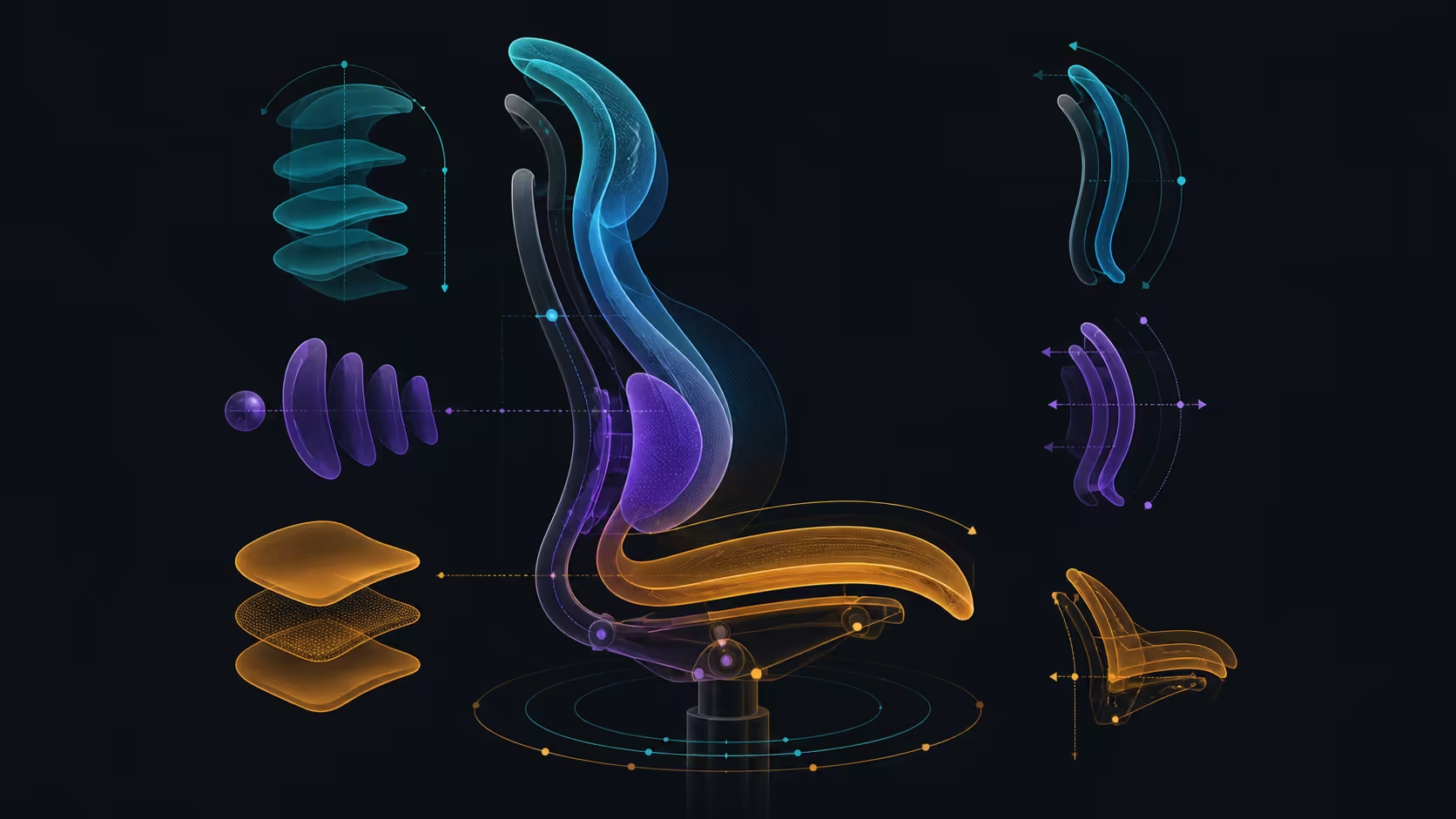
A smart chair becomes easier to tune when adjustments move from basic fit to support and only then to powered comfort. This smart ergonomic chair adjustment guide uses that order to keep cause and effect visible. For R14,999, the X7 follows lumbar movement, adjusts contact across directions, adds active massage and warmth, and ventilates its seat.
Quick Answer
The X7 adjustment system combines 50mm lumbar depth, 45mm lumbar height, 10-degree adaptive tilt, ten intensities, 720-degree arms and a 4D headrest.
Adjust a smart chair by establishing foot support and desk reach first, testing lumbar contact second, and introducing massage or heat only after the working posture is stable. The R14,999 HBADA X7 automatically follows lower-back posture, provides directional support and moves air through its cushion. Buyers need a separate battery, while dimensions, capacity and operating details remain exact checks.
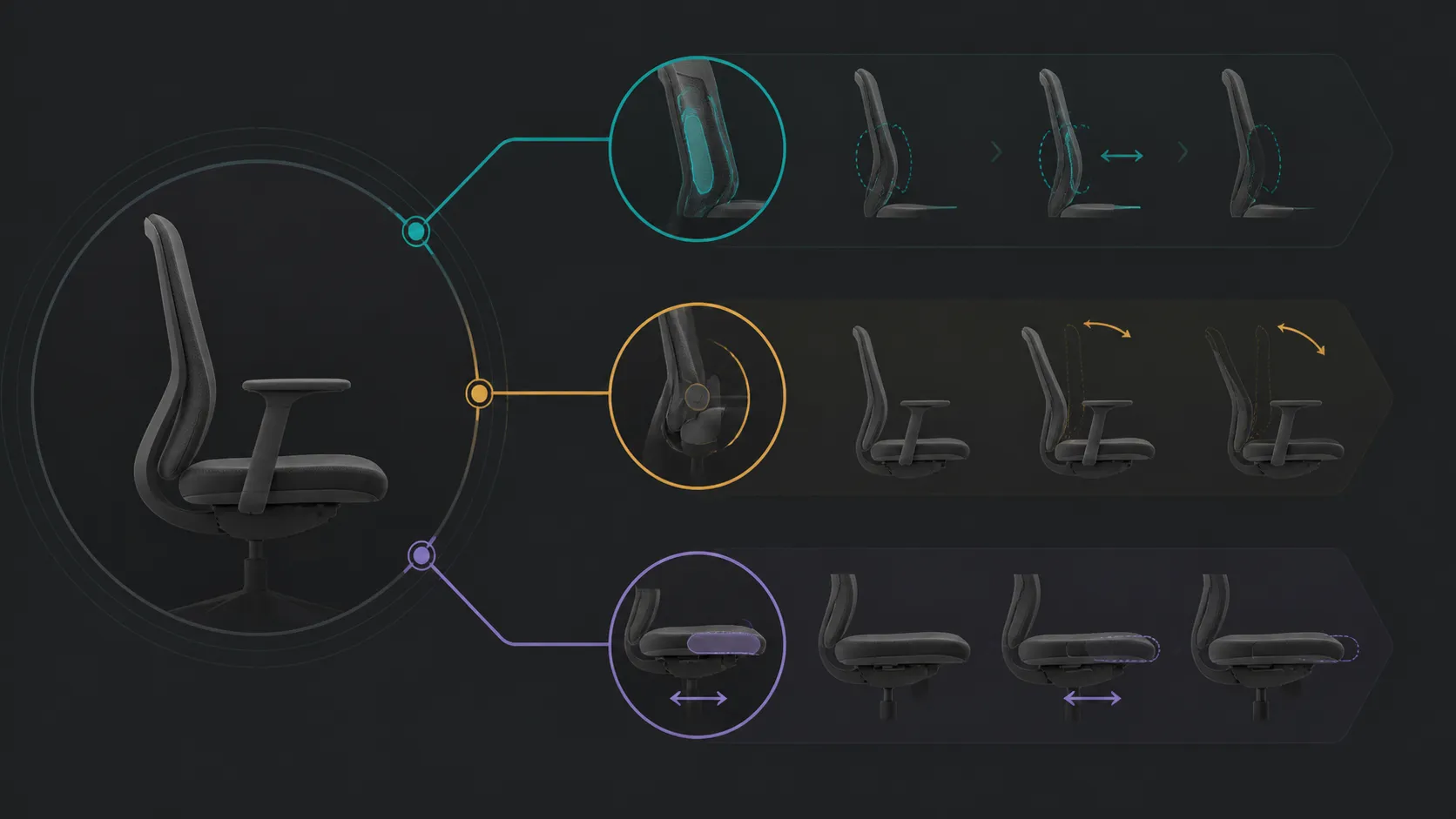
🧭 Build the physical baseline before automation
Start with the most frequent desk task. Place the chair so the keyboard, mouse or controller is reachable without lifted shoulders or a forward stretch. Position the screen for comfortable viewing, support the feet and sit back naturally. Avoid forcing one rigid posture; the baseline should represent how the user actually works.
Run a short typing or gaming-input trial before touching powered controls. Note seat-edge pressure, backrest contact and any tendency to slide forward. If the desk is too high or far away, correcting the chair alone cannot restore good reach.
Verify room and user fit
Measure the intended space and obtain exact chair dimensions before purchase. Check rated capacity for the user, and confirm the chair can move without striking a wall, desk or cable. Those values do not follow from the X7's smart feature list.
Use Evetech's HBADA office-chair category to compare exact models after the room and desk criteria are fixed. Keep any recline range, lift class or chassis claim out of the X7 assessment unless the exact candidate provides it.
🧭 Tune lumbar contact through movement
The X7 automatically follows lumbar posture and lets the user adjust support across directions. Test this through centred work, a forward reading movement, a side task and a relaxed position. Seek broad contact without a sharp or tiring pressure point.
Alter one seating or workstation factor per trial. Moving the seat, desk distance and back support together hides which action helped, so restore the physical baseline before another adjustment.
Judge the observable response
No sensor layout, detection interval or response speed is needed to decide whether tracking works for the user. Record contact position, pressure and correction frequency instead. Repeat the sequence later in the day, when fatigue may change posture.
Automated support is not medical treatment. Persistent pain, numbness, weakness or worsening symptoms require appropriate professional assessment. The chair should never be used to delay necessary care.
🧭 Add ventilation, massage and heat in stages
Assess the ventilated cushion through a normal work block and the intended room conditions. Ventilation describes an airflow-related seat feature; it does not establish upholstery, foam density, thickness or a guaranteed cooling result. Keep pressure and airflow as separate observations.
Once ordinary fit passes, try massage during a brief break and warmth on another occasion. Follow exact guidance, ending any unpleasant trial. Leave X7 modes, intensity and temperature unspecified, and never turn active comfort into treatment.
Plan the excluded battery
Powered X7 functions need a battery obtained outside the chair package. Identify the correct item, installation process and operating instructions without borrowing type, capacity, charging or runtime from another model.
Add the verified battery cost to the complete ownership figure. Keep that expense separate from chair fit so a missing power item does not become a false reason to reject the underlying support or seat.
🧭 Create repeatable work and break profiles
Save one task-ready profile in plain language: desk distance, screen relationship, seat position and the movement sequence that confirmed lumbar contact. Create a second profile for a short break, naming whether massage or heat is used. Do not assign a 145-degree recline or stepless mechanism unless the exact chair documents it.
Ask another user to restore the working baseline from the note. A shared chair that only one person can reset may create more friction than its automation removes. Each person still needs to confirm safe fit and capacity.
Compare a simpler model through Evetech's wider office-chair selection. Apply the same desk task, duration and movement sequence, then decide whether tracking, ventilation and active comfort remove repeated problems often enough to support the R14,999 choice.
Recheck after a week
Count support corrections, active-function sessions and any recurring pressure or power issue. Reduce the score of features that remain unused. Keep the successful setup and recovery steps with the chair so updates or shared use do not erase the baseline.
Audit the setup after the chair moves
Shift the chair away for cleaning or another user's session, then rebuild the accepted work profile. Check feet, input reach and lumbar contact before restoring active comfort. This exposes a setup that depended on an unrecorded desk distance or seat position.
Complete the original movement sequence and compare correction frequency with the first result. If automated tracking behaves usefully again, preserve that narrow evidence. If support feels different, return to the physical baseline instead of changing several smart settings together.
Review the battery and control note at the same time. Confirm only that the correct verified item and instructions remain with the chair; do not estimate charge, capacity or future runtime. A reliable recovery process makes smart adjustment usable across ordinary household changes.
Before final approval, ask the user to perform the task baseline without prompts. Note any forgotten control, unsupported posture or active function left on accidentally. Update the recovery note so it describes observable positions rather than hidden technology. This final rehearsal tests whether the smart adjustment sequence can survive an ordinary return to the desk, not merely a guided demonstration.
Automatic pressure detection and a millimetre-precision motor keep the lower-back contact responsive, while Smart Mode stores preferred behaviour. Add the three-speed cushion ventilation and touch hub only after basic seat height, desk reach and head position are set correctly.
The adjustment sequence should move from passive fit to powered response: establish seat and head position, set lumbar height and depth, choose intensity, then save Smart Mode behaviour. This order prevents an active feature from hiding a basic alignment problem.
Frequently Asked Questions
Which chair adjustment should be handled first?
Start with the physical relationship among user, floor, desk and screen. Smart support is easier to judge once ordinary reach and foot support are stable.
How should lumbar support be refined?
Use small changes and a repeatable movement sequence. Record broad contact, sharp pressure and how often the user needs to correct the position.
What automated feature does the X7 use?
It uses fully automated smart lumbar tracking combined with multi-directional adjustable support. Check the exact sensor and response operation through the chair guidance when those details affect the decision.
Where do massage and heat fit in the sequence?
They come after baseline fit and lumbar contact pass. Introduce each during a short controlled trial and follow the model's operating guidance.
How does seat ventilation enter setup?
Assess it as an airflow feature during normal sitting. Do not infer foam construction, material or a precise temperature result from ventilation.
What power planning is required?
Add the separately required X7 battery only after identifying its exact item, installation process and verified price, leaving runtime unguessed.
Ready to adjust a smart chair in a controlled order?
Compare Evetech seating with physical fit, lumbar movement, active comfort and power recorded as separate stages.