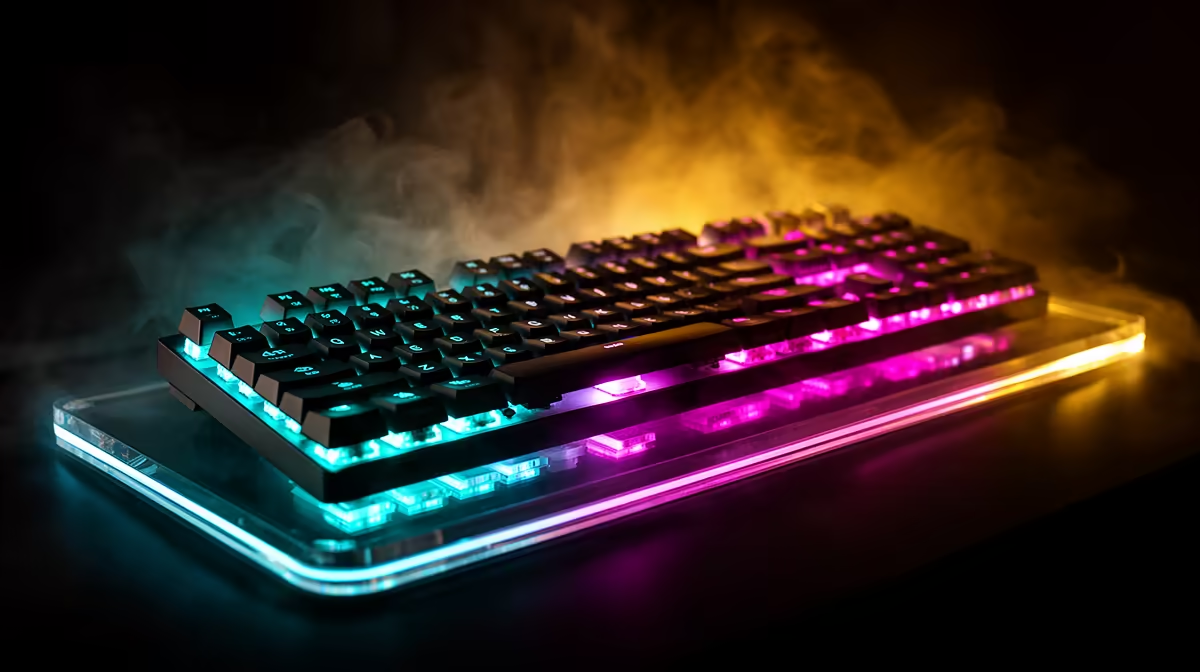
Fast keyboard switches shorten the distance or sensing time before a key registers. Optical and Hall-effect designs can actuate close to the top, while traditional mechanical switches use a fixed contact point. The fastest setting on paper can feel awful when every resting finger becomes an accidental press.
Quick Answer
Choose switches whose actuation and reset you can control through a full match and a page of typing. Hall-effect boards suit players who want adjustable actuation and rapid trigger. Optical switches can provide a fast fixed or adjustable path. A normal mechanical board remains competitive when its latency is measured well and the feel suits you.
Actuation distance is only one delay
A 0.1 mm option describes where the sensor can trigger, not the complete keyboard latency. Matrix scan, firmware, debounce, USB polling and the game loop all add time. Compare independent end-to-end measurements for the exact board and firmware.
A conventional switch often actuates around the middle of its travel, with the exact point varying by model. Shorter mechanical designs exist too. Do not assign every mechanical switch one 2 mm figure.
The difference between actuation points can be easier to feel as sensitivity than as measured system delay.
Hall effect measures position
A magnet moves with the key while a Hall sensor reads its position. This lets software set actuation and reset points. Rapid trigger can reset from relative upward movement instead of waiting for one fixed line.
Movement keys can use a short point while chat or abilities keep more travel. Start moderate and lower the distance in small steps. If opposite movement or crouch triggers by accident, move it back.
Open the gaming keyboard deals for current switch options, and use the keyboard best-seller page as a second view of the market. Confirm actuation controls in the exact model's software notes.
Optical switches break a light path
Optical switches use light sensing instead of a conventional metal contact. They can reduce contact debounce and offer consistent actuation. Designs vary in spring, travel, sound and whether the actuation point is adjustable.
An optical switch usually fits only the compatible board family. Hot-swap support for ordinary mechanical switches does not mean optical parts fit. Check the exact socket and replacement options.
Mechanical switches still have strengths
Mechanical keyboards offer a huge choice of spring weights, tactile bumps, sound and replaceable switches. A well-designed board can measure very low latency at 1,000 Hz.
Contact debounce is part of the firmware. Setting it too low on a worn switch can create chatter. Use a stable setting rather than chasing one theoretical millisecond.
For mixed typing and gaming, a tactile or moderate linear switch can give clearer control than an ultra-light hair trigger.
Spring weight changes accidental presses
Light springs reduce finger effort and can suit rapid taps. They also actuate when the hand rests heavily. Heavier springs give resistance and a stronger return, but can tire some users.
Test WASD, modifiers and the space bar. Stabiliser weight and keycap size make large keys feel different from letter switches. A uniform switch specification does not create uniform feel across the board.
Rapid trigger needs game-rule awareness
Rapid trigger itself changes reset behaviour. Some keyboards also offer simultaneous-input cleaning, macros or automated movement features. Those are separate functions and can be restricted by a game or tournament.
Read current rules. Disable any feature that combines commands or creates automated actions where it is not allowed. Hardware capability never grants permission.
Polling rate has diminishing returns
At 1,000 Hz, reports can occur every millisecond. Higher polling shortens that interval but can add CPU and USB load. The gain may be hard to feel unless the game and display also run at very high rates.
Start at 1,000 Hz, then test higher settings with a frame-time graph. Keep the lowest rate that delivers the response you want without instability.
Keycaps and layout affect control
A compact board gives the mouse more room. A tenkeyless layout keeps navigation keys, while 60% designs move them into layers. Choose the layout from both games and work.
Keycap profile changes how easily fingers move between keys. Textured caps can help locate movement controls without looking. Avoid a sharp edge that rubs during repeated strafing.
Sound and typing matter after the match
Fast linear switches can sound hollow or loud when bottomed out. Case foam, plate material, stabilisers and desk surface shape the sound more than switch type alone.
Type a full page. A gaming board that causes constant errors or fatigue is poor value for a shared computer. Adjustable Hall-effect profiles can keep a deeper typing point and a shorter gaming point.
Software should be stable and clear
The utility should save actuation, rapid trigger, polling and lighting without running several background services. Onboard profiles help at events and on another PC.
Record the working values before firmware updates. Test every main key after an update, and avoid installing unverified beta firmware before a match.
Test the finished input chain
Use the same game, frame cap and monitor mode. Compare direction changes, accidental inputs and comfort. Laboratory latency can break a close tie, but the board must let you play accurately.
Keep one plain profile with common actuation and no advanced input processing. It provides a troubleshooting baseline when the game behaves differently.
Replacement and long-term ownership
Check whether the switch design is hot-swappable and which exact parts fit. Mechanical hot-swap sockets can extend a board's life when one switch chatters. Optical and Hall-effect replacements often belong to one maker or keyboard family.
Keycap stems may use a common cross shape even when the sensing technology is proprietary. Confirm space-bar and stabiliser sizes before buying a set. Keep spare switches and the switch puller where the board includes them.
Clean loose debris with a soft brush after disconnecting the keyboard. Do not pour cleaner into the switches. A rapid-trigger sensor still depends on a key that moves freely and returns without grit.
Warranty support matters for a premium adjustable board because the PCB, sensors and firmware work as one system. Keep the invoice, serial and original cable.
Frequently Asked Questions
Is 0.1 mm actuation always faster?
It registers earlier in the travel, while complete latency and your control depend on firmware, polling and accidental presses.
Are optical switches faster than Hall effect?
Either can be fast. Compare exact-board measurements, actuation options and feel.
Are mechanical switches too slow for esports?
No. Well-designed mechanical keyboards can have low measured latency and excellent control.
Compare gaming keyboard switches by controllable actuation, measured board latency and typing comfort instead of choosing the shortest travel figure.