


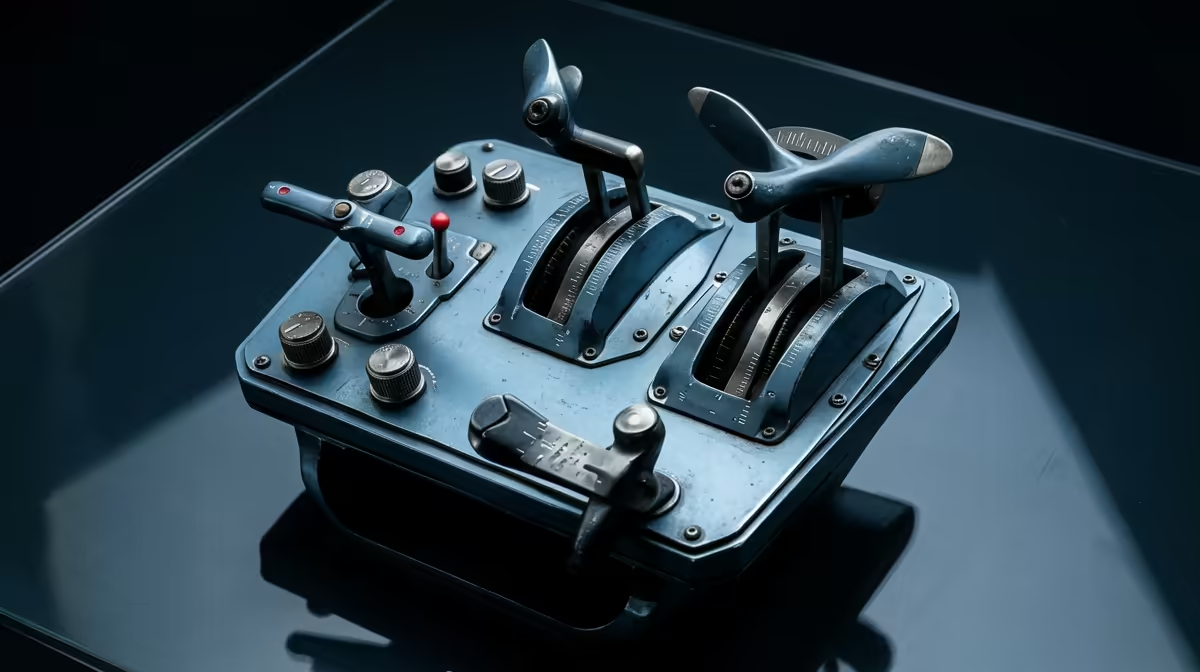
Landing at OR Tambo during a summer thunderstorm requires more than just steady hands... it requires instant access to your aircraft's vitals. If you are still using a keyboard to manage your engine, you are fighting the simulation. Mastering Throttle Quadrant Mapping: Power, Mixture, Prop & Flaps is the only way to achieve true immersion. It turns a clunky digital experience into a high-fidelity flight that feels truly South African.
The Essentials of Throttle Quadrant Mapping: Power, Mixture, Prop & Flaps
Setting up your cockpit correctly is the difference between a butter-smooth landing and a stressful go-around. When you first unbox your simulation gear and accessories, the default settings in Microsoft Flight Simulator or X-Plane 12 might not align with your specific hardware.
Proper throttle quadrant mapping ensures that your physical levers mirror the movements of the virtual ones. In a standard general aviation aircraft, like a Cessna 182, you generally work with three main levers: the throttle (black), the propeller pitch (blue), and the mixture (red). Mapping these correctly allows you to keep your eyes on the horizon instead of hunting for keys on your desk. 🔧
Mapping the Throttle and Mixture for Maximum Efficiency
The throttle is your primary control for thrust, but it is the mixture control that often confuses newcomers. In South Africa, where many airfields are at high altitudes... think Johannesburg or Bethlehem... managing your mixture is vital. As you climb into thinner air, you must lean the mixture to maintain engine performance.
If your Throttle Quadrant Mapping: Power, Mixture, Prop & Flaps is set up accurately, you can pull that red lever back precisely until the EGT (Exhaust Gas Temperature) peaks. This level of control is impossible with a binary keyboard press. It is about finesse and understanding the mechanical soul of your virtual plane. ⚡
Sensitivity Calibration ⚡
When mapping your axes, always add a small 2-3% deadzone at the bottom of your throttle and mixture levers. This prevents "jitter" in older sensors from accidentally cutting your engine or changing your fuel mix during a critical phase of flight like short final.
Propeller Pitch and Flap Management
For those flying complex or high-performance aircraft, the blue propeller lever is your best friend. Adjusting the prop pitch allows you to optimise the engine's torque for different phases of flight... high RPM for takeoff and lower RPM for a quiet, fuel-efficient cruise over the Karoo.
Flaps, while often assigned to a toggle switch, feel much better when mapped to a dedicated axis or a specific notched lever on your quadrant. This allows for incremental deployment, which is essential when you need to bleed off speed without losing lift too quickly. While enthusiasts of sim racing focus on rapid gear shifts, flight simmers value the slow, deliberate movement of a flap handle.
Choosing the Right Hardware for the Job
You do not need to spend a fortune to get started, but quality matters. Entry-level quadrants often start around R1,500, while professional-grade units can go much higher. When you invest in high-quality flight simulator gear, you are buying longevity and sensor accuracy. 🚀
Look for quadrants that offer interchangeable lever heads. This allows you to switch between a multi-engine commercial jet layout and a single-engine piston setup in seconds. Once your mapping is saved as a profile, your sim will automatically recognise your configuration the moment you sit in the captain's seat. ✨
Ready to Take Control of Your Cockpit? Precision mapping is the key to mastering the skies, but you need the right hardware to make it happen. For the best deals on flight controls and simulation tech in South Africa, Evetech has the gear to get you airborne. Explore our full range of flight simulator gear and start your journey today.











