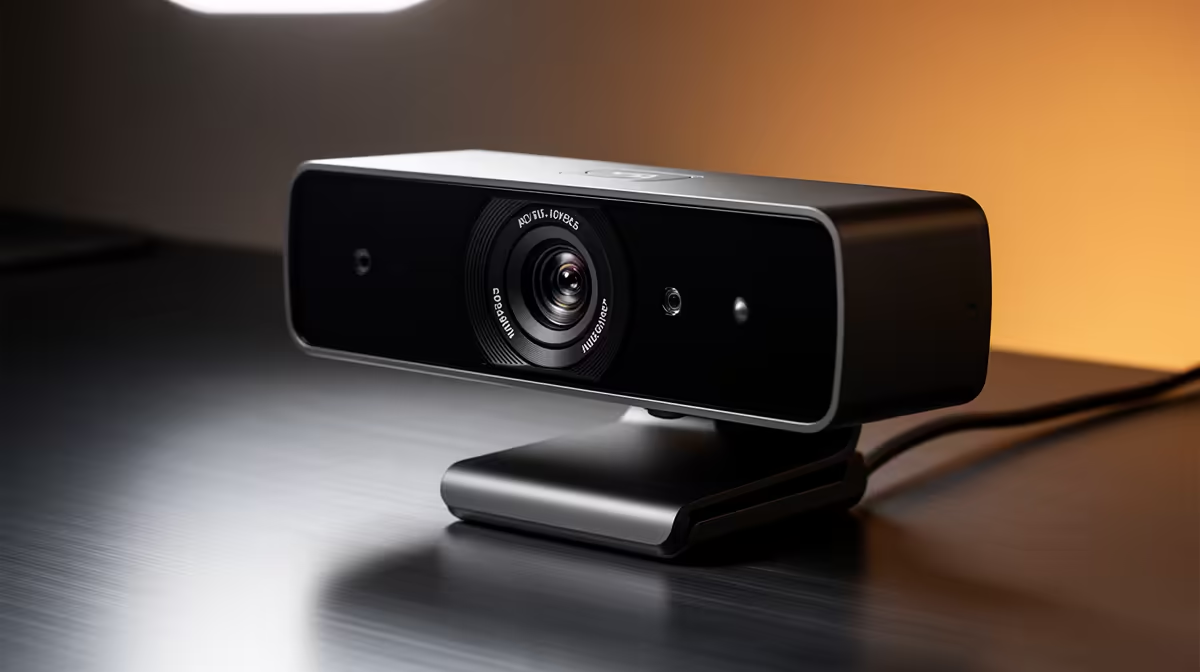
The sharpness difference between a true autofocus webcam and a fixed-focus one is invisible until you move. Stay perfectly still at the right distance from a fixed-focus lens and you will never notice a problem. Lean forward to read a comment, hold a product toward the camera, or shift in your chair during a long session, and a fixed lens will let you drift out of the plane it was set for, staying crisp only at one specific depth. True autofocus follows your movement. That is the practical distinction, and whether it is worth the premium depends entirely on how you create.
Quick Answer
True autofocus uses a motorised lens that physically adjusts to track your face or object, keeping sharpness across a range of distances. Fixed focus is locked at manufacture, sharp at a set depth and softer anywhere outside it. Choose autofocus if you move, and fixed if your position never changes.
🔧 How True Autofocus Actually Works in a Webcam
The mechanism behind autofocus is a small motor that shifts lens elements in response to continuous feedback from the sensor. The camera is constantly sampling the image, measuring how much contrast is present at the centre or at face-detected zones, and nudging the lens to maximise that contrast. Maximum contrast at a given point generally corresponds to sharp focus.
Face-detection autofocus narrows this to the subject rather than the scene. The camera finds a recognised face pattern in the frame and locks its focus calculations to that zone. When you lean in, the face zone shifts closer on the sensor and the motor adjusts. When you lean back, it follows. The tracking speed is the variable: a slow tracking speed means a slight lag during quick movements, while a fast tracking speed can sometimes produce a pulsing effect as the system overshoots and corrects.
Better webcam autofocus implementations include a small amount of focus smoothing, so the adjustment is continuous and gradual rather than jumping between positions. That smoothing is what separates a polished-looking autofocus system from one that draws attention to itself every time you move.
📺 Where Fixed Focus Makes a Reasonable Case
Fixed-focus lenses are not simply the budget option. A fixed-focus lens is permanently optimised for a single distance, which means it never hunts, never pulses, and never briefly softens while it adjusts. At its set distance, it is as sharp as it will ever be with zero mechanical intervention.
For a streamer who sits at a fixed desk position, always at the same distance from the camera, a well-tuned fixed-focus lens is a perfectly capable tool. Many professional-grade fixed-focus webcams are designed for a working distance of around 40 to 70cm, which matches a standard desk position comfortably. The sharpness is consistent and predictable, which some creators prefer over the slight variability that comes with a motorised system.
The vulnerability is inflexibility. A fixed lens cannot handle a held product at 20cm, a lean-in at 30cm, or any content where the distance to subject changes. For a pure talking-head format with a fixed camera position, that limitation costs you nothing. For anything more variable, it costs you sharpness when it matters most.
Pro Tip ⚡
If you are using a true autofocus webcam and experiencing focus hunting in low light, add a soft key light of around 300 to 500 lux aimed at your face. The autofocus motor uses visible contrast to lock focus, and adding light dramatically increases that contrast, giving the system the signal it needs to stay locked without pulsing.
🎯 Matching Focus Type to Content Style
The right focus choice follows directly from what you create. Unboxing content is the clearest case for autofocus. You bring products toward the lens, hold them at varying distances, point out features up close, then return to your normal speaking position. A fixed-focus camera is outpaced every time a product moves inside its set range. An autofocus lens tracks each item as you raise it and holds it sharp through the demonstration.
Tutorial content is similar. If you hold a keyboard, open a case, or move a part toward camera to show detail, autofocus keeps the subject crisp through the shot. Static tutorials where you never move away from the desk position are less demanding.
For talking-head streaming or gaming broadcasts where the camera is on a fixed mount and you stay roughly the same distance from the lens, a fixed-focus webcam is a clean, zero-maintenance option. Your face stays at 50cm, the lens is set for 50cm, and sharpness is consistent for the entire session with no motor involved. The cost saving over an autofocus model can go toward better lighting, which improves both focus types equally.
✨ The Hunting Problem and How to Manage It
Autofocus hunting is the pattern where the lens repeatedly searches for a lock without settling. You see it as a rhythmic pulse of softness and sharpness in the image. It is frustrating and distracting on stream.
The usual cause is insufficient light. When the scene is too dim, the camera cannot generate strong contrast at any focus position, so the motor keeps adjusting in search of something sharper. The fix is almost always more light rather than a different camera. Adding a modest key light, even a basic softbox or a desk lamp with a daylight bulb, typically gives the system enough contrast gradient to lock immediately and stay there.
A secondary cause is background interference. If there is a busy, high-contrast background directly behind you, some face-detection systems split their attention between your face and the background. Positioning yourself against a plain wall or using a background blur feature in the companion app reduces this, letting the system put all its focus calculation attention where it belongs.
Frequently Asked Questions
What range of distances does true autofocus cover on a webcam?
Most autofocus webcams are designed to track subjects from roughly 10cm to about 1.5m from the lens, which covers everything from a product held close to a presenter seated at a normal desk distance. Within that range the lens adjusts continuously. Beyond 1.5m the depth of field at typical webcam apertures naturally keeps subjects reasonably sharp anyway, so autofocus matters most at closer working distances.
Is a fixed-focus webcam ever sharper than autofocus at the same desk distance?
At exactly its set distance, a fixed-focus lens can appear marginally crisper because there is no motor-induced variability. The lens is simply set and the image is static. A good autofocus system is indistinguishable from this in practice, but if you sit precisely at the designed working distance every session, a high-quality fixed-focus lens produces a stable result that never varies.
Why does my autofocus webcam keep shifting focus to my background?
The camera's face-detection is losing track of your face, most often because of low ambient light or because the background has strong edges and contrast that compete with your face for the focus algorithm's attention. Increase light on your face, lower the brightness behind you, or use the companion app's background-blur or face-lock mode to anchor the focus region to your position.
Can I use a fixed-focus webcam for unboxing or product review content?
You can, but you will be working around its limitation throughout. Products held closer than the fixed distance will appear soft, and you either accept that limitation or position everything at the fixed distance, which can feel unnatural on camera. For content that regularly requires close-up object shots, autofocus genuinely earns its additional cost.
Is autofocus worth paying a premium for if I only do talking-head streams?
For a static format where your distance to the camera stays consistent, the practical benefit is small. A fixed-focus lens set to your desk distance will handle a standard gaming or commentary stream without any focus issues. The autofocus premium makes more sense when your content style demands variable working distances, or when you anticipate expanding into formats that require more camera movement.
Ready to find a webcam that stays sharp however you move?
Browse the autofocus and fixed-focus webcam range at Evetech to match the focus system to how you actually create, rather than paying for capability you will never use.