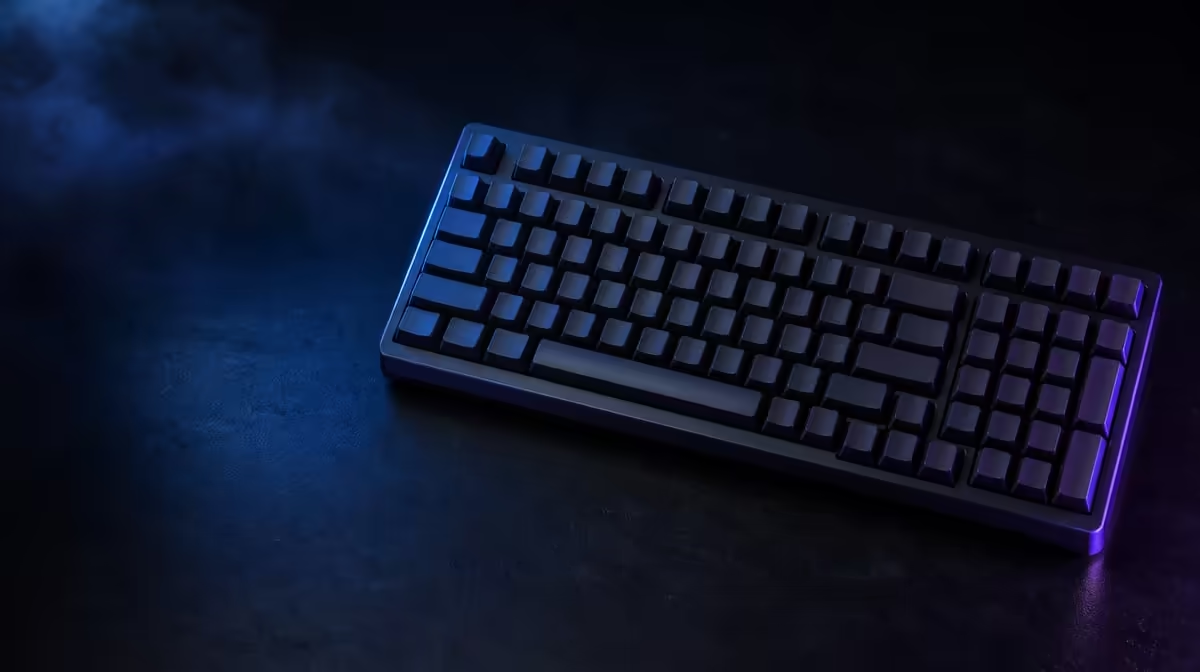
A number pad does not have to consume the full width of a traditional board. Gamers choose 98% keyboard layouts when they want numeric entry and most familiar functions but would like to pull the mouse closer and recover horizontal desk space.
Quick Answer
A 98% layout compresses the navigation area and gaps around a retained number pad. It suits a mixed-use gamer who enters numbers or uses pad bindings regularly, accepts a short period of relearning and wants a narrower footprint than many full-size keyboards.
📐 See what the layout preserves and moves
The attraction begins with retained functionality. A 98% board generally keeps the alphanumeric area, function row, arrows and number pad while reducing empty spaces and rearranging navigation controls.
The percentage does not define one universal map. Delete, Home, End, Page keys and the number-pad zero can appear in different positions or sizes, so a product image and layout diagram matter more than the label.
Full-size boards offer clearer physical separation. Users who navigate documents by touch can value those gaps as landmarks, while a condensed cluster may require more visual checking during the first week.
TKL removes the number pad and can release still more room. It is a stronger candidate when numeric entry is rare and the user prefers a familiar navigation block.
Check secondary functions as well as visible keys. Media controls, Print Screen or navigation commands may move behind a function layer, affecting a shortcut used every day.
Check key widths on the compact right edge. A shortened zero, Shift or Enter can influence touch accuracy and later keycap compatibility, even though the overall function remains.
Look for a clear layer indicator. A condensed layout is easier to trust when the user can see whether navigation or media behaviour is active.
Photograph the current keyboard and mark the keys pressed during work, games and routine administration. The 98% choice is easier when every essential control can be located on the proposed map.
Compare exact arrangements in Evetech's Logitech gaming-keyboard selection.
🖱️ Turn saved width into useful mouse room
Measure the occupied desk, not an empty tabletop. Include monitor feet, microphone base, speakers, notebooks and the mouse pad boundaries that remain during play.
Place the alphanumeric section in line with the typing shoulder. Centring the entire outside case can push a retained number pad toward the mouse and reduce the ergonomic benefit.
Low-sensitivity players often use wide sweeps. Mark the broadest ordinary movement with removable tape, then compare how full-size, 98% and TKL widths change the collision point.
Depth still matters. A wrist rest, tall front edge or thick cable route can affect reach even when the case is narrow. Check the complete footprint and posture.
The saved space should allow a more neutral shoulder position rather than simply making the desk look cleaner. Test several full sessions and note strain, mouse strikes and accidental contact.
A large shared desk mat can constrain device placement differently from separate pads. Rehearse with the accessories that will remain after purchase.
Include the keyboard cable and connector direction. A narrow case can still demand awkward clearance when a stiff lead exits toward a monitor stand or wall.
Test sitting square and at the slight keyboard angle used in play. Rotating the board can bring its right edge back into the mouse path, reducing the theoretical width saving.
Browse Evetech's gaming-keyboard category with measured width and depth on the shortlist.
🔢 Give the number pad a real purpose
Frequent spreadsheet work, numeric data, application shortcuts or deliberate game bindings can justify keeping a pad. Count weekly uses instead of assuming mixed work automatically requires one.
Game bindings can make the number pad useful for simulation, strategy or secondary commands, but every title and control plan differs. Write the intended assignments before giving the extra cluster purchasing weight.
For occasional figures, a TKL board plus a separate pad may work, although it creates another connection, storage item and positioning step. Compare that routine with the always-present 98% cluster.
Full-size remains sensible when clear spacing speeds professional work. A user moving continually among arrows, editing keys and numbers may lose more time to a condensed map than the mouse gains.
Accessibility and learned movement matter. Someone using fixed landmarks may prefer separated groups, while another user benefits from bringing controls within a smaller reach.
Ask whether the number pad is used with the right hand while the left remains on shortcuts. A compressed map can reduce travel, but neighbouring keys may need deliberate relearning.
Build a seven-day utilisation log. Mark every number-pad session and every mouse collision. The side with the frequent problem should influence the layout.
🧠 Plan the adjustment period
Display the new key map near the monitor during the first week. This reduces random searching and helps the user learn altered navigation positions deliberately.
Practise common shortcuts in a safe document and training game. Locate Delete, arrows, number-pad Enter and layer commands without risking important work or a live match.
Track errors by key. Repeated misses around the compressed right edge show where muscle memory needs attention; general typing mistakes may simply reflect novelty.
Time a realistic navigation task before and after the adjustment week. Speed is not the only measure, but repeated searching shows whether the dense layout has become usable.
Use supported software only after physical placement is understood. A remap can move an awkward command, but it should not conceal a layout that omits an essential dedicated key.
Keep important actions consistent across game profiles. Changing the same condensed key repeatedly can increase mental load.
After two weeks, state the trade plainly: number pad retained, some cluster separation lost, useful mouse width gained. If the gain is not visible in daily play, full-size familiarity may be worth restoring.
Compare a cardboard footprint or paper key map before purchase when no physical trial is possible. It cannot reproduce feel, but it reveals desk fit and approximate hand travel.
Keep a fallback plan. If 98% proves too dense, decide whether full-size separation or TKL mouse room solves the dominant problem rather than choosing another compact map blindly.
Include anyone else who uses the PC. A shared keyboard may need a layout that another typist can understand without loading a personal profile.
Keep the measurement and utilisation log for the next upgrade. It records whether numeric access or mouse space actually became more valuable.
Check Evetech's accessory best sellers for wider desk context and review current availability.
Frequently Asked Questions
What makes a keyboard layout 98% rather than full-size?
It retains a number pad and most full-size functions while compressing gaps and navigation positions into less width.
Why can the narrower footprint benefit gaming?
It can bring the mouse closer and leave more horizontal space for broad movement.
Who benefits from keeping a number pad?
Users who enter numbers often or intentionally use those keys for application and game commands gain most.
What is the main adjustment from a traditional full-size board?
Closely grouped or relocated navigation keys can challenge muscle memory built around separated clusters.
Does every 98% keyboard use the same key arrangement?
No. Exact key positions, widths and function layers vary, so the individual layout must be checked.
How does 98% compare with a TKL board for desk space?
TKL normally gives up the number pad and can recover more width, while 98% preserves numeric entry within a denser case.
Want a number pad without the usual full-size spread?
Compare Evetech gaming keyboards using an exact key map and the mouse space measured on your real desk.