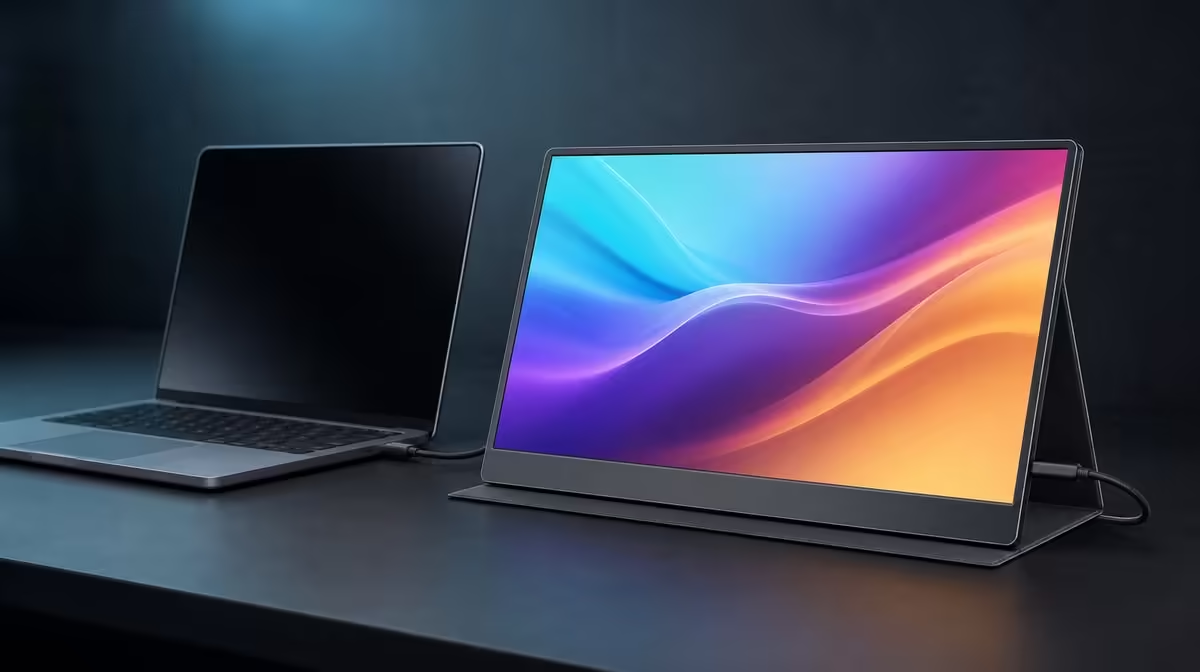
A mixed-use screen succeeds when it changes roles without needing a new physical setup every time. The UPERFECT UFree V for work and entertainment is a practical proposition for buyers whose source supports its wired inputs and whose tasks fit a 15.6-inch Full HD canvas.
Quick Answer
The R2,399 UFree V is a good mixed-use portable monitor for documents, communication, media and general second-screen tasks. The 1080p IPS screen covers 125% sRGB, with 350cd/m2 output and a 1500:1 ratio. Dual display inputs and the folding support add flexibility, while sound needs a separate route.
💼 Test the working day
Begin with the applications that pay for the extra screen. Keep a document or main creative canvas on the laptop and place communication, research, a preview or tool panels on the UFree V.
Set the portable display to native 1920 x 1080 and choose scaling that keeps body text comfortable. Full HD at 15.6 inches can provide useful space, but packing the screen with tiny windows defeats the purpose.
Arrange the desktop rectangles to match the physical panel position. Move the pointer and windows across the shared edge repeatedly. A dual-screen setup should feel predictable enough that attention stays on the work.
Open a dense spreadsheet, long document and video meeting. Check text clarity, white-background comfort and whether the foldable stand remains stable as the laptop lid and chair move.
The 178-degree viewing specification helps a side panel remain visible, but rotate it towards the user. Straight-on positioning reduces repeated neck movement and supports more consistent colour.
Compare portable work screens through Evetech's portable monitor collection with the actual application list beside each model.
🎬 Assess entertainment honestly
For video, use native-resolution output and a neutral picture mode. The 125% sRGB gamut can support vivid colour, but it does not guarantee accuracy or correct handling of every source. Avoid making one saturated demo the whole entertainment verdict.
The 1500:1 contrast ratio can contribute to visible depth between bright and dark parts of an image. Test a familiar dark scene in the real room. Window reflections can make blacks appear grey regardless of the panel figure.
Use the 350cd/m2 output as headroom for bright indoor viewing. In the evening, lower brightness to a comfortable level rather than keeping the daytime setting. Save both profiles when the room changes predictably.
Plan UFree V audio through the laptop, headphones or compatible external speakers. HDMI or USB-C can transport audio in some systems without providing playback hardware in the monitor.
For gaming, the Full HD target can be practical for a laptop. Judge ordinary play through the actual panel, connection and game response.
🔌 Build one reliable source setup
USB-C can provide a compact video route after the laptop connector and selected lead are both confirmed for display output. Verify the exact specification rather than relying on shape.
Mini HDMI supplies a second display path. Arrange power separately and select the matching input. This can suit another source or provide a useful diagnostic route when USB-C support is unclear.
Restart the work laptop with the known cable attached and confirm detection returns at 1920 x 1080. Then connect the intended entertainment source and record its working input separately.
Route cables so switching roles does not require pulling the panel or reaching beneath the stand. A short labelled note can identify the work port, media input, power arrangement and saved picture setting.
Use Evetech's broader PC monitor range when comparing the portable setup with a larger fixed entertainment or office screen.
📊 Decide whether both roles earn R2,399
Run a one-week log. Record hours used for work, media and any other task. Note setup time, cable changes, stand adjustments and which picture profile was active.
Keep colour gamut, brightness and connection flexibility in separate value rows. A buyer may value 125% sRGB for media but use Mini HDMI rarely; the final score should reflect actual frequency.
Review room suitability. A portable panel can move between a bright home office and a dim bedroom, but each position needs its own glare and brightness check.
Plan storage with no pressure on the display and relaxed cable loops. If the screen will be carried, verify its current weight and include cables plus protection in the total.
At R2,399, the UFree V is a sensible mixed-use screen when the same panel genuinely supports the weekday workflow and leisure setup. It is not the right answer when the buyer requires unconfirmed built-in sound or another panel specification.
Check Evetech's monitor best-seller page at decision time, using the week-long evidence rather than popularity alone.
Create separate work and entertainment setup cards. The work card records extended desktop order, scaling, neutral picture mode and communication audio. The entertainment card records source input, room brightness, playback device and stand position.
Switch between the cards twice without changing cables at random. The monitor should return at native resolution, and the user should know why the picture or audio setting differs between roles.
For work, measure usefulness through completed actions: fewer window swaps, a persistent reference, or more room for a timeline. Avoid counting the mere presence of a second desktop.
For entertainment, watch an entire familiar programme rather than a short demo. Check subtitle clarity, shadow detail, colour handling and comfortable evening brightness.
Test a daytime session near the brightest indoor location the monitor will face. Move the reflection before raising output and record the stand angle that worked.
Ask another household player or viewer to use the saved media path. A clear handover reveals whether USB-C, Mini HDMI and external audio have understandable roles.
Inspect the setup after switching roles for a week. Cable ends should not be repeatedly twisted, the folding support should remain stable and no sound device should be left selected after it is disconnected.
If a role never appears, remove it from the value argument. A screen can be excellent for work without needing an entertainment label, or useful for media without becoming a creator reference.
The mixed-use recommendation becomes strongest when both cards remain short, repeatable and tied to the R2,399 package rather than unsupported performance claims.
Add one fallback card for laptop-only use. Before disconnecting the UFree V, return important windows and audio to the source so work or entertainment can continue without an invisible desktop.
This fallback confirms that mixed use adds convenience without making the portable screen a fragile dependency.
Frequently Asked Questions
What work tasks suit the Full HD panel?
Documents, communication, research, previews and general second-screen tools can fit well with suitable scaling.
How does 125% sRGB help entertainment?
It provides broad gamut coverage that can support vivid compatible media, without guaranteeing accuracy.
Is 350cd/m2 useful for daytime viewing?
It offers headroom in bright indoor rooms when reflections are controlled.
What does 1500:1 contrast add?
It describes bright-to-dark separation and can support text clarity plus image depth.
Which entertainment sources can connect?
Compatible sources can use USB-C video or Mini HDMI with the required power arrangement.
Does it include built-in sound?
Plan audio through the source device or compatible external equipment.
What is the mixed-use price?
The UPERFECT UFree V costs R2,399.
Ready to make one portable panel prove two useful roles?
Explore Evetech's portable monitors and run the UFree V through a complete workday and a familiar media session before scoring its R2,399 value.