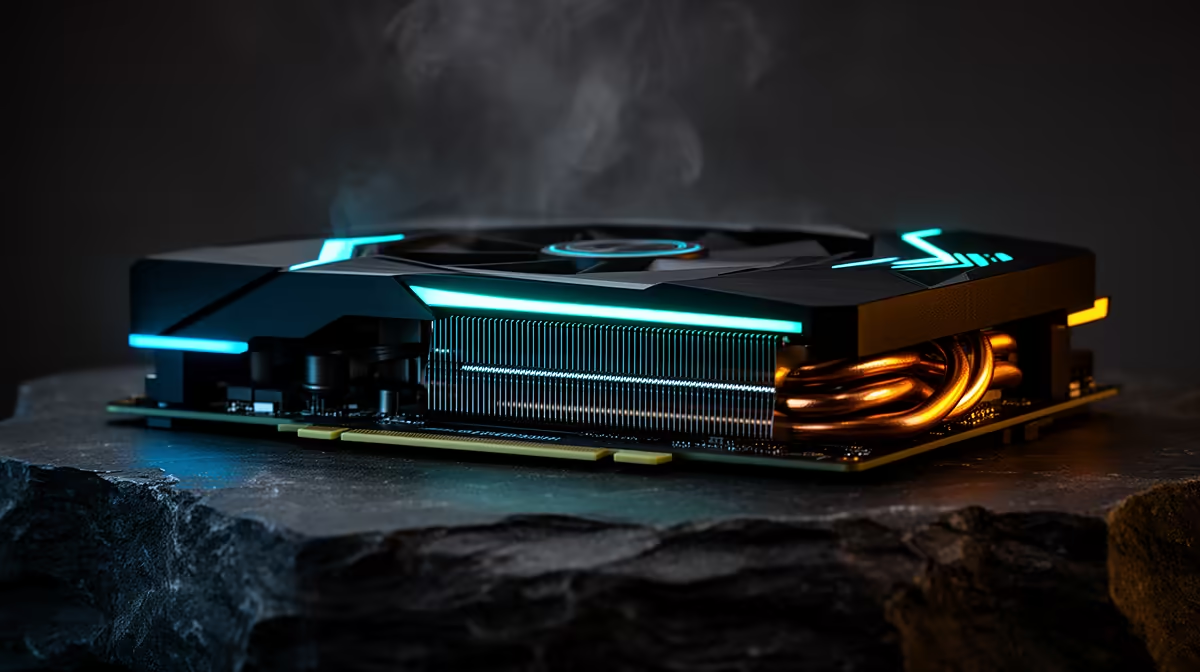
An RTX 3080 can still play modern games well, so an RTX 5080 upgrade needs a clear job. The strongest reasons are 4K performance, a move beyond the common 10GB memory limit, heavier ray tracing, or access to the newest generation of NVIDIA's rendering and media tools.
Quick Answer
Upgrade from an RTX 3080 to an RTX 5080 when the older card misses your frame target in the games you keep, especially at 4K or with ray tracing. Keep the 3080 when it still feeds your 1440p monitor, you use modest effects, and the rest of the PC would hold a 5080 back.
Compare the wider graphics card range, the GPUs drawing current buyer interest, and RTX 5080 models in the local range. Use the live named card, cooler and total upgrade cost for your decision.
Two Generations Change More Than Raw Speed
The reference RTX 3080 launched with 10GB of GDDR6X, 8,704 CUDA cores and 320W total graphics power. A later 12GB variant also exists, so identify your exact card before comparing it. The RTX 5080 specification moves to 16GB of GDDR7, 10,752 CUDA cores and 360W total graphics power.
Core counts do not compare cleanly across architectures. Blackwell changes the shader, ray-tracing and Tensor hardware as well as clock behaviour. Use current game benchmarks to measure the combined result, with the same settings and upscaling mode.
The memory increase is easier to understand. A 10GB 3080 can run into pressure from high-resolution textures, ray-traced assets and 4K workloads. Sixteen gigabytes gives the 5080 more room. It does not guarantee a stutter-free game, because storage streaming, system memory and CPU behaviour can produce similar symptoms.
1440p Owners Need a Higher Bar
At 1440p, the 3080 often remains useful. If your monitor is 60Hz or 75Hz and your games already hold that target, a 5080 may add performance you rarely see. A 165Hz or 240Hz display creates more room, though the CPU can become the ceiling.
Test a busy scene and watch GPU utilisation. If it sits near full load while frame times rise, the graphics card is doing the limiting. If utilisation falls and lowering resolution changes little, investigate the CPU and game engine before buying.
Ray tracing can make the upgrade case at 1440p. Newer RT hardware, Ray Reconstruction and stronger upscaling support can let you use effects that force a 3080 into a difficult compromise. Compare image quality as well as the counter.
4K Is the Clearer Upgrade
Four times as many pixels as 1080p place sustained pressure on the GPU. The 5080's added performance and 16GB pool fit a high-refresh 4K screen far better than the original 3080 target. It can also give you more freedom to choose a higher upscaling quality mode.
Start with native or DLSS Quality tests. Record average rate, 1 percent lows and VRAM behaviour in five games. Add ray tracing only where you enjoy the visual result. A benchmark suite full of titles you never play should carry little weight.
Multi Frame Generation can lift displayed smoothness on RTX 50-series hardware. It works best from a healthy rendered frame rate and does not replace fresh input updates. Use it for demanding single-player games, then judge response for yourself.
Check the Rest of the PC
NVIDIA lists 360W total graphics power and an 850W required system-power guideline for the RTX 5080 Founders Edition. Partner models can differ. Follow the maker's requirements for the exact card, and assess PSU quality, age, available connectors and transient handling.
Measure case clearance in length, height and thickness. Leave room for the power cable to bend without side-panel pressure. Check intake airflow, because moving from a 3080 cooler to a large 5080 does not fix a restrictive case.
Your CPU also matters. A strong 4K workload leans on the GPU, while high-refresh 1440p can expose an older processor. Test before turning one upgrade into an unplanned platform rebuild.
Features Beyond Games
The RTX 5080 adds newer encoder and decoder hardware, including AV1 support that can help recording and streaming workflows. DisplayPort 2.1b also creates options for very high-resolution, high-refresh displays with compression.
Check whether your software uses these features. A creator who exports every week can value media-engine changes, while a player on one 1440p monitor may never touch them. Assign money to features you can name.
Make the Final Value Test
Take the live price of the exact RTX 5080, add any PSU or case change, and subtract what you can recover from the 3080 if you plan to sell it. Then divide that net cost by the performance or capability you gain in your own workload.
Plan the Changeover
Keep a record of the RTX 3080's serial number, invoice, original accessories and current condition before removal. Photograph the card working and save a recent benchmark result. That gives a future buyer useful evidence and helps you price the old card by condition rather than age alone.
Before fitting the 5080, update the motherboard firmware only if the platform needs it, then confirm Resizable BAR and UEFI settings. Use the driver install path recommended for the new card. Recheck your monitor refresh rate after the swap because Windows can return to a lower setting when hardware or ports change.
Run the same five-game route after installation. Watch temperatures, fan noise, clock behaviour and power while the cooler reaches a steady state. This verifies the upgrade and catches a loose power connection or airflow problem before you sell the working fallback card.
The upgrade makes sense when it removes a limit you already feel and leaves useful headroom for the monitor you own or have chosen. If the 3080 remains smooth at your settings, waiting preserves money for a larger future jump.
FAQ
Is the RTX 5080 much faster than the RTX 3080?
It is a substantial generational upgrade, but the value varies by resolution, game and feature use. Compare current tests at your settings.
Will an RTX 5080 fix a 10GB VRAM limit?
Its 16GB pool gives you more capacity. Confirm that VRAM is the cause of the problem before upgrading.
Do I need a new PSU for an RTX 5080?
Possibly. Check the exact card maker's guidance, your PSU quality and age, and the required native cable or adapter arrangement.
Benchmark the RTX 3080 in your hardest games, then price an exact RTX 5080 upgrade that fixes the measured limit.