


Maintain Wired Headset: Tips to Extend Lifespan
Maintain wired headset — Checklist: • inspect cables • clean earpads • store properly 🔧🎧 Practical steps to preserve sound quality and avoid premature replacements.
Read moreUSB-C hub unlocks extra ports, fast charging and 4K HDMI for your laptop — essential for South African users balancing work, travel and limited ports. Learn how to pick, use and buy the right USB-C hub 🔌🇿🇦
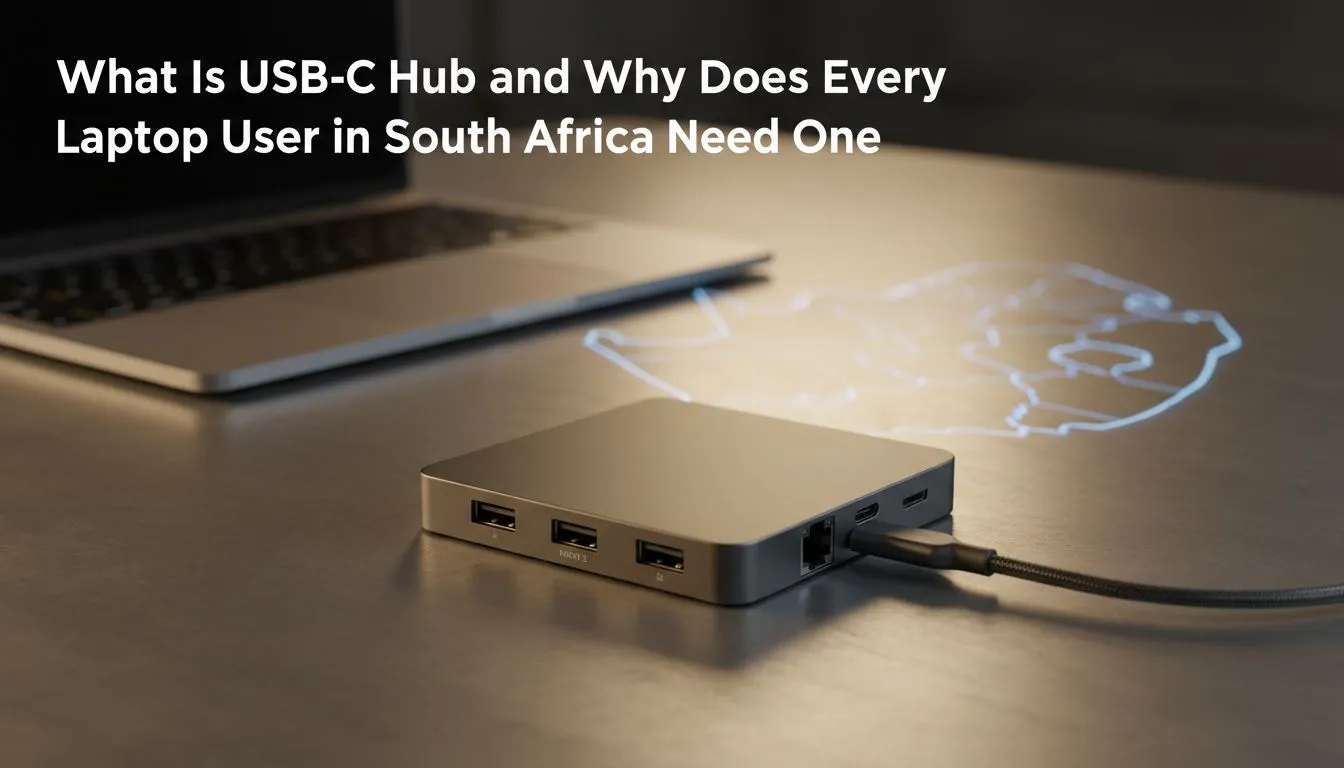
You’ve just unboxed your sleek, powerful new laptop. It’s thinner and lighter than anything you’ve owned before. But then you try to plug in your trusty gaming mouse, your external monitor, or even a simple USB stick… and you hit a wall. There are only one or two tiny USB-C ports. 🤦
Don't panic. This is where a small, powerful accessory becomes absolutely essential. For laptop users across South Africa, the USB-C hub is the single best upgrade you can buy.
Why are manufacturers ditching the ports we know and love? It’s all in the name of progress. Laptops are getting slimmer, and the universal USB-C standard allows for charging, data transfer, and video output through a single connection. It’s efficient, but it leaves a legacy of our favourite gear behind.
Suddenly, you need a different adapter for everything:
Juggling a dozen different dongles is a nightmare. A good USB-C hub solves this instantly, restoring all the connectivity you lost and adding even more. It’s one of the most practical gaming accessories you can own.
Think of a USB-C hub as a power strip for your data. It plugs into a single USB-C port on your laptop and expands it into a versatile workstation. Instead of a tangled mess of adapters, you get one clean, organised solution. Most quality hubs give you back all the essential ports, turning your ultra-portable laptop into a productivity and gaming powerhouse.
A decent laptop hub will typically include:
Finding a quality unit that won't break the bank is easier than ever, especially if you keep an eye on the latest gaming accessories deals.
Not all hubs are created equal. Look for a 'Power Delivery' or 'PD' port, rated at 60W or higher. This ensures the hub can pass through enough power to charge your laptop while you're using all the other ports. A hub without PD will drain your battery, even while plugged in!
The perfect USB-C hub depends on how you use your laptop. Are you a competitive gamer, a creative professional, or a student on the go?
Your priorities are speed and stability. Look for a hub with an Ethernet port for the lowest latency in online matches. You’ll also want at least two high-speed USB-A 3.0 ports for a responsive mouse and keyboard.
You need to move large files quickly. A hub with a built-in UHS-II SD card reader is non-negotiable. Multiple video outputs (like HDMI and DisplayPort) are also fantastic for running a dual-monitor editing setup.
Portability is key. A compact USB-C adapter with HDMI (for presentations), a couple of USB-A ports (for flash drives), and Power Delivery is the perfect companion for working from campus, the office, or your favourite coffee shop. This small investment can dramatically improve your workflow and reduce daily frustrations. It’s one of many simple but effective PC components and accessories that make a huge difference.
Ultimately, a USB-C hub isn't just an accessory; it's the key that unlocks your modern laptop's full potential.
Ready to Unlock Your Laptop's Full Potential? A simple hub expands your connectivity and transforms your workflow. Stop juggling dongles and get the ports you need. Explore our massive range of hubs and accessories and find the perfect match for your machine.
A USB-C hub expands one USB-C port into multiple ports (USB, HDMI, Ethernet, PD). Ideal when researching best usb-c hubs for laptops.
Yes—if you need extra ports, stable ethernet or charging. A usb-c hub with ethernet for south africa helps remote work and travel setups.
Many hubs support Power Delivery. Search usb-c hub charging laptop or usb-c hub power delivery 65w to match your laptop's charging needs.
Hubs are compact and portable; docking stations offer more ports and higher power. See usb-c hub vs docking station for trade-offs.
Prioritize PD wattage, 4K HDMI, gigabit ethernet and solid build. Look for usb-c hub with hdmi 4k and reliable power delivery specs.
Most hubs work across macOS and Windows, but check MacBook compatibility notes and driver needs. Search usb-c hub for macbook guides.
Buy from local retailers, online stores or Evetech. Compare cheap usb-c hub south africa listings and check warranty and reviews before buying.
Maintain wired headset — Checklist: • inspect cables • clean earpads • store properly 🔧🎧 Practical steps to preserve sound quality and avoid premature replacements.
Read more
Fix crackling headset fast: step-by-step checks for cables, connectors, drivers, and settings to remove static or distorted audio on wired headsets 🎧⚙️
Read more
Stereo vs mono headsets: learn which delivers clearer calls, better spatial music, or simpler mono voice performance — pick the right headset for meetings, music, or gaming 🎧💬
Read more
- Compare gaming headset vs studio headphones; - Assess comfort, mic and sound; - Recommend best daily picks. Gaming headset vs studio headphones: learn which suits work, music and casual gaming. 🎧⚖️
Read more
- Check pressure points - Compare earcup materials - Adjust clamp and fit Best gaming headsets for glasses: quick guide to reduce temple pressure, pick breathable memory foam earcups, and optimize fit for long sessions 🕹️👓
Read more
Gaming microphone noise reduction: Use beamforming mics, AI noise suppression, and hardware filters to cut background noise and boost in-game voice clarity. 🎧⚙️ Learn setups, settings, and top mic features.
Read more
Snapdragon X2 NPU Explained: How 80 TOPS Changes. Plain-English explanation of what it means, why it matters & how it affects your buying decisions in SA.

HBM? High Bandwidth Memory Used in GPUs and AI. Plain-English explanation of what it means, why it matters & how it affects your buying decisions in SA.

How much should you spend on sim racing accessories in South Africa for a realistic setup? We break down budgets by quality tiers, so you buy smart gear and avoid overspending 🎮💸

G-Sync and FreeSync? Variable Refresh Rate. Plain-English explanation of what it means, why it matters & how it affects your buying decisions in SA.

AMD Laptop: Value. SA-focused analysis with local pricing data, real-world insights & actionable buying advice.

How MacBook Neo Handles 30+ Chrome Tabs with Only. SA-focused analysis with local pricing data, real-world insights & actionable buying advice.

Why Apple Put 8GB RAM in MacBook Neo: The A18 Pro. SA-focused analysis with local pricing data, real-world insights & actionable buying advice.

Upgrade your work laptop with a New Motherboard. Step-by-step instructions with SA-specific tips, common pitfalls to avoid & expert recommendations.

Glorious Keyboard Switches Explained: Which. Plain-English explanation of what it means, why it matters & how it affects your buying decisions in SA.

Winter Keyboard Buying Guide. Everything you need to know with SA pricing, step-by-step instructions & expert recommendations.

Keyboard Buying Guide. Everything you need to know with SA pricing, step-by-step instructions & expert recommendations.

LGBTQ+ Gamers Keyboard Guide: January Edition. Everything you need to know with SA pricing, step-by-step instructions & expert recommendations.