



PCIe 5.0 vs PCIe 4.0 for Video editing in 4k in SA
PCIe 5.0 vs PCIe 4.0 for video editing in 4k is mainly about fit, features, compatibility, cost, and upgrade path, not one automatic winner. SA buyers should match the choice to the setup.
Read moreUSB microphones plug straight into your PC for instant streaming, while XLR mics need an interface but offer more preamp headroom and multi-mic flexibility. For most solo gamers USB wins on simplicity, while XLR pays off once you add guests or want studio-grade gain.
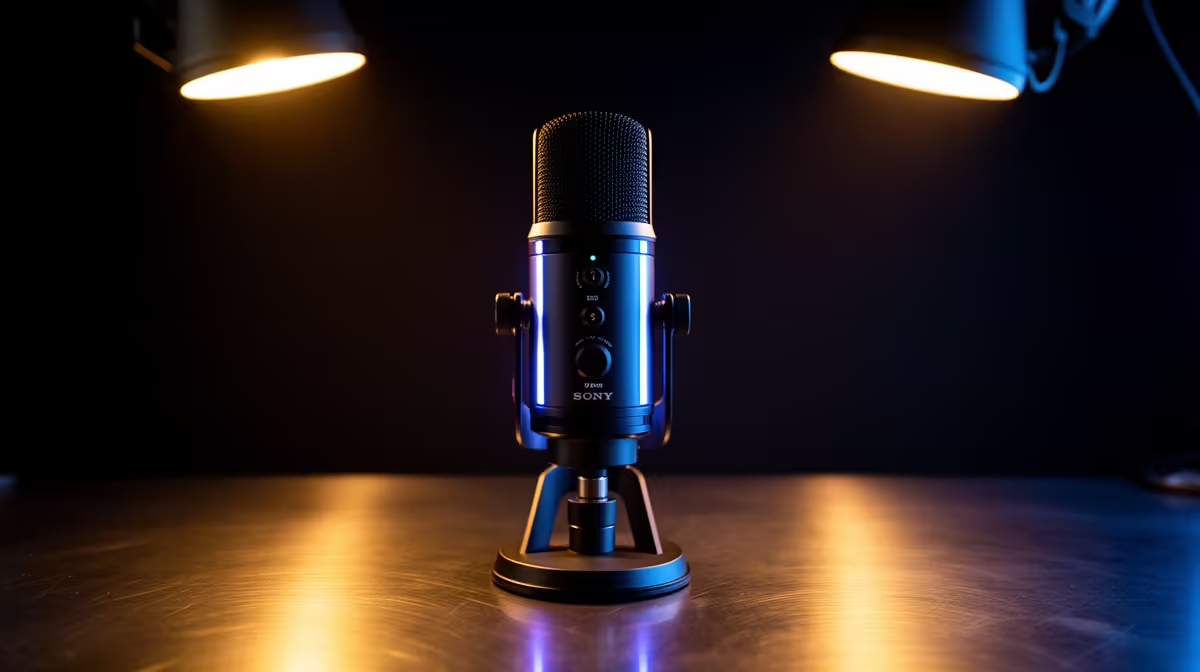
The decision between USB and XLR microphones for gaming and streaming is one of the most frequently debated topics in content creation, yet the answer is more straightforward than the debate suggests. USB mics plug straight in and work. XLR mics connect through an interface and offer more headroom for specific use cases. Most solo South African gamers and streamers are better served by USB for longer than the hardware forums would have you believe.
USB is the right choice for solo streamers who want to start immediately with no extra hardware. XLR becomes the better option once you add a co-host, want studio-grade clean gain from a quiet preamp, or need multiple mic inputs on an interface. For most gamers, USB delivers excellent quality and saves R1,500 to R3,000 in interface costs.
A USB microphone is a complete audio system in one body. Inside the housing sits a capsule, a preamp and an analogue-to-digital converter. The USB cable carries the finished digital audio stream to your PC, where it appears as an audio input device requiring no drivers on modern operating systems.
The practical benefit is immediate. Unbox, plug in, open streaming software, select the mic as input, start recording. There is no gain staging through an external interface to configure, no phantom power switch to remember for condenser capsules, no second device to power and place on the desk. For a first-time setup, USB removes every step between the microphone and the stream.
Audio quality from a current USB dynamic or condenser microphone is excellent. Streaming platforms encode outgoing audio at bitrates where the difference between a USB capsule and the same capsule on an XLR interface is below the threshold of perception for the audience. The "USB sounds worse" assumption made sense a decade ago on early USB mics with poor onboard converters. It is much less applicable to current hardware.
USB does have real limitations. The onboard preamp has fixed characteristics, meaning you get one gain curve and one tonal path. You cannot swap the preamp circuit the way you can swap interfaces.
XLR microphones send an analogue signal down a balanced cable to an audio interface or mixer. The interface handles analogue-to-digital conversion and provides a hardware preamp that amplifies the signal before converting it. The quality of that preamp is where XLR has its clearest advantage over USB.
For dynamic microphones specifically, which have low output levels and require more preamp gain than condensers, a dedicated interface with a clean, quiet preamp is genuinely better. On a USB dynamic mic with limited headroom in the onboard preamp, you may run out of clean gain before the mic is loud enough for quieter-voiced speakers.
The second real advantage of XLR is scalability. A single interface handles two, four or more XLR inputs simultaneously. Adding a co-host on a USB-only system requires a second USB mic and software routing to mix the two inputs, which introduces latency and complexity. On an interface, a second XLR input is already there.
The cost of entry is the honest counterpoint. An audio interface adds roughly R1,500 to R3,000 to the total setup cost. Factor that in: an XLR mic at the same capsule quality as a USB equivalent costs less individually, but the interface closes the gap quickly.
If you are genuinely unsure whether to start on USB or XLR, look at whether you expect to add a second voice within the next six months. If the answer is yes, start with an interface and two XLR inputs so the second mic slot is already there when you need it. If you are a solo creator and the second voice is speculative, start on USB and invest the interface budget in a better capsule or room treatment instead.
A growing range of microphones is built with two separate output connections on one capsule body: one USB and one XLR. This format dissolves the binary choice. Start on USB, stream immediately, and build an audience. When the setup grows to the point where an interface is justified, connect the XLR side and migrate the chain without replacing the microphone.
This format is particularly well suited to the South African context where hardware budgets are incremental. The R1,500 to R3,000 interface investment happens when the setup genuinely needs it, backed by an audience already in place, rather than as a speculative purchase before the first stream.
The only consideration is that on most of these mics the two connections are mutually exclusive; only one is active at a time. This is by design, since running both simultaneously creates more complexity than most users need.
Stage one is solo gaming and streaming. USB is the correct answer. No interface, no additional cost, excellent quality for the platform.
Stage two is a regular stream with consistent content and a growing audience. This is when the interface begins making sense, especially if a co-host or guest format is planned. Move to XLR and gain the preamp headroom, monitoring flexibility and multi-input capability.
Stage three is a production setup: multiple hosts, dedicated recording tracks, hardware compression or EQ, and a monitoring system for independent input levels. XLR and a multi-channel interface are the only practical infrastructure here.
Most gamers reading this are at stage one. Start there. The signal quality from a good USB mic is genuinely excellent, and the simplicity removes every barrier between you and recording consistently.
USB is a complete self-contained audio system that plugs straight into a PC and works immediately. XLR connects to an interface or mixer, which provides the preamp, conversion and monitoring hardware. USB is simpler and cheaper to start. XLR scales to multiple inputs, but requires purchasing and configuring an interface.
Yes, in most cases. USB delivers high-quality audio for streaming, is plug-and-play, and costs less overall. Most streaming audiences cannot distinguish between the two at broadcast bitrates. Save the interface budget for a better capsule or room treatment.
Once you add a second voice. A co-host or regular guest justifies an interface immediately because it provides a second input without routing complexity. XLR is also worth choosing if you are running a dynamic microphone that needs more clean preamp gain than the USB circuit can deliver quietly.
For most practical streaming scenarios, no. The gap between a good USB capsule and the same capsule on an entry-level interface is narrow and largely inaudible at typical streaming bitrates. XLR with a high-quality interface preamp has a measurable advantage with quiet dynamic mics that need high gain, but for a condenser or a loud speaker the two paths are very close.
Add roughly R1,500 to R3,000 for a two-channel audio interface on top of the microphone cost. The XLR microphone itself is often similarly priced to a USB equivalent at the same capsule quality, so the interface is the primary additional cost. A dual-output microphone spreads that investment over time by starting on USB and adding the interface later when the setup genuinely needs it.
Ready to choose the right microphone format for your stream? Browse the USB and XLR gaming microphone range at Evetech to find the option that fits your current setup and your plans to grow.
USB is a complete self-contained audio system that plugs straight into a PC and works immediately. XLR connects to an interface or mixer, which provides the preamp, conversion and monitoring hardware. USB is simpler and cheaper to start. XLR scales to multiple inputs, but requires purchasing and configuring an interface.
Yes, in most cases. USB delivers high-quality audio for streaming, is plug-and-play, and costs less overall. Most streaming audiences cannot distinguish between the two at broadcast bitrates. Save the interface budget for a better capsule or room treatment.
Once you add a second voice. A co-host or regular guest justifies an interface immediately because it provides a second input without routing complexity. XLR is also worth choosing if you are running a dynamic microphone that needs more clean preamp gain than the USB circuit can deliver quietly.
For most practical streaming scenarios, no. The gap between a good USB capsule and the same capsule on an entry-level interface is narrow and largely inaudible at typical streaming bitrates. XLR with a high-quality interface preamp has a measurable advantage with quiet dynamic mics that need high gain, but for a condenser or a loud speaker the two paths are very close.
Add roughly R1,500 to R3,000 for a two-channel audio interface on top of the microphone cost. The XLR microphone itself is often similarly priced to a USB equivalent at the same capsule quality, so the interface is the primary additional cost. A dual-output microphone spreads that investment over time by starting on USB and adding the interface later when the setup genuinely needs it.
PCIe 5.0 vs PCIe 4.0 for video editing in 4k is mainly about fit, features, compatibility, cost, and upgrade path, not one automatic winner. SA buyers should match the choice to the setup.
Read more
Wi-Fi 7 vs Wi-Fi 6e for competitive esports comes down to router support, latency goals, device compatibility, and coverage. SA buyers should match the choice to the real network setup.
Read more
ATX 3.1 vs ATX 3.0 for mMO and live-service games buyers - what changes is mostly about compatibility, budget, upgrade path, and setup fit. SA buyers should check device support and real needs before expecting a clear win from either option.
Read more
LGA 1851 vs LGA 1700 can affect Twitch and YouTube streaming when gaming and encoding share CPU resources. For SA creators, the real-world difference depends on encoder choice, memory support, motherboard cost, thermals, and upgrade plans.
Read more
X870E vs X670E for aaa single-player gaming is mainly about fit, features, compatibility, cost, and upgrade path, not one automatic winner. SA buyers should match the choice to the setup.
Read more
Hall Effect switches vs Mechanical switches for mMO and live-service games is mostly about compatibility, budget, upgrade path, and setup fit. SA buyers should check device support and real needs before expecting a clear win from either option.
Read more
A fake 113GB GTA VI ISO reportedly used empty padding around a small malware payload. SA gamers should delete unofficial builds, keep Windows security active and wait for official channels.

Wi-Fi 6E vs Wi-Fi 6 matters for 4K video editing when files move across a network. The real-world difference between Wi-Fi 6E and Wi-Fi 6 for video editing in 4K depends on NAS access, cloud uploads, router range, and SA creator workflows.

The difference between PCIe 5.0 and PCIe 4.0 for SA gamers is mostly bandwidth headroom. Compare GPU slot needs, NVMe speed, motherboard support, and upgrade timing before paying extra for a newer platform.

Gaming PC stuck pixel checks in South Africa should confirm the monitor fault first. Use colour tests, screenshot comparison, cable swaps, display menu checks, and clear photos before deciding on support.

Shokz OpenFit Air 2 earbuds weigh 7.2g each and use a redesigned dual-driver open-ear layout. SA buyers should choose them for comfort and awareness, not maximum isolation.

AMD's current driver now lists a Radeon RX 9050 4GB, while product coverage details a narrowed memory system. SA buyers should weigh the low VRAM ceiling against current local Radeon options.

Samsung Display has demonstrated a 16-inch 2.5K OLED laptop panel running at 300Hz. SA buyers should wait for a named notebook, full panel specifications and a local price before planning an upgrade.

Microsoft says some Windows 11 game crashes after recent updates are linked to RGB-related drivers. Affected SA gamers should confirm the update and driver before using the published registry workaround.

RTX 5090 on a 650W PSU is a tight pairing with very limited headroom. For SA gaming PCs, focus on total system draw, PSU quality, connector support, CPU choice, and avoid OC plans unless the full build is carefully power-limited.
PCIe 5.0 vs PCIe 4.0 for video editing in 4k is mainly about fit, features, compatibility, cost, and upgrade path, not one automatic winner. SA buyers should match the choice to the setup.

850W PSU safety for RTX 5090 is plausible with a quality unit and balanced parts. In SA, confirm connector support, CPU power draw, case airflow, PSU age, and spare capacity before building around 850W.
Wi-Fi 7 vs Wi-Fi 6e for competitive esports comes down to router support, latency goals, device compatibility, and coverage. SA buyers should match the choice to the real network setup.