VGA adapter for presentations: a South African reality check 🔧✨
If your boardroom still asks "Can you connect via VGA?" you’re not alone. Many Cape Town start-ups, Jozi corporates and Cape Flats schools keep VGA sockets alive — and that means a VGA adapter for presentations still matters. Whether you’re switching from a laptop to an old projector or prepping a hybrid meeting, here’s a practical guide that keeps setups smooth and stress-free.
VGA adapter for presentations and modern kit compatibility
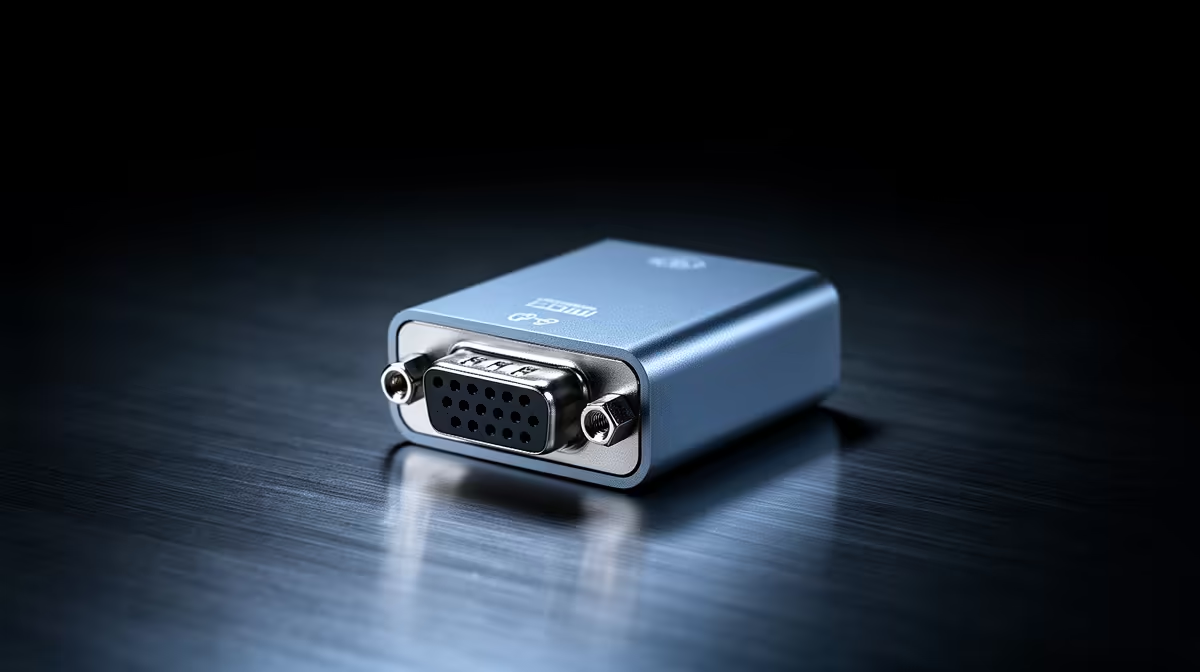
Legacy displays can frustrate a tight schedule. A compact VGA adapter for presentations gives you a reliable analogue fallback when HDMI or USB‑C fails. Use a short, shielded adapter to reduce signal noise and avoid fuzzy text at higher resolutions. If your team values tidy desks, pair adapters with neat cable extensions like this ARGB extension cable shown on Evetech for clean runs and easy identification: ARGB extension cable.
VGA adapter for presentations — setup tips for businesses 🚀
Start by testing the adapter and projector before the meeting. Confirm resolution and refresh rate on the laptop; older projectors may downscale output. If you’re running multiple shows, label adapters and keep a small kit with spare connectors, a VGA cable, and a compact HDMI-to-VGA dongle. For tidier installs and cable longevity, consider premium sleeved cables from Evetech — they reduce tangling and look professional on the bench: individually sleeved cables.
Presentation Pro Tip ⚡
When you arrive early, set your laptop to duplicate mode and choose the projector's native resolution. If the image looks soft, toggle the laptop’s scaling to 100% and check the VGA cable seating. A spare adapter in your bag will save the day.
VGA adapter for presentations: future‑proofing and purchase advice
You don’t need to hoard legacy adapters, but keep one reliable VGA adapter per meeting room. For IT teams, buy a small stock so employees swap rather than scramble. Look for gold-plated contacts, braided shielding and a snug connector to avoid intermittent signal loss. While AV tech is moving to digital standards, analogue VGA still handles many on-site presentations — especially in schools and older buildings.
A short micro-story: last quarter a Cape Town agency’s client presentation almost stalled when the HDMI splitter failed. The facilitator used a VGA adapter to reconnect a laptop in under two minutes. No panic. The meeting finished on time. That kind of reliability is exactly why businesses still stock VGA adapters.
VGA adapter for presentations: wrap and next steps
Keep one adapter per room. Test gear before guests arrive. Label and store spares with premium cables and extensions for neatness and reliability. Need hardware or want an accessories kit? Browse Evetech for quality cables and extensions, or ask our support team for a small meeting-room bundle.
Ready to Find Your Perfect Match?
The Mac vs Windows debate is complex, but for maximum power, choice, and value in South Africa, Windows is hard to beat. Explore our massive range of laptop specials and find the perfect machine to conquer your world.