


Maintain Wired Headset: Tips to Extend Lifespan
Maintain wired headset — Checklist: • inspect cables • clean earpads • store properly 🔧🎧 Practical steps to preserve sound quality and avoid premature replacements.
Read moreWondering if white gaming peripherals survive South Africa’s dust and heat? Learn safe cleaning habits and heat-proof storage for light-coloured keyboards—less yellowing, fewer sticky keys 🙂🧼
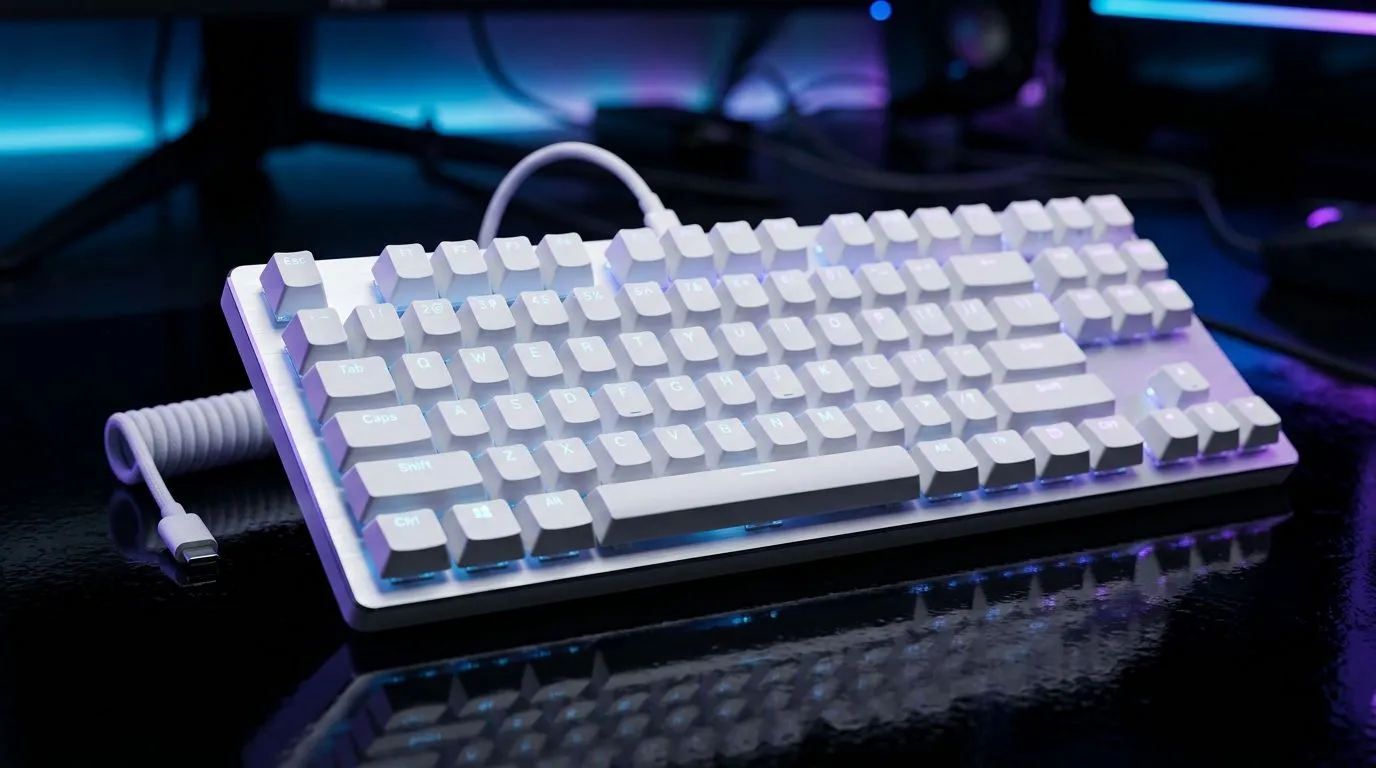
Buying white peripherals in South Africa feels amazing… until your desk becomes a dust magnet and summer turns your setup into a small oven. If you game in Johannesburg, Cape Town, or the Highveld, heat and airborne grime are real. So the question is not just “Which keyboard looks clean?” It’s: how do you keep white gaming peripherals looking new while still hitting your performance targets?
Most “white” gaming gear is still plastic, ABS, or PBT keycaps. That matters because dust settles into textured surfaces, and heat speeds up grime bonding to matte finishes. Here’s the practical approach… start with hardware that’s easier to wipe, with fewer seams and fewer exposed crevices.
If the keycaps are textured or matte, dust tends to cling less aggressively than glossy surfaces. Either way, you’ll want a routine: compressed air for crumbs, microfiber cloth for smudges, and gentle cleaning for fingerprints. Avoid harsh solvents on painted or coated finishes.
Dust protection is rarely magic. Even “dust-resistant” designs still benefit from positioning. Keep peripherals away from open windows, floor vents, and airflow that blasts fine particles onto your desk. Small change… big difference after a few weeks.
On hot SA days, place your keyboard and mouse at least 10–20 cm away from direct airflow (fans, AC vents, or open windows). Less dust landing means less grinding into keycap textures over time. Pair that with a microfiber cloth next to your setup for quick clean-ups between gaming sessions.
You don’t need a full “detailing” every day. You need consistency. Try a simple cadence:
Heat also affects adhesives and desk residue. If your peripherals sit against a sun-facing wall, you’ll see yellowing or dulling faster. Consider a desk mat barrier, or move your setup away from the strongest light.
Connection type can change your day-to-day experience more than people expect. Wired is predictable for battery-free simplicity. Wireless can be brilliant for cable management, especially with tight desk layouts… but it depends on stable charging and low-latency needs.
For wired options you can browse here: View wired keyboard deals
If wireless suits your rig better, start here: Shop wireless gaming keyboard options
And if you’re hunting a specific deal style first, check: Best gaming keyboard deals
A clean desk is one thing. Consistent tracking matters just as much. If you’re buying white gear, try to keep your mouse feet and sensor area clean. Dust under the skates or on the sensor won’t just look bad… it can feel off during competitive play.
If you want a matched look and a value route, consider a combo: Buy a keyboard and mouse combo
For budget-focused keyboard shopping before you decide on colourway: Find the cheapest gaming keyboard in South Africa (keyboard focus)
Before you commit, ask:
Get the look you want, with the care you can actually keep up with… and you’ll enjoy your white peripherals longer.
Ready to Find Your Perfect Match? The Mac vs Windows debate is complex, but for maximum power, choice, and value in South Africa, Windows is hard to beat. Explore our massive range of laptop specials and find the perfect machine to conquer your world.
Yes, heat and UV can accelerate yellowing. Use shade storage, avoid direct sun, and clean regularly to slow discoloration.
In high-dust environments, aim for a quick clean weekly and a deeper clean monthly. Focus on key gaps and the spacebar area.
For compatible keycaps, remove and gently wash with mild soap and water, then dry fully. Avoid harsh chemicals that can fade plastics.
Use compressed air for loose dust, then a soft brush or microfiber cloth. For sticky zones, lightly dampen with water-only on a cloth.
Use short bursts and keep the nozzle at a distance. Power off if your model supports it, and avoid spraying directly into openings.
Clean key surfaces with a microfiber cloth, then address the gaps with gentle brush cleaning. If needed, remove keycaps for a controlled wash.
Store in a cool, dry place away from windows. A dust cover and elevated surface help prevent moisture and grime accumulation.
Yes. Reduce direct sunlight exposure and use curtains or screen placement changes to lower UV exposure that drives yellowing.
Maintain wired headset — Checklist: • inspect cables • clean earpads • store properly 🔧🎧 Practical steps to preserve sound quality and avoid premature replacements.
Read more
Fix crackling headset fast: step-by-step checks for cables, connectors, drivers, and settings to remove static or distorted audio on wired headsets 🎧⚙️
Read more
Stereo vs mono headsets: learn which delivers clearer calls, better spatial music, or simpler mono voice performance — pick the right headset for meetings, music, or gaming 🎧💬
Read more
- Compare gaming headset vs studio headphones; - Assess comfort, mic and sound; - Recommend best daily picks. Gaming headset vs studio headphones: learn which suits work, music and casual gaming. 🎧⚖️
Read more
- Check pressure points - Compare earcup materials - Adjust clamp and fit Best gaming headsets for glasses: quick guide to reduce temple pressure, pick breathable memory foam earcups, and optimize fit for long sessions 🕹️👓
Read more
Gaming microphone noise reduction: Use beamforming mics, AI noise suppression, and hardware filters to cut background noise and boost in-game voice clarity. 🎧⚙️ Learn setups, settings, and top mic features.
Read more
Snapdragon X2 NPU Explained: How 80 TOPS Changes. Plain-English explanation of what it means, why it matters & how it affects your buying decisions in SA.

HBM? High Bandwidth Memory Used in GPUs and AI. Plain-English explanation of what it means, why it matters & how it affects your buying decisions in SA.

How much should you spend on sim racing accessories in South Africa for a realistic setup? We break down budgets by quality tiers, so you buy smart gear and avoid overspending 🎮💸

G-Sync and FreeSync? Variable Refresh Rate. Plain-English explanation of what it means, why it matters & how it affects your buying decisions in SA.

AMD Laptop: Value. SA-focused analysis with local pricing data, real-world insights & actionable buying advice.

How MacBook Neo Handles 30+ Chrome Tabs with Only. SA-focused analysis with local pricing data, real-world insights & actionable buying advice.

Why Apple Put 8GB RAM in MacBook Neo: The A18 Pro. SA-focused analysis with local pricing data, real-world insights & actionable buying advice.

Upgrade your work laptop with a New Motherboard. Step-by-step instructions with SA-specific tips, common pitfalls to avoid & expert recommendations.

Glorious Keyboard Switches Explained: Which. Plain-English explanation of what it means, why it matters & how it affects your buying decisions in SA.

Winter Keyboard Buying Guide. Everything you need to know with SA pricing, step-by-step instructions & expert recommendations.

Keyboard Buying Guide. Everything you need to know with SA pricing, step-by-step instructions & expert recommendations.

LGBTQ+ Gamers Keyboard Guide: January Edition. Everything you need to know with SA pricing, step-by-step instructions & expert recommendations.