



Marvel Rivals launch in South Africa
Marvel Rivals launch needs a balanced parts plan, not a random basket. Map the CPU, GPU, RAM, SSD, cooling, and monitor target to the budget so SA builders know where to spend first.
Read moreWireless gaming keyboard battery life depends on switches, lighting, and polling rate. Here’s how long it should last, when to charge, and how to extend it with smart settings 🔋🎮
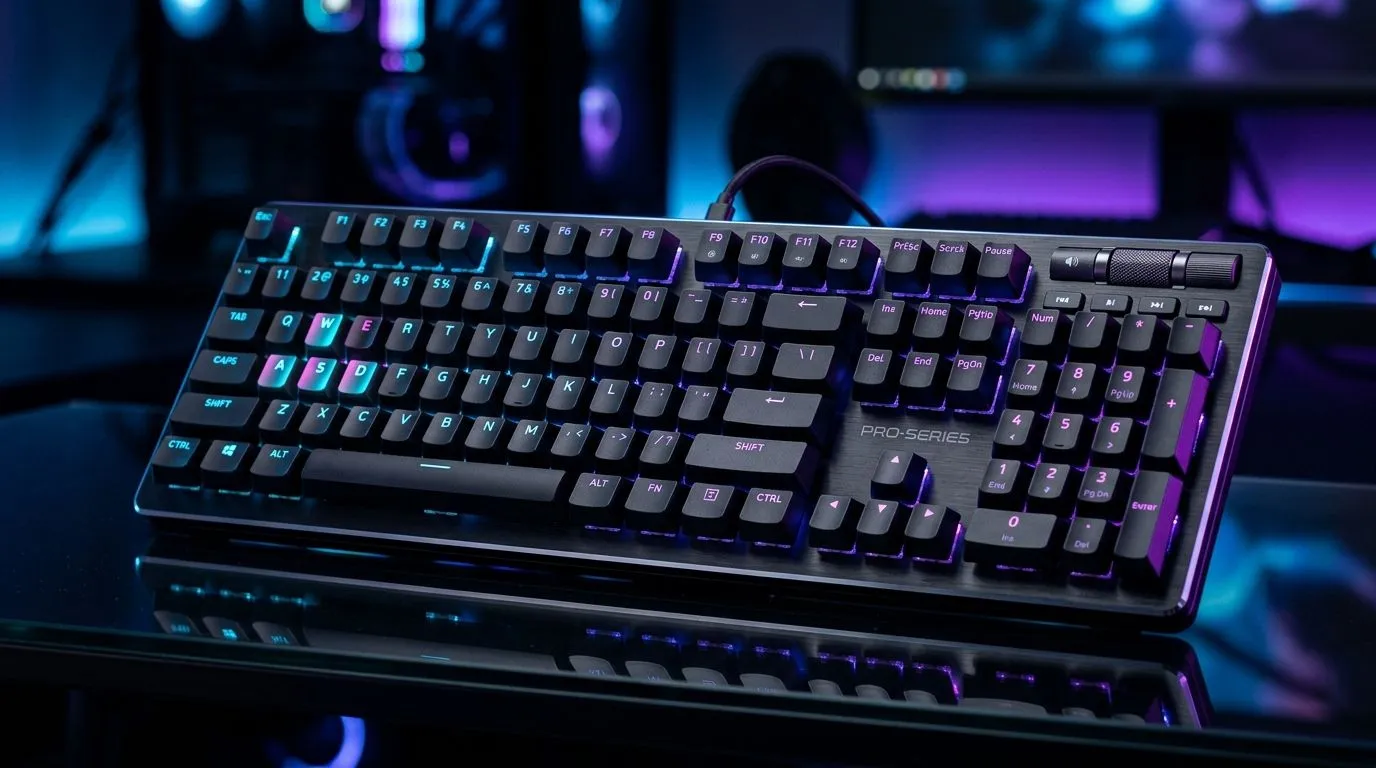
If your wireless keyboard dies mid-raid, you feel it… fast. In South Africa’s load shedding and power-stable days alike, your setup should stay reliable. Whether you’re grinding ranked on a budget or building a full RGB battlestation, the real question is simple: Wireless gaming keyboard battery life: how long should it last? Let’s get you a clear expectation, what affects runtime, and how to stretch every charge. ⚡
Wireless gaming keyboards vary a lot because “wireless” can mean different tech. Some use 2.4GHz dongles, others use Bluetooth, and some support multi-device switching. Battery life also changes with backlighting, polling rate, and how often you game.
Here’s the practical way to think about it:
If you’re buying in SA, the smartest move is to compare the battery promise and the connectivity type before you commit.
In many wireless keyboard models, 2.4GHz dongle connections are designed for low-latency gaming, while Bluetooth prioritises convenience. That can affect how aggressively the keyboard draws power. Before you buy, filter for the connectivity you actually need.
You can browse current options here:
Now for the part that saves money… and frustration.
Even if a keyboard advertises “weeks,” the moment you run full brightness and dynamic effects, runtime can drop sharply. If you’re trying to hit “long battery life,” start by lowering brightness and switching to calmer effects.
Higher polling rates often mean the keyboard checks in more frequently. That can increase power draw. Many gamers keep higher rates for competitive nights, then switch to a lower setting for work days.
A keyboard that never sleeps will drain faster. Look for an adjustable sleep timer or a reliable auto-off mode.
Rechargeable batteries can slowly degrade over time. If the keyboard is “new-ish” but charging always feels short, the storage temperature and charging habits matter too.
On Windows, use PowerToys FancyZones to create custom snap layouts so you can keep your gaming, chat, and performance monitoring windows organised without constantly alt-tabbing. Less context switching means fewer accidental key presses and cleaner desk habits that help preserve battery (and your sanity) during long sessions. Put your monitoring apps on one side, keep your game full-screen, and you will notice how often you tap keys without meaning to. "
If you’re shopping locally, you want a keyboard that fits your playing style and your electricity reality. Here’s what to check before you pay:
For deal hunters in SA, start here:
Before you decide, run this quick test:
Then you’ll know what “good” is for your habits. Isn’t that the only number that matters?
Ready to Find Your Perfect Match? The Mac vs Windows debate is complex, but for maximum power, choice, and value in South Africa, Windows is hard to beat. Explore our massive range of laptop specials and find the perfect machine to conquer your world.
Most wireless gaming keyboards deliver roughly 30–100 hours, but battery life swings with RGB, polling rate, and usage patterns.
High RGB brightness, 1000 Hz polling, frequent wireless reconnections, hot environments, and older cells can increase wireless keyboard battery drain.
Yes. Keyboard RGB typically uses a lot of power, so lowering brightness or using static lighting can significantly extend wireless keyboard battery life.
Reducing from 1000 Hz to 500 Hz (or lower) can cut power draw while keeping responsiveness for many players.
Watch for low-battery warnings, increased disconnects, or missed keystrokes; these are common signs you should charge soon.
Only if your model’s rated battery life suggests it. Many users charge monthly, but your actual charge frequency depends on settings and hours.
Yes. Adjust RGB, lower brightness, choose smart profiles, and tune polling rate to reduce drain while keeping strong input latency.
Marvel Rivals launch needs a balanced parts plan, not a random basket. Map the CPU, GPU, RAM, SSD, cooling, and monitor target to the budget so SA builders know where to spend first.
Read more
Path of Exile 2 launch needs a balanced parts plan, not a random basket. Map the CPU, GPU, RAM, SSD, cooling, and monitor target to the budget so SA builders know where to spend first.
Read more
Black Myth Wukong launch needs a balanced parts plan, not a random basket. Map the CPU, GPU, RAM, SSD, cooling, and monitor target to the budget so SA builders know where to spend first.
Read more
Hollow Knight PC requirements should be mapped to resolution, settings and upgrade budget before choosing a tier. Verify current requirements, then balance GPU, CPU, RAM and SSD around SA pricing.
Read more
Hollow Knight build planning should focus on the target resolution, settings and total system balance. Treat launch wording as time-sensitive, then verify requirements before choosing SA PC parts.
Read more
Fallout 4 PC requirements should be mapped to resolution, settings and upgrade budget before choosing a tier. Verify current requirements, then balance GPU, CPU, RAM and SSD around SA pricing.
Read more
Best Value Laptops South Africa 2026 — Find top picks, local prices and buy tips to maximise performance per rand. Compare deals for students, creators and gamers. 🔎💸

Struggling with a weak Desktop PC Wi-Fi signal? 📶 Discover expert tips on positioning your tower and external antennas to eliminate lag and maximize your internet speeds for gaming and streaming. 🚀

Tired of loadshedding router restarts killing your Wi-Fi? ⚡ Discover why power cuts disrupt your connection and learn expert tips to get back online faster after the lights return. 🌐

Master using a Nano SIM 4G router as your primary internet solution. Get stable speeds and seamless connectivity for gaming and streaming at home! 🌐🚀

Gauteng r30 000 needs practical checks before you choose. Compare fit, workload, support, setup needs, timing, and delivery expectations without relying on live availability or fixed 2026 claims.

Gauteng r40 000 needs practical checks before you choose. Compare fit, workload, support, setup needs, timing, and delivery expectations without relying on live availability or fixed 2026 claims.

Gauteng r50 000 needs practical checks before you choose. Compare fit, workload, support, setup needs, timing, and delivery expectations without relying on live availability or fixed 2026 claims.

Gauteng r60 000 needs practical checks before you choose. Compare fit, workload, support, setup needs, timing, and delivery expectations without relying on live availability or fixed 2026 claims.

Three-tier smart watch plan for commuting should be shortlisted around the job it must do. South African buyers should compare fit, performance, compatibility, and upgrade room, warranty path, and upgrade room before treating any pick as best.

AR Glasses buying order for commuting students should be shortlisted around the job it must do. South African buyers should compare fit, performance, compatibility, and upgrade room, warranty path, and upgrade room before treating any pick as best.

Smart Watch buying order for commuting should be shortlisted around the job it must do. South African buyers should compare fit, performance, compatibility, and upgrade room, warranty path, and upgrade room before treating any pick as best.

Smart Watch buying order for quiet PC builds needs a balanced parts plan, not a random basket. Map the CPU, GPU, RAM, SSD, cooling, and monitor target to the budget so SA builders know where to spend first.