180Hz Gaming Monitor: The New Competitive Standard Explained
Discover why the 180Hz gaming monitor is rapidly replacing 144Hz as the sweet spot for esports. Experience smoother motion, lower latency, and better value for your rig. 🚀 Upgrade your competitive edge today!
|
Loading tags...

Been grinding on 144Hz for years? We get it. It was the gold standard. But in the fast-paced lobbies of today, from Cape Town to Johannesburg, that edge is getting smaller. The new secret weapon for climbing the ranks isn't some complex strategy… it's pure speed. A 180Hz gaming monitor offers that crucial, tangible advantage, and it’s rapidly becoming the new competitive standard for South African gamers who demand peak performance without breaking the bank.
What Makes a 180Hz Gaming Monitor the New Sweet Spot?
For years, 144Hz was the magic number. It provided a massive leap in smoothness over old 60Hz screens. But technology never stands still. A 180Hz gaming monitor refreshes the image on your screen 180 times per second. That's 36 more frames every single second compared to a 144Hz panel.
Does it sound like a small jump? In practice, it’s a noticeable improvement in motion clarity and responsiveness that your eyes can definitely perceive. It sits in a perfect middle-ground—a clear step up from 144Hz and significantly more affordable than the ultra-high-end 240Hz+ displays. It’s the smart upgrade, offering a real competitive return on investment, and you can see the difference across a wide range of PC monitors available today.
The Tangible Advantage in Your Favourite Games 🎯
Let’s talk specifics. Imagine you’re holding an angle on Dust II in CS2 or tracking a sliding opponent in Apex Legends. With a 180Hz monitor, the enemy's movement appears smoother and less blurry. This enhanced clarity allows your brain to process information faster, helping you track, aim, and react with greater precision.
This isn't just a feeling; it's a physical advantage. Lower motion blur means targets are easier to follow, and reduced input lag means your actions translate to the screen microseconds sooner. Of course, to get the full benefit, you'll need a graphics card capable of pushing 180+ frames per second (FPS), but modern GPUs are more capable than ever. This makes gaming at 180Hz an accessible reality for most serious players.
TIP FOR YOU
Pro Tip: Unlock Your Full Refresh Rate! ⚡
Just plugging in your new monitor isn't enough. Many default to 60Hz. Right-click your desktop, go to 'Display settings' > 'Advanced display settings', and select 180Hz from the refresh rate dropdown menu. Also, make sure to uncap your framerate in your game's video settings to get the full, buttery-smooth experience.
Finding the Right 180Hz Monitor for Your Setup
Choosing a new screen involves more than just the refresh rate. You need to balance it with other key features to match your gaming style.
Resolution vs. Refresh Rate
For pure competitive gaming, a 1080p or 1440p 180Hz gaming monitor is often the superior choice. It prioritises speed and responsiveness, which is what wins matches. While the incredible detail of stunning 4K monitors is amazing for cinematic single-player titles, the lower refresh rates they typically offer at a similar price point can be a disadvantage in fast-paced shooters.
Panel and Shape
Modern 180Hz screens often use Fast IPS panels, giving you lightning-fast response times without sacrificing the vibrant colours IPS is known for. You also have the choice between a traditional flat screen or one of the many immersive curved monitors that can help fill your peripheral vision and pull you deeper into the game.
Optimise Your Entire Gaming Space ✨
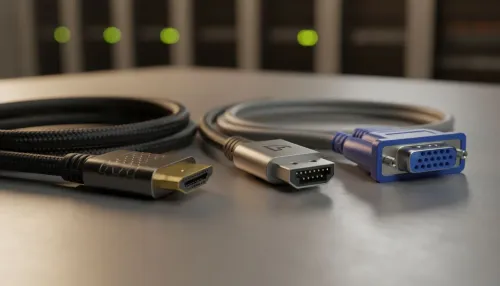
Your new monitor is the star, but the supporting cast matters too. A proper setup ensures you get the most out of your investment. Consider an adjustable VESA mount for perfect ergonomics, preventing neck strain during long gaming sessions. Ensuring you have high-quality cables (like a DisplayPort 1.4) is also essential to handle the high data throughput of a 180Hz signal. Investing in the right monitor accessories completes your battle station.
Whether you're building a multi-screen command centre at home or need a secondary display on the go, like one of these handy portable monitors, a high-refresh-rate primary screen is non-negotiable for serious gaming.
So, Is the 180Hz Monitor Worth It?
Absolutely. For any South African gamer looking to gain a competitive edge, the 180Hz gaming monitor represents the new performance standard. It delivers a meaningful upgrade in smoothness and clarity over 144Hz panels at a price point that makes sense. It’s the perfect choice for pushing your rank, hitting your shots, and experiencing your favourite games the way they were meant to be played… fast and fluid.
Ready to Level Up Your Game? A 180Hz monitor isn't just an upgrade; it's a competitive advantage. Explore our massive range of high-refresh-rate gaming monitors and find the perfect display to dominate the leaderboard.
Yes, 180Hz offers 25% more frames per second than 144Hz, resulting in noticeably smoother motion and reduced input lag for fast-paced competitive games.
Not necessarily. Mid-range GPUs can easily hit 180 FPS in esports titles like Valorant or CS2, allowing you to fully utilize the 180Hz refresh rate.
While subtle, trained eyes and competitive gamers perceive the increased fluidity and reduced motion blur, which improves tracking accuracy in shooters.
You typically need a DisplayPort 1.2/1.4 or HDMI 2.0/2.1 cable. Always check your monitor's specific bandwidth requirements to support the full refresh rate.
Current consoles like PS5 and Xbox Series X cap at 120Hz. However, a 180Hz monitor is future-proof for PC gaming while still supporting console 120Hz modes.
Panel technology has improved, allowing manufacturers to overclock native 144Hz or 165Hz panels to 180Hz reliably without increasing the cost for consumers.
Related Articles