Budget Gaming PC FPS Benchmarks: Performance in Top Titles
Curious about real-world budget gaming PC FPS benchmarks? 🎮 We test entry-level rigs against hits like Fortnite and Warzone. Discover how to achieve smooth 1080p gameplay and maximize value without breaking the bank! 🚀
|
Loading tags...
So, you’re dreaming of high-frame-rate glory but your wallet is giving you the side-eye? Welcome to the club, fellow South African gamer. 🇿🇦 The big question is always the same: what kind of real-world performance can you expect from an affordable rig? Forget marketing hype. We’re diving into realistic budget gaming PC FPS benchmarks to show you how to get smooth 1080p gameplay in today's top titles without needing to sell a kidney.
Understanding Budget Gaming PC FPS Benchmarks
Before we jump into the numbers, what are we actually looking at? FPS, or Frames Per Second, is the measure of how smoothly a game runs on your hardware. While cinematic games can feel okay at 30 FPS, the gold standard for responsive, enjoyable gaming is 60 FPS. For competitive shooters, many players aim for 120 FPS or higher.
Achieving these numbers on a budget is a balancing act. The budget gaming PC FPS benchmarks we'll discuss are all about finding that sweet spot—pairing components that deliver maximum performance for every Rand spent. It's not about having the most expensive parts; it's about having the smartest parts.
The Components That Drive Your Performance
Your final frame rate is a team effort, but a few key players do most of the heavy lifting. Understanding their roles is crucial for planning your build.
The Graphics Card (GPU): The FPS King 🚀
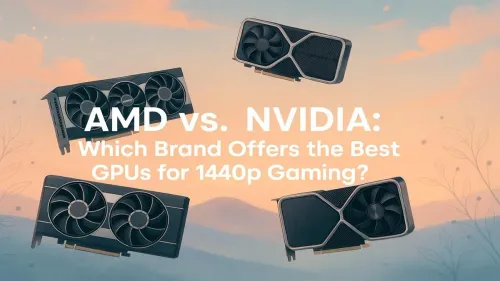
No single component impacts your gaming performance more than the GPU. This is where the magic happens, rendering the beautiful worlds you explore. For a budget build, you don't need a top-tier card. Modern entry-level NVIDIA and ATI graphics cards are incredibly capable, designed specifically to deliver excellent 1080p performance. This is the one component where you should allocate the biggest chunk of your budget.
CPU and Motherboard: The Brains of the Operation
Your Central Processing Unit (CPU) handles game logic, physics, and AI. A slow CPU can "bottleneck" a great GPU, meaning your graphics card is sitting around waiting for instructions, which kills your FPS. You don't need an i9 or a Ryzen 9; a modern Core i3 or Ryzen 5 processor is more than enough for a powerful budget build. These CPUs pair perfectly with a range of cheap Intel & AMD based motherboards that provide all the features you need without costly extras.
TIP FOR YOU
Boost Your FPS for Free! ⚡
Many modern games support upscaling technologies like AMD's FSR (FidelityFX Super Resolution) or NVIDIA's DLSS. By setting this to "Quality" or "Balanced" in the game's graphics options, the game renders at a lower internal resolution and cleverly scales it up. This can give you a massive 20-40% FPS boost with minimal visual impact—it's like a free hardware upgrade!
RAM: Your System's Short-Term Memory
Random Access Memory (RAM) is where your PC temporarily stores all the data it needs for a game to run, like textures and character models. While 8GB was once acceptable, 16GB is the new standard for smooth, stutter-free gaming. Even if you're upgrading an older system running on DDR3 gaming RAM modules, ensuring you have enough capacity makes a noticeable difference in performance.
Real-World Performance in Top Titles (1080p)
Let's get to the juicy part. Here are some realistic FPS expectations for a well-balanced budget gaming PC in some of South Africa's most popular games. These assume a mix of Medium-to-High settings.
- Apex Legends / Fortnite: On competitive (low/medium) settings, you can easily expect 90-140+ FPS. Smooth, responsive, and ready for you to clutch that win.
- Call of Duty: Warzone: This title is more demanding. With optimised settings, you'll be looking at a very playable 60-80 FPS.
- Cyberpunk 2077 / Starfield: For graphically intense single-player games, you'll need to tweak settings more. Aiming for a mix of Low and Medium settings (with FSR enabled) can yield a solid 45-60 FPS.
These numbers prove that excellent performance on a budget is entirely possible.
Building Smart: The Supporting Cast 🔧
A powerful GPU and CPU are nothing without a solid support system. Don't overlook these crucial components.
First, your system needs clean, stable electricity. A quality Corsair power supply is a non-negotiable investment for protecting your components and ensuring consistent performance. Next, keep things cool. The stock cooler is often just okay, but an affordable aftermarket CPU cooler can lower temperatures, reduce noise, and allow your processor to maintain its boost clocks for longer.
Finally, house it all in a chassis with good airflow. Modern computer cases are designed to help your components breathe, which is essential for performance. If picking individual parts feels daunting, a great starting point is one of our Intel & AMD based bundle packs, which combine a CPU, motherboard, and RAM that are guaranteed to work perfectly together.
Ready to Build a Budget Beast? Stop dreaming and start playing. With the right parts, incredible 1080p gaming performance is within your reach. Explore our upgrade bundles and find the perfect foundation for your new gaming PC today.
Most budget gaming PCs target 60+ FPS at 1080p on medium to high settings, offering a smooth experience for the majority of popular titles.
Yes, 60 FPS is the standard for smooth play. However, competitive shooters often benefit from lower settings to reach 144 FPS for faster reaction times.
Yes, utilizing upscaling tech like DLSS or FSR and adjusting graphical settings allows entry-level hardware to maintain playable frame rates.
lowering resolution to 1080p, updating GPU drivers, and reducing shadow or texture quality are effective ways to boost performance on budget rigs.
Cards like the NVIDIA RTX 3050 or AMD RX 6600 are excellent value choices for hitting high frame rates in eSports titles without overspending.
Absolutely. Using faster dual-channel RAM (e.g., 3200MHz) can significantly improve frame stability and reduce stuttering in CPU-bound scenarios.
Related Articles