


Dedicated Media Keys for Streamers: Improve Workflow Fast
Dedicated media keys give streamers one-touch control to mute, switch scenes, clip highlights, and adjust audio — cutting task time and boosting consistency 🎛️⚡
Read moreErgonomic laptop stand lifts your screen to eye level, reduces neck strain, and improves posture for longer work sessions. Learn setup steps, height and angle tips, and recommended accessories. 💻✅
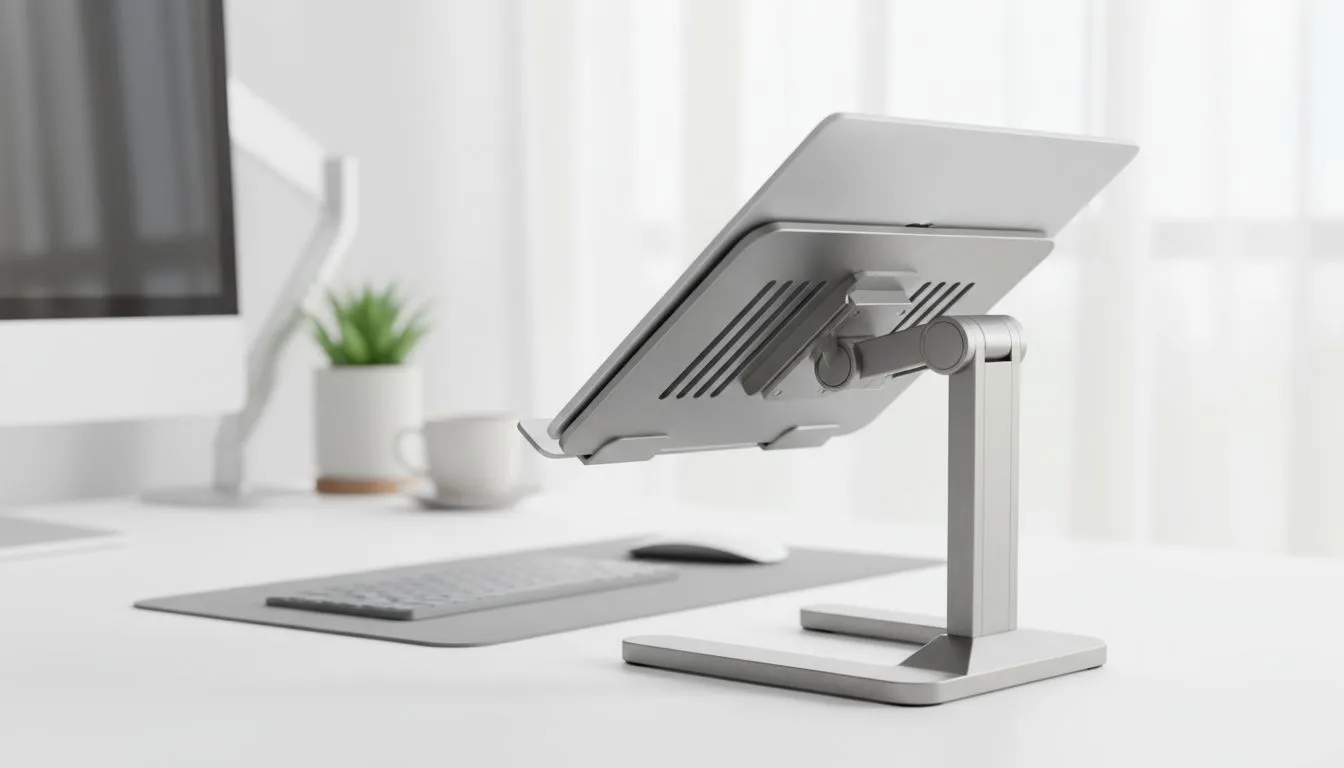
South African gamers and remote workers: tired of craning your neck during long sessions? An ergonomic laptop stand lifts your screen to eye level, reduces neck strain and improves typing posture — and it can change how you play and work. This short guide walks you through choosing, setting up and pairing a stand with local gear and budget options from Evetech. ⚡
Raising your display even 10–15cm can ease neck load and reduce slouching, which matters during marathon matches or editing sessions — the UK Health and Safety Executive has clear guidance on display position and posture. For cooling and screen alignment, consider a stand with open airflow and adjustable tilt. If you also use an external monitor, simple monitor accessories will help you align dual displays; browse compatible monitor accessories on Evetech to match your setup. https://www.evetech.co.za/PC-Components/buy-monitor-accessories-368
Pick a stand that combines stability with adjustability. Aluminium models are sturdy and help dissipate heat; plastic options can be lighter and cheaper. Think about height range, tilt angles and whether you want a foldable model for LAN nights. If you prefer brand-specific choices, check compact Orico stands and accessories that fit modern laptops. https://www.evetech.co.za/PC-Components/buy-monitor-accessories-368?brands=Orico
Position the top third of your screen at eye level. Use a separate keyboard and mouse to keep wrists neutral. For gamers, mapping your desk so the mouse and keyboard sit on the same plane reduces micro-adjustments that tire your shoulder. Small changes matter: a 5–10 minute posture check every hour helps cement better habits.
Keep your laptop on a stable riser, and pair it with a low-profile mechanical keyboard. That raises your screen without forcing your wrists high. For laptop cooling, angle the stand slightly to increase airflow and consider a USB fan if you stream or encode video.
You don’t need to spend a fortune. Evetech stocks a range of monitor accessories and stands at different price points — including compact options from WINX for tighter budgets. Compare features like maximum load, angle presets and portability when you shop. https://www.evetech.co.za/PC-Components/buy-monitor-accessories-368?brands=WINX
Looking for value under a specific budget? You can filter monitor accessories by price to find options under R3,338 — perfect if you want a solid stand without breaking the bank. Prices on Evetech are shown in ZAR so you can compare easily before you buy. https://www.evetech.co.za/PC-Components/buy-monitor-accessories-368?max-price=3338
Small hardware choices improve comfort and performance. Pair your stand with good lighting, a dedicated keyboard and a mouse for the full benefit. If you’re unsure which spec matters most, start with adjustability and stability, then match extra features to your workflow or gaming style.
Ready to Find Your Perfect Match? The Mac vs Windows debate is complex, but for maximum power, choice, and value in South Africa, Windows is hard to beat. Explore our massive range of laptop specials and find the perfect machine to conquer your world.
An ergonomic laptop stand raises your laptop to eye level to reduce neck strain and improve posture during prolonged laptop use.
Set the top of your screen at eye level. Typically 15–25 cm above the desk works, adjusted for chair height and posture.
Yes. Raising the screen to eye level and using an external keyboard can significantly reduce neck and shoulder strain.
Portable ergonomic laptop stands improve posture on the go, though stability and adjustability vary by model and design.
Yes. Aluminium and ventilated laptop stands improve airflow, reduce heat buildup, and can help maintain performance.
Yes. Use an external keyboard and mouse to keep wrists neutral when the laptop is elevated for optimal posture.
Add an external keyboard, mouse, monitor, cable management, and a stable laptop riser to optimize posture and productivity.
Dedicated media keys give streamers one-touch control to mute, switch scenes, clip highlights, and adjust audio — cutting task time and boosting consistency 🎛️⚡
Read more
PBT vs ABS keycaps: Clear, local guide for South African gamers—compare feel, sound, durability and where to buy. Find the best material for your budget and playstyle 🎮🇿🇦
Read more
- Multi-Function Digital Dial: define benefits - Show gamer setups and macros - Offer buying and setup tips Multi-Function Digital Dial puts programmable control at your fingertips for faster actions and smoother streaming. 🎮⚙️
Read more
- Explain benefits; - Show the science; - Compare options; - Recommend picks. Magnetic wrist rest for gaming cuts wrist strain and boosts comfort during long sessions 🕹️✨
Read more
best gaming keyboard South Africa: Learn how to pick a low-latency mechanical keyboard, choose switches, layout and budget for competitive play 🎮⚡
Read more
Best wireless keyboard and mouse combo for small desks — curated, space-saving picks that boost comfort and productivity in tight setups. Find low-profile layouts, compact mice, and reliable range to fit your compact workstation. 🖱️⌨️
Read more
Discover webcams that automatically adjust light and color for crystal-clear video calls 🎥✨. Boost your streaming quality today!
Read more
Discover webcams that blend into your workflow 🎯 Capture moments while you work, stream, or create. Upgrade your setup with smart, multitasking tech!
Read more Dedicated media keys give streamers one-touch control to mute, switch scenes, clip highlights, and adjust audio — cutting task time and boosting consistency 🎛️⚡
Read more
Checklist: 1) Map keyboard actuation depth to genres 2) Step-by-step adjust settings 3) Test and tune for performance 🎮⌨️ Learn keyboard actuation depth for FPS, MOBA, RTS, and RPG to improve response and accuracy.
Read more
Optical switches deliver faster actuation and lower latency than traditional mechanical switches, using light-based triggers and minimal debounce to boost gaming and typing performance ⚡⌨️
Read more
Clean gaming keyboard quickly and safely in dusty or humid conditions with step-by-step tips, tool checklist, and maintenance routines to prevent corrosion and switch failure. 🧼💨
Read more