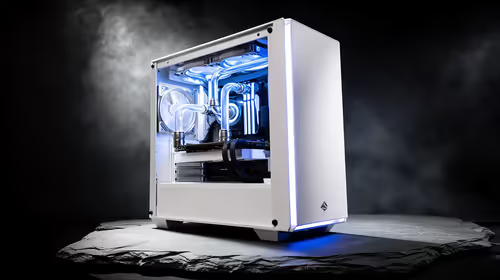
Is your beast of a gaming PC sounding less like a finely tuned machine and more like it's gasping for air during a Jozi thunderstorm? Dust, heat, and grime are the silent killers of performance, throttling your FPS and shortening the life of your precious components. Forget that old can of compressed air. We're diving into the best high-tech PC cleaning solutions to keep your rig running cool, quiet, and spotless well into 2025. ✨
Why Your Old Cleaning Routine Isn't Cutting It
In the age of hyper-dense GPUs and intricate motherboard designs, a simple wipe-down just won't do. Dust gets trapped in heatsink fins, clogs intake fans, and creates an insulating blanket over your VRMs and RAM. This causes thermal throttling, where your PC intentionally slows itself down to avoid overheating. Suddenly, your smooth 144 FPS experience starts stuttering.
Proper maintenance is crucial for extending the lifespan of any rig, especially if you've invested in one of our excellent budget gaming PCs, where every bit of performance counts. It's time to upgrade your toolkit.
The Modern Arsenal of High-Tech PC Cleaning Solutions
Keeping your PC spotless is easier than ever with the right gear. These modern tools are designed for safety, efficiency, and getting into every nook and cranny of your build.
Electric Air Dusters 🚀
The undisputed champion of modern PC cleaning. An electric air duster delivers a powerful, continuous stream of filtered air without the freezing moisture or harsh propellants found in canned air. While the initial cost is higher, it pays for itself over time and is far better for the environment. It's the perfect tool for quickly clearing out dust from the tightly packed internals you'll find in many modern pre-built PC deals. No more running out of air mid-clean!
Anti-Static Brushes & Specialised Vacuums
Static electricity is the invisible enemy of PC components. A tiny shock, imperceptible to you, can permanently damage a CPU or motherboard. That's why anti-static brushes are non-negotiable for detailed cleaning. They use conductive fibres to safely dissipate any static charge. Paired with a small, ESD-safe vacuum with non-conductive attachments, you can safely remove stubborn dust without risk. Protecting your investment is vital, whether it's one of the fantastic PCs under R20k or a custom-built monster.
Safety First! ⚡
Always unplug your PC and press the power button a few times to discharge any residual electricity before you start cleaning. For extra safety, touch a grounded metal object (like the metal part of the case) or use an anti-static wrist strap to ground yourself. This prevents Electrostatic Discharge (ESD) from frying your components.
Cleaning Gels and Putty
Ever wondered how to clean your keyboard or the grille on your case fans without taking everything apart? Enter cleaning gel. This sticky, malleable compound lifts dust and debris from tight spaces and textured surfaces with ease. Just press it on, peel it off, and watch the grime disappear. It’s a satisfyingly effective tool that can make any rig feel brand new. Of course, if you'd rather start fresh, you can always check out the best gaming PC deals in South Africa right now.
Premium Microfibre and Isopropyl Alcohol
The basics, but perfected. A high-quality, lint-free microfibre cloth is essential for wiping down glass panels and smooth surfaces without scratching. For stubborn smudges or cleaning old thermal paste, a bottle of 99% isopropyl alcohol is your best friend. It cleans effectively and evaporates almost instantly, leaving no residue. Owners of top-tier hardware, like the machines in our PCs above R20k category, understand that using premium consumables is key to maintaining a premium look and feel.
Your Quick-Start Guide to a Spotless Rig 🔧
Ready to put these high-tech PC cleaning solutions into action? Follow these simple steps:
- Power Down & Prep: Shut down, unplug everything, and move your PC to a well-ventilated area (preferably outside or on a balcony).
- The Big Blowout: Open the side panels. Using your electric duster, blow dust out of the case, starting from the top and working your way down. Pay special attention to fans, heatsinks, and power supply vents.
- Detail Work: Use anti-static brushes to gently dislodge any remaining dust from motherboard components and GPU fans. Use cleaning gel for keyboard keys and fan grilles.
- Final Wipe: Lightly dampen a microfibre cloth with isopropyl alcohol to clean fingerprints off your case, glass panels, and peripheral surfaces.
A regular clean not only makes your setup look amazing but ensures you get the performance you paid for.
Ready for a Fresh Start?
A deep clean can breathe new life into your PC. But if dust bunnies are the least of its problems and an upgrade is on the horizon, we've got you covered. Explore our best gaming PC deals and find a rig that's ready to dominate from day one.