A smaller esports screen can ask more of a gaming PC than a much larger everyday display. LG 720Hz OLED puts that trade-off into focus: a compact panel designed around exceptionally frequent refreshes, rather than a huge desktop canvas. Before making it your next upgrade target, look at the games you actually play, their frame delivery and the amount you would otherwise spend on a monitor available locally.
Quick Answer
LG Display has announced a 24.5-inch FHD OLED panel running at 720Hz, with a claimed 0.02ms response time. This is a panel-production announcement, so wait for the exact finished monitor and South African price before making a purchase decision. For present-day budget context, Evetech's 21 September catalogue listed the Lenovo Legion 27-10 FHD 240Hz monitor at R3,699 in stock; that is an alternative, not a price prediction for the new OLED.
🎯 Start with the games, then the refresh rate
The announcement places a very specific player at its centre: someone who wants a compact competitive display and values motion clarity over extra workspace. FHD means 1920x1080 here. The lower pixel count can be a deliberate choice, even if your desk has room for a larger screen.
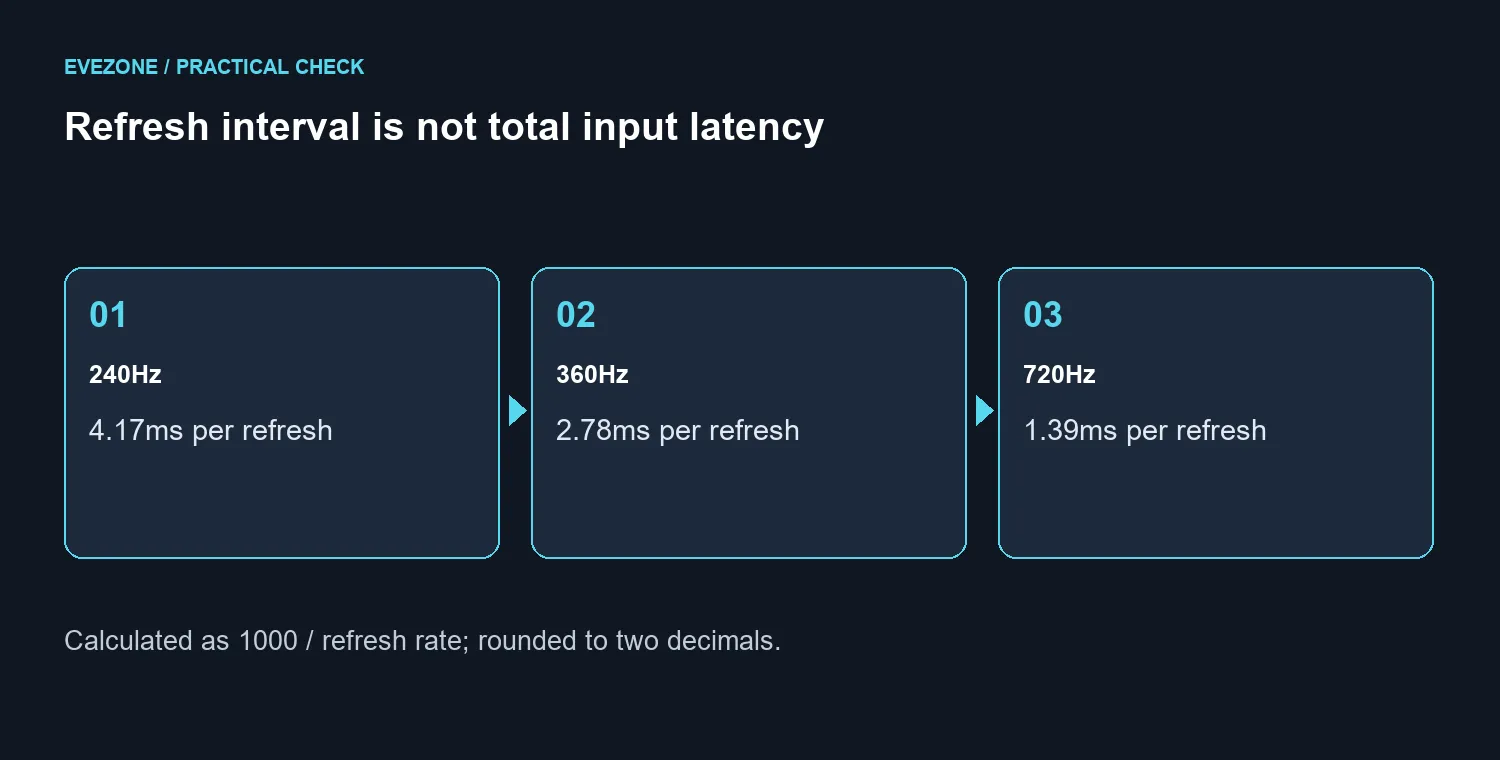
A 720Hz refresh interval is roughly 1.39ms. At 240Hz it is about 4.17ms, and at 360Hz around 2.78ms. Those figures come from dividing one second by the refresh rate. They describe refresh timing only, not your mouse-to-screen delay or the time a game takes to render a frame.
Use a repeatable section of your favourite game to assess your current PC. Record how it behaves during the busiest moments, not just when looking at an empty wall. A headline frame-rate peak tells you less about the next upgrade than consistent delivery while enemies, effects and movement fill the screen.
🖥️ A panel announcement is one part of the purchase
LG Display identifies the ASUS ROG Swift OLED PG259QWS Ace as the panel's first monitor application. The finished product is still the thing you buy: it has its own connections, stand, controls, warranty terms and price. Do not copy a feature from another OLED monitor onto it simply because the panel supplier is the same.
The claimed pixel response time also deserves the right interpretation. Pixel transitions and refresh frequency measure different parts of display behaviour. Neither number alone establishes how a complete monitor feels with your computer and settings. Look for testing of the actual retail model before treating a specification as a complete performance verdict.
Browse current gaming monitors with a short requirement list beside you. Include desk distance, resolution, the connection your graphics card provides and the games you want to run. That keeps a record-setting refresh figure from making every other criterion disappear.
💰 Decide what waiting would cost you
The same live catalogue check showed the Lenovo Legion 27Q-10 QHD 240Hz at R5,099 and Dahua LM34-E330CA ultrawide at R5,499, both marked in stock. They illustrate different ways to spend a monitor budget, not equivalent substitutes for the new panel. Prices and availability can change after the dated check.
A player concentrating on competitive matches may accept FHD and a smaller screen to prioritise refresh. Someone who also edits documents, watches films or enjoys detailed single-player worlds may prefer a different balance. Write down which compromise would annoy you every day; that answer is more useful than buying the largest number on a specification sheet.
You can compare OLED monitor options while waiting for a confirmed local listing. Keep the purchase tied to an actual need. If your existing display works well, there is no obligation to buy before the finished product has been tested. If it is failing now, a suitable available monitor may matter more than a future maximum.
Frequently Asked Questions
Will a 720Hz monitor create extra game frames?
No. The PC still renders the game. A faster display cannot turn a slow scene into 720 freshly rendered frames each second.
Is 24.5 inches automatically better for esports?
It suits players who prefer a compact view, but comfort and viewing distance still matter. Try a comparable screen size before committing to the format.
Should I convert an overseas launch price into Rand?
Use a confirmed local quote for the exact model. A simple currency conversion is not a South African selling price or delivery promise.
Build your monitor shortlist around your games.
Compare Evetech's gaming and OLED displays, then choose the resolution and refresh balance your PC can use.