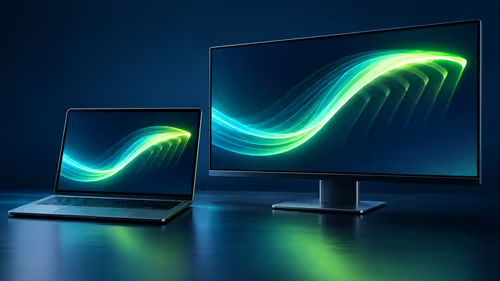
Stuttering gameplay, jagged screen tearing... sound familiar? If you've invested in a PS5 or Xbox Series X/S, you expect buttery-smooth visuals. But without the right screen, you're leaving performance on the table. The secret weapon is Variable Refresh Rate (VRR), and finding the right console VRR gaming monitors can be tricky. This guide cuts through the confusion, helping you unlock your console's true potential and eliminate screen tearing for good. ✨
Understanding VRR for Your Console
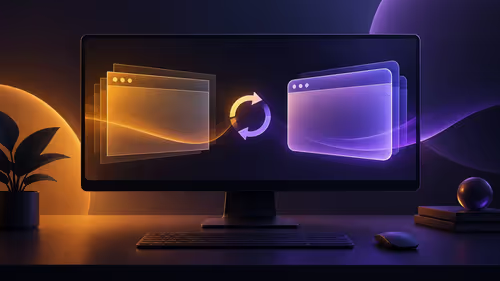
So, what exactly is VRR? In simple terms, it's a technology that allows your monitor to dynamically adjust its refresh rate to match the frame rate being output by your console. A game might run at 110 frames-per-second one moment and dip to 80 the next. VRR ensures your screen refreshes in perfect sync, resulting in a seamless, fluid experience. For console gamers, this means:
- No More Screen Tearing: That ugly horizontal line that appears during fast motion is completely eliminated.
- Reduced Stutter: Gameplay feels more responsive and consistent, even when the frame rate fluctuates.
- Lower Input Lag: Your controller inputs feel more immediate, giving you a competitive edge.
Whether it's AMD FreeSync, NVIDIA G-SYNC, or the official HDMI 2.1 VRR standard, the goal is the same: to make your games look and feel incredibly smooth. Checking compatibility is the first step to finding the perfect match among all the latest gaming monitors.
Console VRR Compatibility: PS5 vs. Xbox Series X/S
This is where many gamers get stuck. The two major consoles handle VRR slightly differently, which directly impacts your choice of a console VRR gaming monitor.
PlayStation 5 (PS5)
The PS5 uses the official HDMI VRR standard, which is part of the HDMI 2.1 specification. This means that for guaranteed compatibility, you need a monitor with an HDMI 2.1 port. While some FreeSync-only monitors might work, Sony doesn't officially support them, making it a bit of a gamble. To be safe, prioritise HDMI 2.1 for your PS5.
Xbox Series X & S
Microsoft's consoles are more flexible. They support both the HDMI 2.1 VRR standard and AMD FreeSync technology over HDMI. This opens up a much wider, and often more affordable, range of compatible PC monitors. If you're an Xbox gamer, you have more options, but an HDMI 2.1 monitor is still the top-tier choice for 4K at 120Hz.
Don't Forget to Enable VRR! 🔧
Just plugging in a compatible monitor isn't enough. On your PS5, go to Settings > Screen and Video > Video Output, and turn on VRR. On Xbox, navigate to Settings > General > TV & display options > Video modes, and check the box for 'Allow variable refresh rate'.
Choosing the Right Console VRR Gaming Monitor
Beyond basic compatibility, several key features will define your gaming experience. Getting these right is crucial.
- Resolution and Size: Are you a competitive player who values frames-per-second above all? A 27-inch 1440p (QHD) monitor is a fantastic sweet spot. Craving cinematic immersion for single-player adventures? One of these stunning 4K monitors will bring your games to life.
- Refresh Rate: For current-gen consoles, 120Hz is the target. A monitor with a 144Hz or 165Hz refresh rate provides a great buffer and ensures you can take full advantage of performance modes in games like Call of Duty or Fortnite.
- Panel Type: IPS panels offer the best colour accuracy and viewing angles, while VA panels deliver deeper blacks and superior contrast. For many, the vibrant look of an IPS panel is worth it. For an even more immersive feel, a curved monitor can pull you right into the action.
- HDR (High Dynamic Range): Good HDR support makes brights pop and shadows retain detail, adding incredible depth and realism to your games. Look for certifications like DisplayHDR 400 or higher for a noticeable impact.
Even a setup on the go can benefit from a quality screen, with some excellent portable monitors now offering high refresh rates.
Making Your Final Decision 🚀
Choosing the best console VRR gaming monitor comes down to your primary console and your budget. For PS5 users, an HDMI 2.1 monitor is the most reliable path to smooth, tear-free gaming. Xbox players have the luxury of choosing from a vast selection of FreeSync and HDMI 2.1 displays.
We know navigating the specs can be overwhelming. That's why checking out the best PC monitor deals can help you see what features are available at your price point. Once you've chosen your screen, don't forget to grab the right monitor accessories like a high-quality HDMI 2.1 cable or a monitor arm to perfect your setup.
Ready to Find Your Perfect Match?
Stop letting screen tear ruin your immersion. A compatible VRR monitor is the single best upgrade for your console. Explore our massive range of gaming monitors and find the perfect display to conquer your world.