


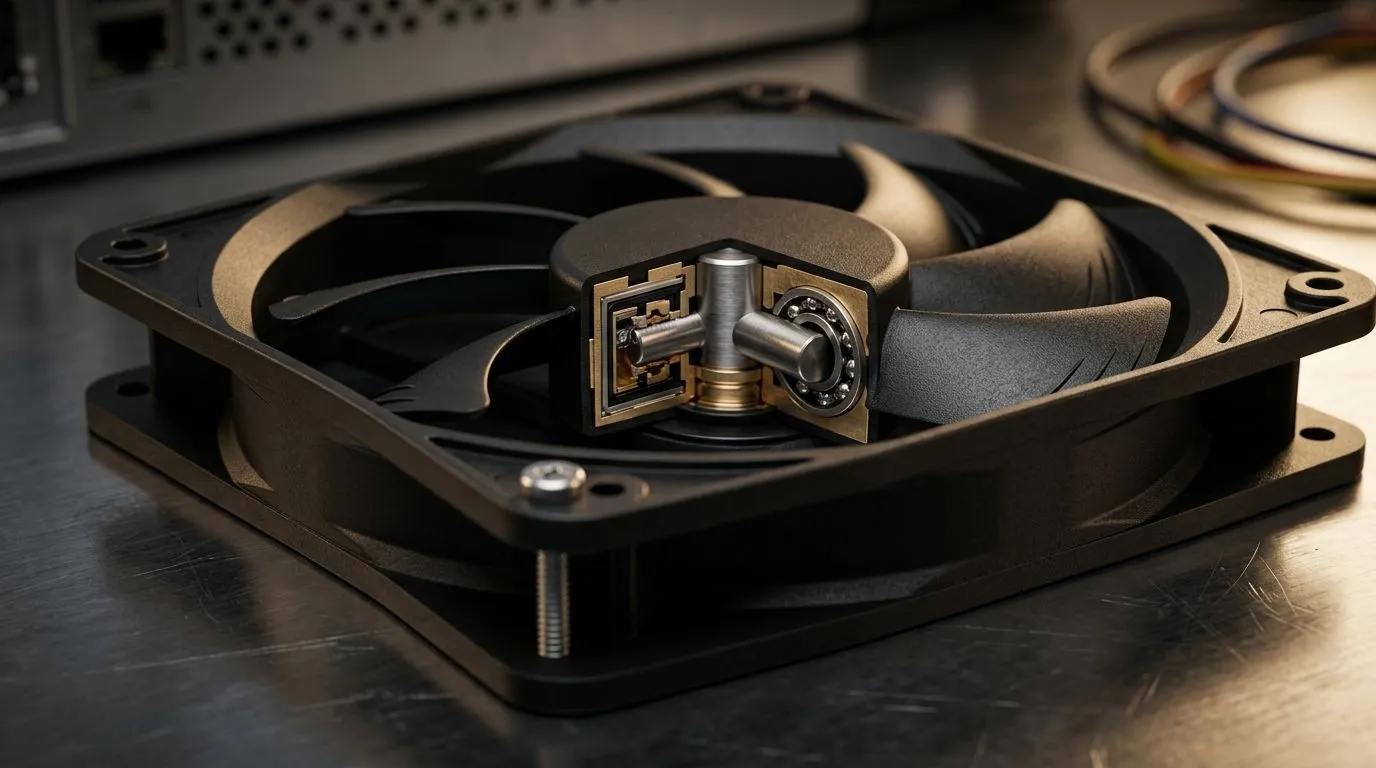
Choosing Between Hydraulic Bearing, Sleeve, and Ball Bearing Fans for Your PC
If you’re building or upgrading your gaming rig in South Africa, selecting the right fan can be the difference between silent cool power and distracting noise. Hydraulic bearing vs sleeve vs ball bearing fan types all impact noise levels, lifespan, and performance. Understanding these options helps you maximise airflow while minimising fan noise — a must for intense gaming sessions or streaming marathons. 🔧
Want a broad range? Evetech’s case fans collection is the perfect place to start exploring.
Hydraulic Bearing Fans: Quiet Efficiency with Longer Life
Hydraulic bearing fans feature a thin layer of oil inside their bearing system. This lubrication reduces friction, creating quieter operation and extending fan lifespan compared to traditional designs. If your rig runs 24/7 or you crave low noise, hydraulic fans are a solid pick. They typically last longer than sleeve bearings but cost a bit more.
Many users praise Corsair’s hydraulic bearing fans for their quiet efficiency and reliability. Check out the Corsair range on Evetech for premium options designed with gamers in mind.
Sleeve Bearing Fans: Budget-Friendly but Limited Lifespan
Sleeve bearing fans are common on budget builds due to their lower cost. They rotate on simple shaft-and-sleeve designs with less complex lubrication, which can make them noisier and more prone to wear over time. Sleeve bearings perform well when mounted horizontally but degrade faster in vertical orientations — something to consider if your South African gaming desk setup limits fan positioning.
Deepcool offers both sleeve and hydraulic bearing fans with decent performance for value seekers. Explore their lineup here: Deepcool fans at Evetech.
Ball Bearing Fans: Durability Meets Versatility
Ball bearing fans contain small steel balls to reduce friction on rotating parts, delivering durability and solid lifespan even under heavy use or vertical mountings. They often run louder than hydraulic fans but are more robust for intense gaming environments or system builds that see frequent transport or movement.
Many ball bearing fans come with RGB lighting. For South Africans wanting pretty rigs that perform, browsing RGB case fans offers great choices blending style and substance.
Noise and Lifespan: What Really Matters for Gamers?
No matter the bearing type, emphasising regular cleaning and correct fan installation boosts lifespan and reduces noise over time. Dust buildup ups noise and temperature, so invest in quality fans designed for South African climates. Fans without lighting effects (check these options) often cost less and have fewer components that might affect durability.
Size also affects noise and cooling efficiency. Popular 120mm and 140mm fans balance airflow and noise well, fitting most standard cases. Discover the benefits of fan sizes at Evetech’s pages for 120mm case fans and 140mm case fans for perfect compatibility.
Pro Tip for Quieter Cooling
Keep your fan curves tuned in your motherboard BIOS or software. Lower your RPM threshold for everyday tasks; ramp up only during gaming. This tune avoids unnecessary noise without sacrificing cooling power.
Making Your Choice: Match Your Fan to Your Gaming Rig Needs
For steady, quiet cooling with a longer lifespan, hydraulic bearing fans suit long play sessions in South African homes with less ambient noise. Sleeve bearing fans work well on a budget but consider your fan orientation carefully. Ball bearing fans excel in tough conditions or if you want RGB flair alongside durability.
Evetech’s diversity in brands, sizes, lighting options, and bearing types assures you’ll find something perfect for your gaming style.
Find Your Ideal Cooling Solution Today Don’t let a noisy fan ruin your game immersion. Shop now at Evetech for case fans that deliver quiet, reliable performance to power your wins.











