

RTX 4060 Ti PUBG at 1440p: FPS Benchmark & Optimal Settings
RTX 4060 Ti PUBG at 1440p: FPS Benchmark. Real-world benchmark data, FPS numbers & performance analysis. What SA gamers can actually expect.
Read more• Assess sensitivity vs movement • Match eDPI, desk space & playstyle • Recommend sizes and picks Mousepad size for low sensitivity matters: choose large pads for low-sense precision or compact pads for high-sense flicks. 🎯🖱️
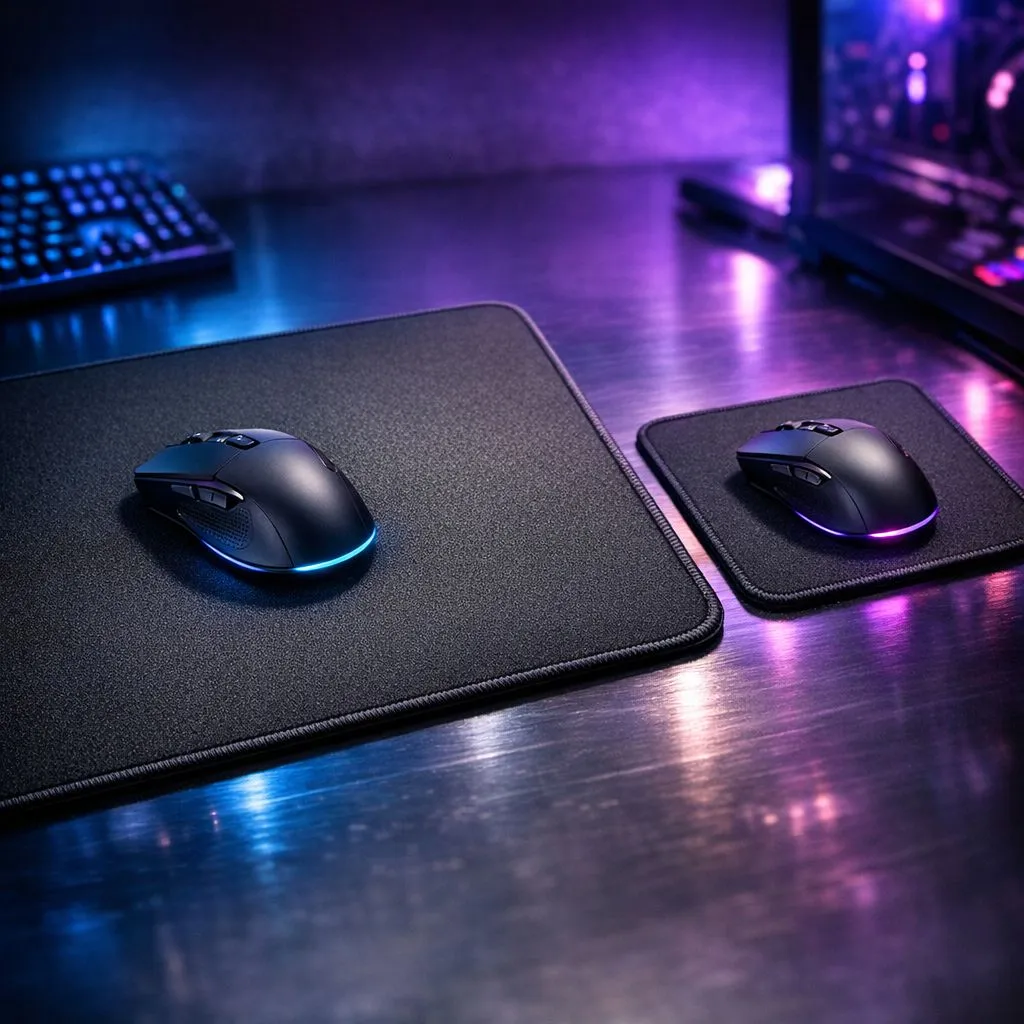
Ever lined up the perfect shot in Valorant, only to have your mouse skid off the edge of your tiny mousepad? Ja, we've been there. That frustrating moment often comes down to one thing: a mismatch between your mouse sensitivity and your gear. If you're a low-sensitivity player, your mousepad isn't just an accessory... it's half your aiming arena. Getting the right mousepad size for low sensitivity gaming is your first step to climbing the ranks.
Before we talk about size, let's quickly clear up sensitivity. Your effective sensitivity is a combination of your mouse's DPI (Dots Per Inch) and your in-game settings.
The choice between low vs high sensitivity gaming is personal, but it directly impacts the hardware you need. A low-sens player with a small mousepad is like trying to drive a car in a closet... it just doesn't work. You need the right surface to perform, and there's a huge variety of gaming mouse pads designed for every style.
So, why do so many competitive players put up with needing a massive desk area? Muscle memory. Large, deliberate arm movements are easier for your brain to learn and replicate consistently under pressure than tiny, twitchy wrist movements. This leads to more reliable aim and tracking.
The challenge, of course, is space. The perfect mousepad size for low sensitivity isn't a luxury; it's a requirement. Without enough real estate, you'll be constantly lifting your mouse to reset its position (called "swiping"), which can cost you the round. Investing in a quality surface from a reliable brand, like one from our own Evetech Mousepad range, provides a consistent glide that your arm can depend on.
Not sure how big you need to go? Here's a simple test. Load into your favourite game's practice range. Place your mouse on one side of your current pad and move it horizontally until you complete a 360-degree turn in-game. Measure the physical distance your mouse travelled. That's the minimum width you need to aim comfortably without ever running out of space.
Let's break down the options based on your aiming preference.
If you're using your whole arm to aim, you need a desk mat, not a mousepad. Small and medium pads are out. You should be looking exclusively at large, extended, or full-desk sizes to ensure you never run out of room during a critical flick.
These pads give you the freedom to move without limits. An XXL mousepad covers a huge portion of your desk, providing a consistent surface for both your mouse and keyboard. Similarly, Extended mousepads offer massive horizontal space, perfect for those wide, sweeping motions. Brands like Steelseries are legendary in this space, offering massive, high-quality surfaces like the QcK series, which you can check out among our Steelseries Gaming Mouse Pads.
If you're a high-DPI player who aims with your wrist, your needs are more flexible. You can comfortably use a medium-sized pad since your movements are small and contained. However, having a bit of extra room is never a bad thing for those rare moments you need to make a larger adjustment.
You can find excellent and affordable options that deliver a great gaming experience without taking over your entire desk. Brands like Marvo offer fantastic value with a variety of sizes and surfaces, making them a great choice for any setup. Explore the Marvo Gaming Mousepads to see what fits your station and budget.
While finding the correct mousepad size for low sensitivity players is paramount, the material and look also matter.
Ultimately, your mousepad is the foundation of your aim. Matching its size to your sensitivity is the most important step towards unlocking consistency and hitting those shots that win the game.
Ready to Claim Your Desk Space? Choosing the right mousepad size for your gaming sensitivity is the first step to unlocking your true aiming potential. Stop losing fights to your gear. Explore our massive range of gaming mousepads and find the perfect surface to dominate the server.
Large mousepads (XL or desk-sized) suit low sensitivity; they let you use wide sweeping motions and improve precision. See large mousepad for low sensitivity.
Yes — small or medium pads favor high sensitivity play for quick flicks and limited desk space. Try small mousepad for high sensitivity setups.
Lower eDPI needs more physical range; eDPI and mousepad size guide recommends larger pads or sensitivity tweaks to avoid clipping.
For low sensitivity plan 60–90cm horizontal space; desk space mousepad recommendations include XL desk-pads or 900x400mm pads.
Cloth pads provide controlled friction ideal for low sensitivity; cloth vs hard mousepad low sensitivity generally favors cloth for micro adjustments.
Measure your arm sweep for a 360 at your eDPI, then consult a mousepad size chart for gaming to match pad width and height to that range.
You can tweak sensitivity, but matching mousepad size to playstyle often yields better consistency than large sensitivity shifts.
RTX 4060 Ti PUBG at 1440p: FPS Benchmark. Real-world benchmark data, FPS numbers & performance analysis. What SA gamers can actually expect.
Read more
Head-to-head comparison of RTX 4080 Super vs RTX 3050: Gaming Performance for SA gamers. Performance benchmarks, Rand pricing & which delivers better value.
Read more
RTX 4080 Super for Scientific Computing. Real-world benchmark data, FPS numbers & performance analysis. What SA gamers can actually expect.
Read more
RTX 4060 Ti Star Wars Outlaws FPS: Performance. Real-world benchmark data, FPS numbers & performance analysis. What SA gamers can actually expect.
Read more
RTX 4060 Ti AV1 Encoding: Benchmark & Real-World. Real-world benchmark data, FPS numbers & performance analysis. What SA gamers can actually expect.
Read more
Snapdragon X2 NPU Explained: How 80 TOPS Changes. Plain-English explanation of what it means, why it matters & how it affects your buying decisions in SA.

HBM? High Bandwidth Memory Used in GPUs and AI. Plain-English explanation of what it means, why it matters & how it affects your buying decisions in SA.

How much should you spend on sim racing accessories in South Africa for a realistic setup? We break down budgets by quality tiers, so you buy smart gear and avoid overspending 🎮💸

G-Sync and FreeSync? Variable Refresh Rate. Plain-English explanation of what it means, why it matters & how it affects your buying decisions in SA.

AMD Laptop: Value. SA-focused analysis with local pricing data, real-world insights & actionable buying advice.

How MacBook Neo Handles 30+ Chrome Tabs with Only. SA-focused analysis with local pricing data, real-world insights & actionable buying advice.

Why Apple Put 8GB RAM in MacBook Neo: The A18 Pro. SA-focused analysis with local pricing data, real-world insights & actionable buying advice.

Upgrade your work laptop with a New Motherboard. Step-by-step instructions with SA-specific tips, common pitfalls to avoid & expert recommendations.

Maintain wired headset — Checklist: • inspect cables • clean earpads • store properly 🔧🎧 Practical steps to preserve sound quality and avoid premature replacements.

Fix crackling headset fast: step-by-step checks for cables, connectors, drivers, and settings to remove static or distorted audio on wired headsets 🎧⚙️

Stereo vs mono headsets: learn which delivers clearer calls, better spatial music, or simpler mono voice performance — pick the right headset for meetings, music, or gaming 🎧💬

- Compare gaming headset vs studio headphones; - Assess comfort, mic and sound; - Recommend best daily picks. Gaming headset vs studio headphones: learn which suits work, music and casual gaming. 🎧⚖️