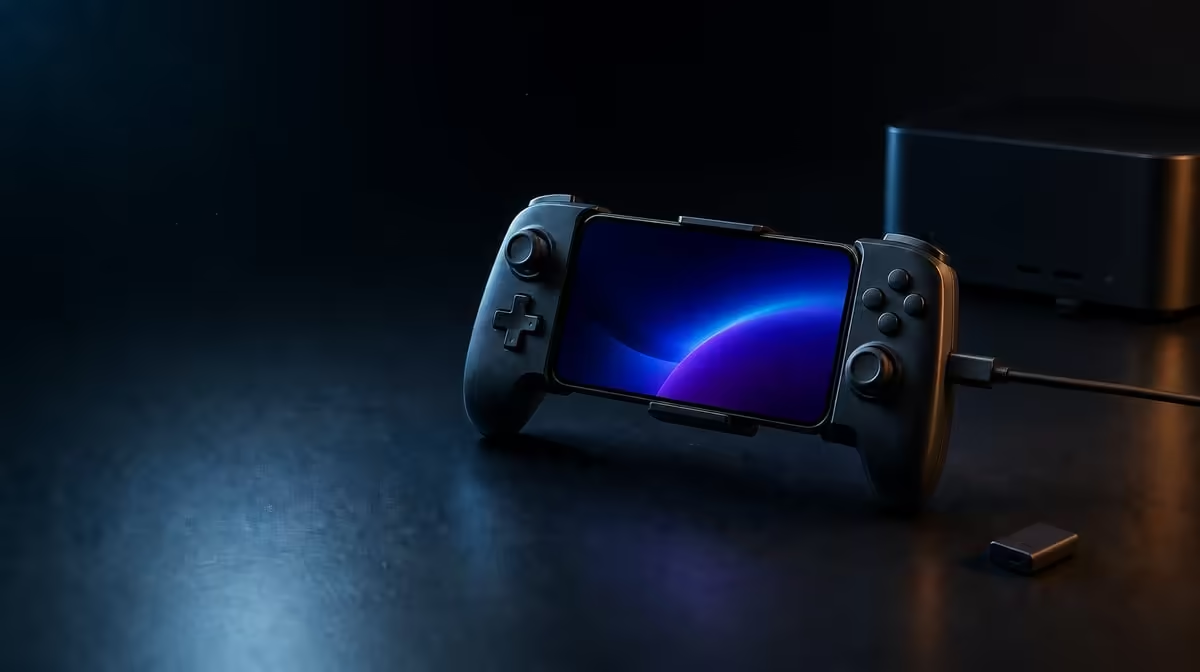
The fastest-sounding wireless label does not settle a latency test. Bluetooth vs USB-C vs 2.4GHz controller latency must be judged through the entire path, including the device, receiver, game and display. The R699 GameSir X5s supports all three modes, although its 2.4GHz dongle is not included and therefore cannot be assumed in the base setup.
Quick Answer
USB-C provides the most direct connection path, Bluetooth offers receiver-free convenience, and 2.4GHz performance depends on a compatible dongle and the surrounding setup. The tri-mode GameSir X5s costs R699, with the 2.4GHz receiver excluded. Compare the modes in the same game and display conditions before deciding which feels quickest.
🔌 Compare paths, not labels
USB-C removes the wireless hop and is the clearest reference for a latency comparison. It does not guarantee that a game or display responds instantly, but it helps establish whether a delay remains when wireless variables are removed. Use it as a baseline rather than as proof that every wired session will feel identical.
Bluetooth is practical for Android because it does not require an extra receiver. Its real advantage is simple mobile connection and fewer loose parts. Whether the response feels suitable depends on the phone, interference, game processing and screen timing, not just the Bluetooth name.
The X5s also offers 2.4GHz, but the dongle is not included. A receiver-based test therefore needs compatible extra hardware. Keep that cost and compatibility question separate from the R699 controller price. The Evetech controller category can help frame alternatives when connection flexibility is a deciding factor.
⏱️ Build a fair response test
Pick one game, one device and one repeatable action. A menu movement, fixed camera turn or timed press is more useful than switching titles between connection modes. Keep the display settings unchanged and close unrelated tasks that could disturb performance.
Test USB-C first to create a direct-path reference. Then repeat over Bluetooth. If a compatible receiver is part of your setup, add 2.4GHz last. Note whether the difference appears in every action or only during busy scenes. A delay tied to frame pacing or a game's processing can survive all three connections.
Run more than one repetition. Human timing varies, so a single press can make a tiny difference seem decisive. Five slow menu movements and five identical camera turns give you a better feel for consistency. If one mode only stutters when the controller is farther away, repeat at the normal playing distance before reaching a conclusion.
Network latency is another separate path. Online server response can make an action feel late even when the controller reaches the device promptly. Repeat the input in an offline menu or local scene where possible. That comparison prevents internet delay from being assigned to the controller.
Display behaviour deserves its own check as well. If the same delayed feeling survives connection changes, keep the controller fixed and inspect the game's performance and the screen mode. A clean test changes one link in the chain at a time; otherwise the quickest connection can be blamed for a slowdown elsewhere.
📱 Choose for the session you actually play
The lowest theoretical delay is not always the best practical mode. Bluetooth suits a compact phone setup. USB-C makes sense when a cable is welcome and a direct route matters. A properly planned 2.4GHz link can suit a PC desk, but the missing X5s dongle affects total cost.
Think about switching cost, too. A cable can be the right choice at a desk and awkward on a sofa. Bluetooth removes a receiver from the travel kit. A 2.4GHz arrangement asks you to keep track of compatible extra hardware. The most useful mode is the one that remains dependable in the position where you play.
Connection is only one part of the controller. The X5s includes Hall Effect sticks, analog triggers, 6-axis gyro and HD Vibration, so decide whether those inputs matter alongside response. Browse Evetech gaming accessories for the surrounding category, then check popular accessory choices if you want another view of setup priorities.
Frequently Asked Questions
Does USB-C remove every source of input delay?
No. It removes the wireless controller hop, but game processing, device performance and display timing remain. Use USB-C as a controlled reference.
Is Bluetooth too slow for mobile gaming?
Not automatically. It favours convenient Android pairing, and its suitability should be judged in the actual game and device rather than from the connection label alone.
What is included for R699?
R699 is the GameSir X5s controller price. The controller supports Bluetooth, USB-C and 2.4GHz, but the 2.4GHz dongle is not included.
Ready to choose a connection by evidence rather than assumption?
Compare Evetech's gaming controllers and match the wired or wireless route to your normal mobile and PC sessions.