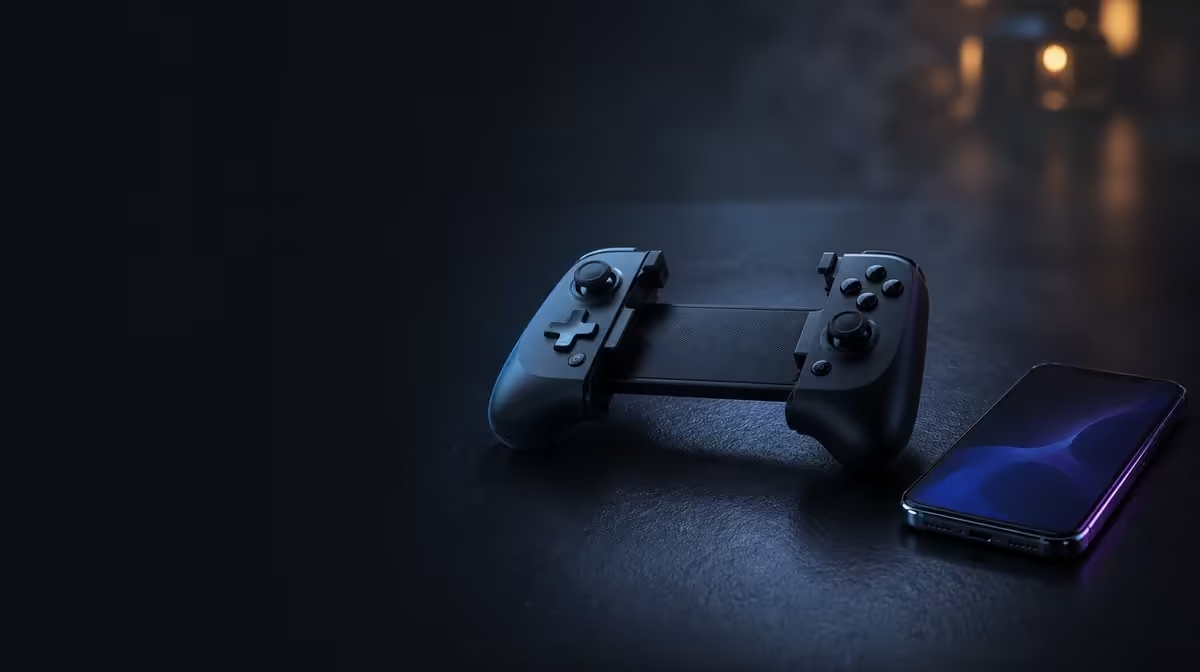
A delayed press can be caused long after the controller has done its job. If a wireless mobile controller feels delayed, inspect the local connection, interference, device performance, game processing and display timing in a fixed order. The R699 GameSir X5s helps because Bluetooth, USB-C and 2.4GHz provide separate paths to compare, though the 2.4GHz dongle is not included.
Quick Answer
Test the same action over USB-C and Bluetooth before blaming the controller, then add 2.4GHz only if a compatible receiver is part of the setup. The GameSir X5s costs R699 and supports all three modes. If the delayed feeling survives each route, investigate the game, device, screen or online connection rather than repeatedly rebuilding the pairing.
🔎 Isolate the local input chain
Choose one game, one device and one action. A menu movement or fixed camera turn is easier to compare than a busy match. Close unrelated tasks, keep the screen settings unchanged and start with the controller at the normal playing distance.
USB-C provides a direct reference. Repeat the action several times, then disconnect the cable and perform the same sequence over Bluetooth. Compare whether the character of the delay follows the wireless path.
Keep each test short enough that attention does not drift. Ten deliberate inputs in a calm scene reveal more than an hour of frustrated setting changes. Note whether every response feels late, whether only occasional presses stall, or whether the image itself pauses. Those are different symptoms and should lead to different next checks.
If the X5s behaves differently only when it is farther away or the surrounding wireless environment changes, interference or distance deserves attention. If USB-C feels identical, keep moving through the chain. The Evetech gaming controller category can provide comparison context if the problem eventually points to controller choice rather than setup.
🖥️ Check the game, device and display
A game can process input slowly during poor performance, while the display can make the result appear later than expected. Watch whether the problem becomes worse in demanding scenes. If menus remain clean but gameplay stutters, controller pairing is unlikely to be the only cause.
Hold the connection mode steady and simplify the game settings or test another calm scene. Then inspect the display mode available on the device. Changing controller, game and screen together produces no useful conclusion.
Device load can imitate a poor controller link. If the phone or PC is struggling, visual feedback may arrive unevenly even though the input was received. Repeat the test after the system has settled, and compare a lightweight menu with the demanding scene. A difference tied to workload should redirect attention away from wireless pairing.
HD Vibration can also make an action feel physically later if the feedback arrives after the visual event. Temporarily reduce vibration where the game permits, repeat the press and separate the sensation from the actual on-screen response.
Online latency follows a different path between the device and the server. Compare the action in an offline menu or local area. A press that responds promptly there but feels late online points away from the local controller link.
📡 Use tri-mode as a diagnostic tool
Bluetooth favours receiver-free Android play. USB-C removes the wireless hop. The X5s's 2.4GHz mode can add a third comparison when a compatible dongle is available, but that receiver does not come with the R699 controller.
Test one route to completion before switching. Record device, game, connection and the symptom in a sentence. If rebuilding Bluetooth is necessary, remove the old pairing once, reconnect and repeat the same controlled action.
Use the mode that passes cleanly while investigating the one that does not. Tri-mode flexibility is valuable because troubleshooting need not stop every gaming session. It also prevents a temporary wireless issue from becoming a claim about Hall sticks, buttons or other controls that follow the same connection path.
Browse Evetech gaming accessories for the wider setup, or consult popular accessory choices after the fault has been narrowed. Buying another piece before identifying the slow link can leave the original problem untouched.
Frequently Asked Questions
Can internet latency make a controller seem slow?
Yes. An online response may arrive late even if the controller reached the device promptly. Compare the same press in a local menu or offline scene.
Why test USB-C before rebuilding Bluetooth?
The cable provides a direct reference. If the delay remains wired, repeatedly deleting a healthy wireless pairing is unlikely to fix the whole problem.
Does R699 include the X5s receiver?
R699 covers the GameSir X5s controller. Its 2.4GHz dongle is excluded, so that diagnostic route needs compatible extra hardware.
Ready to trace delay one link at a time?
Explore Evetech gaming controllers and choose connection flexibility that supports clear testing across your mobile and PC games.