A blank document preview and a security warning need different responses. File Explorer preview pane might be hidden, unsupported for the selected format or deliberately restricted for a downloaded file. Recognising which case you have prevents a harmless view change from turning into an unnecessary security exception.
Quick Answer
Press Alt+P in Explorer, select a known local supported file and check whether the preview panel appears. This costs R0 in extra hardware. If the selected download shows a warning, Windows may be applying its internet-file preview protection; do not remove that protection from an unknown file simply to see a thumbnail or page.
🪟 Establish whether the panel is present
Toggle Alt+P once and look for the panel beside the file list. Select a harmless file you created locally that normally previews on that PC. Keep the distinction clear: showing the panel is one action, while rendering a particular format requires a suitable preview handler.
A document that opens in an application is not automatically guaranteed to preview in Explorer. Avoid installing random preview extensions as the first response. Record the file type and the exact message so you can check the intended application's supported preview behaviour.
🛡️ Read the downloaded-file warning
Microsoft introduced protection for internet-marked files and Internet Zone shares with the October 2025 security updates. It reduces a preview-related credential-exposure risk. If a warning appears after you select a download, it can therefore be deliberate security behaviour rather than a broken panel.
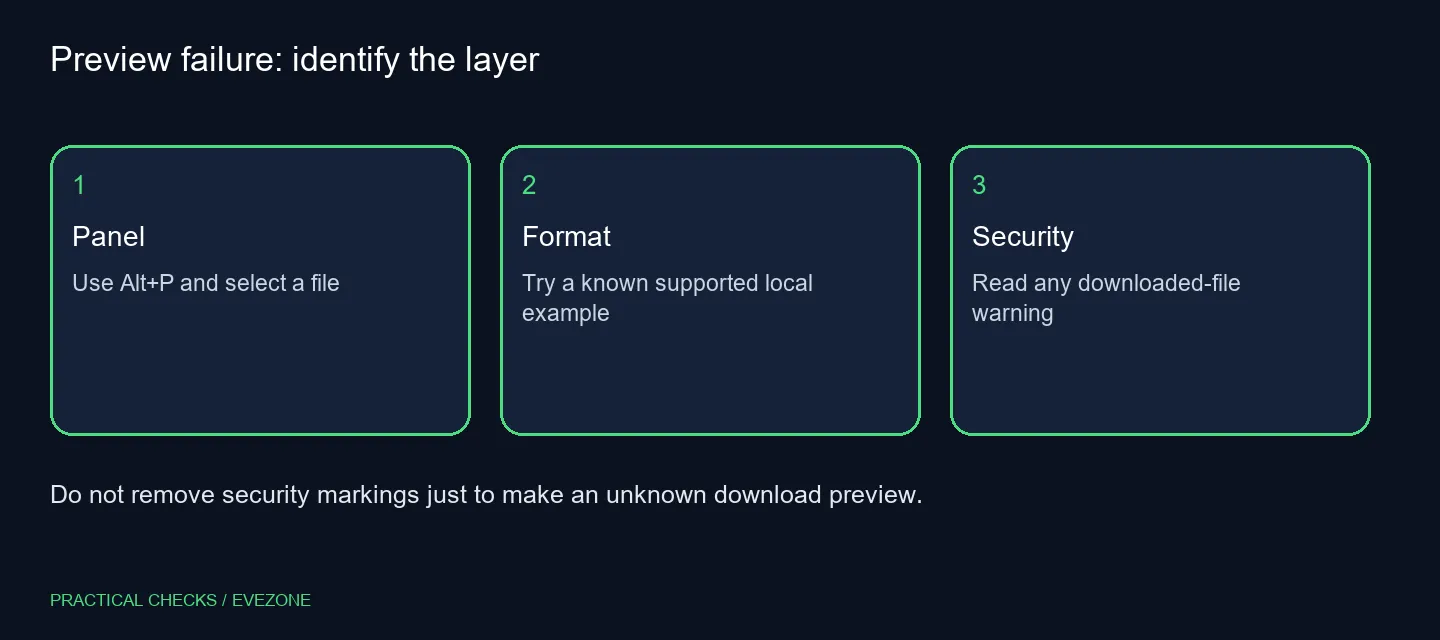
Do not batch-unblock a downloads directory or relax an entire network zone as a routine fix. A file's sender and purpose deserve checking before any exception. On a work device, give the message to the responsible support team rather than changing a shared security policy.
📦 Keep storage purchases tied to storage needs
Compare a second known local file to narrow the symptom, then leave important originals unchanged. Copying a document to external ssds does not itself establish that the file is trustworthy or that its format has a compatible preview handler.
Likewise, browsing all laptops on special for a replacement PC is premature when Explorer is simply applying a protection. Check application support and Windows security context first. A hardware upgrade may be useful for a separate workload, but it should not be presented as a way to bypass a download warning.
If the panel remains absent with a known local file, report the Windows version, file extension and whether Alt+P changes the layout. Include the warning text only after removing any private path or filename. Those observations help support distinguish a view problem, a handler problem and expected protection without guessing.
Frequently Asked Questions
How do I display the preview panel?
Press Alt+P in File Explorer and select a file. A visible panel can still be empty when the selected format has no suitable preview handler.
Why does a downloaded file show a warning?
Windows restricts previews for internet-marked files and some network shares. The security behaviour is not evidence of a failing disk.
Should I unblock every downloaded file?
No. Check the sender and content first. Keeping an unknown download blocked is safer than removing its marking for convenience.
Does a preview equal a backup?
No. Seeing a document preview says nothing about an independent recovery copy. Back up important files through a separate process.
What does a local test establish?
If a known local supported file previews, the panel works for that file. A different format may still need its own compatible handler.
Is hardware replacement the first step?
No. Panel and security checks require R0 in extra equipment. Replace storage only for a separately established storage problem.
Need dependable access to important documents?
Check the preview layer and keep a separate backup before making storage or laptop changes.