Quick Answer
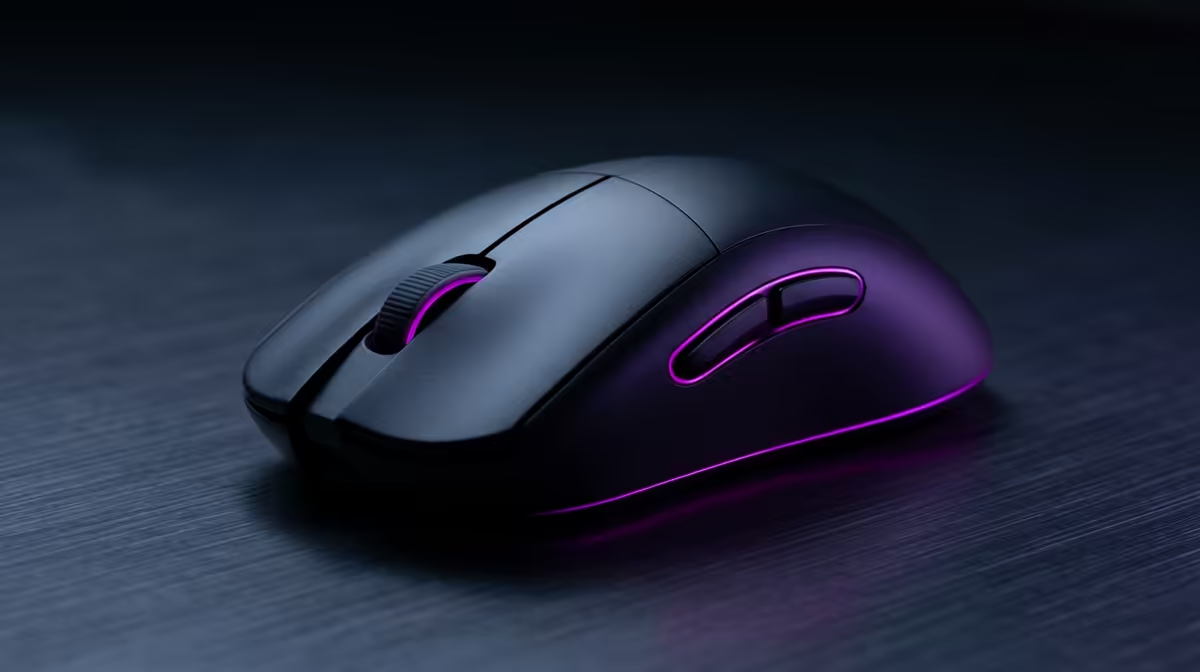
The Razer Orochi V2 is a compact dual-wireless gaming mouse weighing approximately 60 g (with one AA battery) that supports 2.4 GHz via nano-receiver and Bluetooth 5.0. It uses the Razer 5G Advanced 18,000 DPI optical sensor and delivers up to 950 hours on Bluetooth or 425 hours on 2.4 GHz from a single AA cell.
Core Hardware: Sensor, Weight, and Switches 🖱️
The Orochi V2's 5G Advanced optical sensor tracks at up to 18,000 DPI with 450 IPS tracking speed and zero hardware acceleration, making it suitable for both casual desktop work and competitive play. The sensor performs cleanly at practical DPI values between 800 and 3,200. The mechanical mouse switches are rated to 60 million clicks. At roughly 60 g with one AA battery installed, the mouse sits in ultralight territory, and removing the second AA slot cover reduces weight slightly further. The ambidextrous shell accommodates claw and fingertip grips, though palm grip users with large hands may find it compact. Two side buttons feature on the left flank only.
Wireless Modes and Battery Life Explained 🔋
The Orochi V2 ships with two AA battery slots but is designed to run on one. Using one AA battery in Bluetooth mode yields up to 950 hours; in 2.4 GHz mode the same cell lasts around 425 hours. Adding a second AA extends battery life further but adds weight. The nano-receiver stores inside the battery compartment, a critical feature for South African students and commuters who cannot afford to lose a R200-plus replacement receiver. The 2.4 GHz mode operates at 1,000 Hz polling for gaming precision; Bluetooth is suited to work and travel scenarios where latency tolerance is higher.
Travel and Work Versatility ✈️
The Orochi V2's compact 117 x 68 x 38 mm footprint fits inside a pencil case or jacket pocket, making it genuinely travel-ready compared to full-size mice. The AA battery design is intentional for travel: unlike rechargeable mice that need a cable or dock, the Orochi V2 can be topped up with a fresh AA from any petrol station or campus tuck shop. For remote workers and students commuting between Johannesburg, Cape Town, or Durban campuses, this removes charging anxiety entirely. On Bluetooth, the mouse pairs to up to two devices and switches between them, which suits a laptop-and-tablet workflow. Locally it is currently stocked at Evetech with pricing around R800 to R1,100.
Pack Spare AAs in Your Laptop Bag ⚡
The Orochi V2 runs on standard AA batteries, which means you never need a charging cable. Keep a single spare AA taped to the inside of your laptop bag pouch. During a full-day LAN or exam period at campus, a dead mouse is fixable in ten seconds rather than requiring a 90-minute charge wait. Energizer Ultimate Lithium AAs also weigh less than alkaline cells if you want to shave a few grams.
FAQ
Is the Razer Orochi V2 good for gaming at a competitive level?
Yes. The 5G Advanced sensor tracks accurately without jitter at competitive DPI settings (400 to 1,600 DPI) and the 2.4 GHz mode delivers 1,000 Hz polling comparable to wired mice. It is a legitimate option for esports titles at LAN events.
Can the Orochi V2 be used on a Mac or Chromebook via Bluetooth?
Yes. In Bluetooth 5.0 mode, the Orochi V2 pairs with any Bluetooth-enabled device including Macs, Chromebooks, Android tablets, and Windows machines without any driver required for basic functionality. Razer Synapse software customisation requires a Windows or Mac install.
Does the plastic shell feel durable enough for daily travel?
The shell uses a matte rubberised coating over a rigid plastic frame. It resists fingerprints and light scuffs well, but like most lightweight mice it is not designed to absorb heavy impacts. Storing it in a padded pouch protects it adequately for bag travel.
Looking for a mouse that handles gaming, work, and travel without compromise?
The Razer Orochi V2 and other compact wireless mice are stocked at Evetech, with nationwide delivery across South Africa.