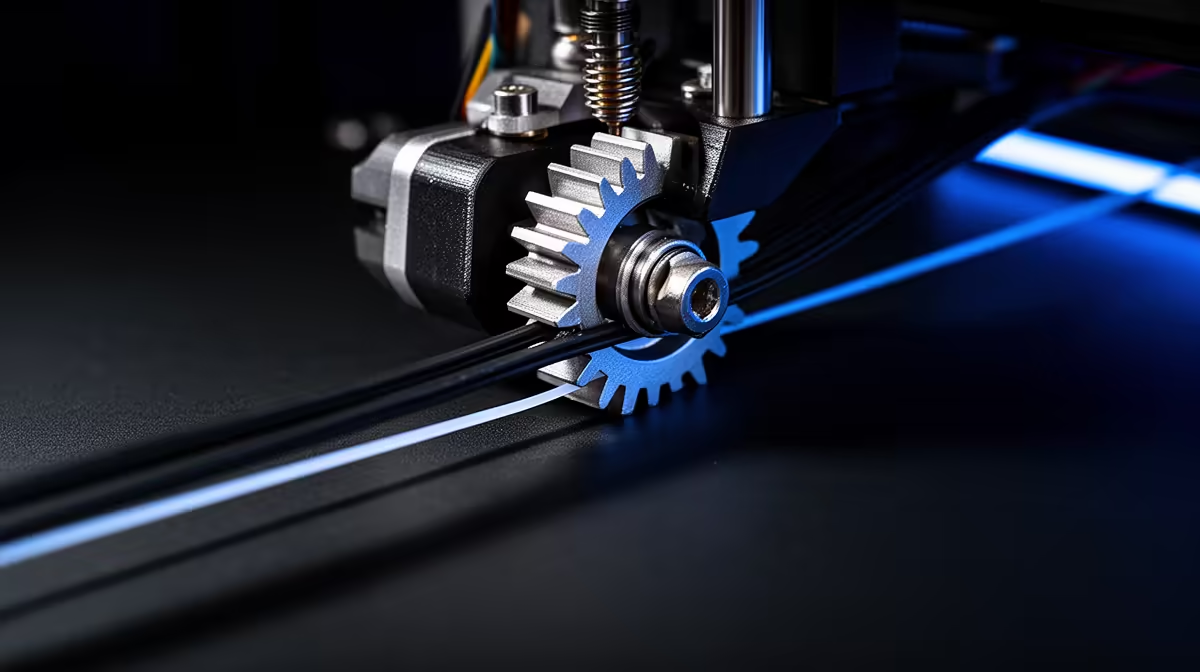
That rhythmic tick-tick-tick halfway through a print is the sound of your extruder skipping because the drive gear cannot push filament into the hotend fast enough. The motor tries to advance, meets resistance, and the gear hops backwards over the filament, leaving a flat-spot you can usually see if you unload the spool. It is almost never a failing motor. The cause is downstream, where the plastic is meant to melt and flow, and the fix is to find which of four bottlenecks is starving the feed.
Quick Answer
Extruder clicking mid-print means flow demand has outrun what the hotend can deliver. The four usual suspects are a partial nozzle clog, a print temperature 5 to 10 C too low, print speed set too high, and over-long retraction. Raise the temperature by 5 C steps, slow to roughly 80 percent speed, and clear any clog with a cold pull before you touch the extruder hardware.
Work through the four causes in order
Start with temperature, because it is the fastest to rule out. If the hotend is running too cool for the filament, the plastic stays too stiff to push and the gear skips. Nudge the print temperature up in 5 C increments until the clicking stops. PLA that prints fine at 200 C on one spool may need 210 C on another batch, so trust the behaviour over the label.
Next is a partial clog. Some filament is still flowing, but a narrowed nozzle bore forces the extruder to push harder than the gear grip allows. A cold pull clears it without disassembly. If neither helps, look at flow demand itself: print speed and retraction settings that ask the hotend for more melt than it can produce per second.
Slow the flow before you blame the machine
A hotend can only melt so much plastic per second. Push past that ceiling, usually by running high speeds with a small nozzle, and the gear skips no matter how clean everything is. Drop your print speed to around 80 percent of its current value and watch whether the clicking eases. If it does, you found your limit, and you can either keep the lower speed or fit a higher-flow hotend later.
Retraction is the quieter culprit. Excessive retraction distance repeatedly drags molten plastic up into the cooler heatbreak, where it can congeal and form a partial blockage that then triggers skipping. For most direct-drive setups a retraction distance of 2 to 6 mm at 20 to 40 mm/s is plenty. Bowden setups need more distance, but doubling it past what your tubing requires only invites grinding.
One more mechanical check costs nothing: idler tension. If the spring pressing the filament against the drive gear is too loose, the gear cannot grip; too tight, and it bites through into a flat. A quarter-turn at a time on the tension screw, testing between each, finds the sweet spot. If you do end up replacing hardware, the 3D printer range at Evetech covers entry machines through to higher-flow enthusiast models.
Confirm the fix before committing to a long print
Once the clicking stops, run a short test object rather than restarting a six-hour print on faith. A 20-minute calibration cube tells you whether the flow is steady and the layers are consistent. If extrusion looks clean and the gear stays quiet, you are clear to commit to the real job. Keeping a few spare nozzles and a cleaning needle on hand turns a future clog into a five-minute job, and you can stock those from the accessories best sellers.
Frequently Asked Questions
Why does my extruder only click on infill or fast moves?
Infill and travel-adjacent moves often run faster than perimeters, so they demand more melt per second. If clicking appears only there, your hotend has hit its flow ceiling. Lower the infill or overall speed and the skipping should disappear.
Is the clicking damaging my printer?
The skipping itself will not destroy the motor, but it grinds a flat spot into the filament that can jam the path and make the problem worse. Stop the print, clear the ground filament from the gear teeth, and address the cause before resuming.
How do I tell a partial clog from a low temperature?
Raise the temperature first. If clicking stops with more heat, it was temperature. If it persists even 15 C higher than normal, suspect a partial clog and run a cold pull to clear the bore.
Could the filament itself be the problem?
Yes. Wet filament, badly wound spools that tangle, and oversized diameter all increase feed resistance. Check the spool feeds freely and that the filament measures close to its rated diameter before chasing settings.
What retraction distance should I start from?
Begin at 4 mm for direct drive and around 5 to 6 mm for Bowden, both at 25 mm/s, then tune from there. Going much higher rarely helps and raises clog risk.
A quiet, consistent extruder is mostly a tuning job, not a hardware fault. Work temperature, speed, retraction and clogs in that order, and most skipping clears within minutes. When you are ready for a more capable machine or a spare nozzle kit, browse the current 3D printers at Evetech and get printing without the click.