


Quick Answer
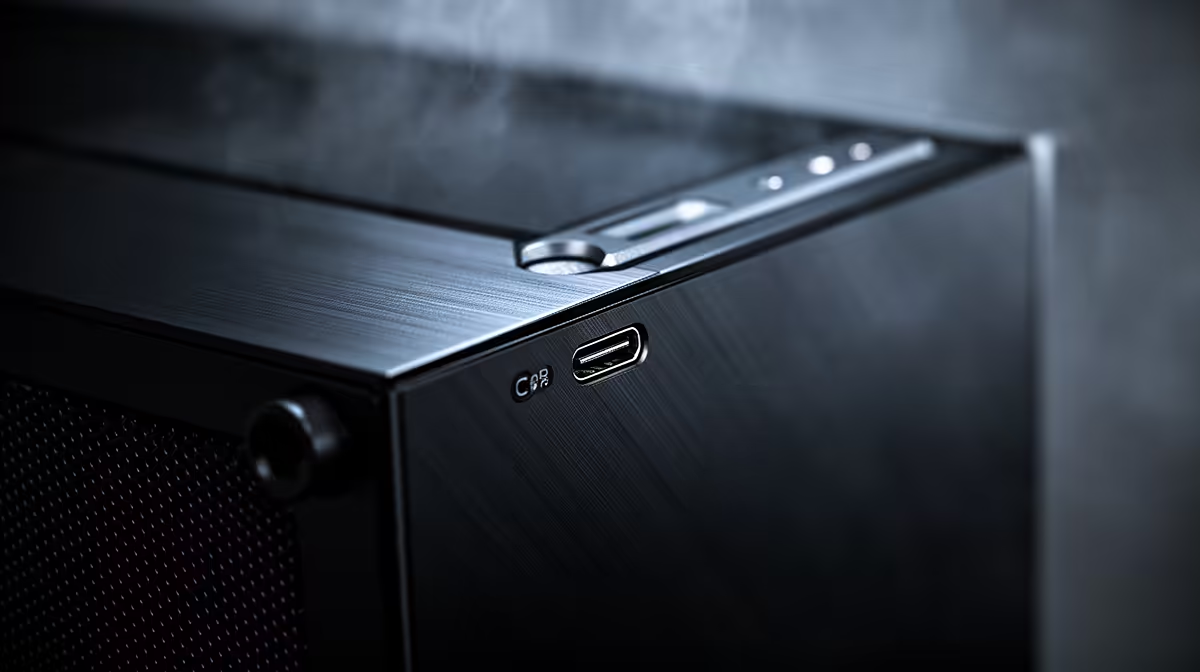
Front USB Type-C ports on a PC case connect at up to 10Gbps (USB 3.2 Gen 2) or 20Gbps (USB 3.2 Gen 2x2), making them fast enough to back up an NVMe SSD externally in minutes. Check that your motherboard has a matching Type-C internal header before purchasing a case that features a front Type-C port.
What Front Panel USB Standards Actually Mean 📡
USB Type-C is a connector shape, not a speed rating. The front panel of a case may offer Type-C at USB 3.2 Gen 1 (5Gbps), Gen 2 (10Gbps), or Gen 2x2 (20Gbps) depending on the header on the motherboard and the cable run inside the case. The fastest common standard on current-gen motherboards is USB 3.2 Gen 2 at 10Gbps, which saturates a fast external SSD or allows rapid file transfers between storage devices. Some high-end motherboards also include a Thunderbolt 4 internal header, though front panel Thunderbolt cases remain rare and expensive. For gaming use, 10Gbps is more than adequate for connecting a gaming headset audio dongle, a fast USB drive, or a portable SSD storing game libraries.
Reading the Full Front Panel Connector Layout 🔧
Beyond the Type-C port, a modern case front panel typically includes two USB-A 3.0 (5Gbps) ports, a combined 3.5mm audio and microphone jack, and sometimes a USB-A 2.0 port for low-speed peripherals. The internal header requirements for each are different: the Type-C port needs a dedicated Type-C or Thunderbolt header, the USB-A 3.0 ports need a USB 3.0 19-pin header, and the USB 2.0 ports need a standard 9-pin header. Before purchasing a case, compare the full header list against your motherboard specification sheet. Mid-range Z890 and X870E boards generally cover all these headers, but budget boards occasionally omit the Type-C internal header entirely.
Why Front Connectivity Matters for a South African Build 💡
South African gamers and content creators frequently use external storage to move large files: game recordings, video project files, and OS backups. A front-mounted USB Type-C port at 10Gbps transfers a 100GB game recording from an external NVMe drive in roughly 80 seconds, compared to around 320 seconds via a rear USB 2.0 port. For streamers sharing a home studio setup, front Type-C connectivity makes attaching a DAC, audio interface, or capture device quick and reversible without reaching around the tower. The feature adds minimal cost to cases above R2,000 and is worth prioritising.
Confirm Your Motherboard Header Before Buying ⚡
Not every Z890 or B850 motherboard includes a front-panel Type-C internal header. Check the I O header section of your specific board's spec sheet, not just the platform specification. The header may be labelled USB3_TC or USB_C32_1 depending on the manufacturer. A missing header means the front Type-C port on your case will remain unused.
FAQ
Is USB Type-C on the front panel the same as Thunderbolt?
No. Type-C is the physical connector shape, while Thunderbolt 4 is a higher-bandwidth protocol using the same connector. Thunderbolt 4 requires specific Intel certification and compatible host controllers on the motherboard. Most front panel Type-C ports are standard USB 3.2 rather than Thunderbolt.
Can I add a front Type-C port to a case that does not have one?
Yes, if your case has an unused 5.25-inch or expansion bay, you can fit a USB Type-C expansion bracket that connects to the motherboard's internal header. These adapters are available locally for R200 to R450 and solve the connectivity gap without replacing the case.
Do front panel USB ports share bandwidth with rear ports?
Front and rear USB ports on most motherboards share the same USB controller chipset but are on separate physical lanes. Under normal use, simultaneous front and rear USB transfers may share total chipset bandwidth, but this only becomes noticeable when running multiple high-speed devices concurrently.
Building a connected, future-ready rig? Evetech stocks cases with modern front panel layouts including USB Type-C, paired with Z890 and X870E motherboards that carry the matching internal headers.









