



550W PSU Planning for RTX 5080 Super Builds in SA
550W for RTX 5080 Super needs a full-build check, not a simple yes. Review GPU guidance, CPU draw, transient load, connectors, PSU quality, and upgrade plans before deciding.
Read moreGraphics card sag matters once a cooler pushes past roughly 1.5kg, common on heavy 50-series cards, since unsupported weight can flex the PCIe slot's solder joints over months. Evetech recommends a support bracket or anti-sag brace as a cheap fix for the strain.
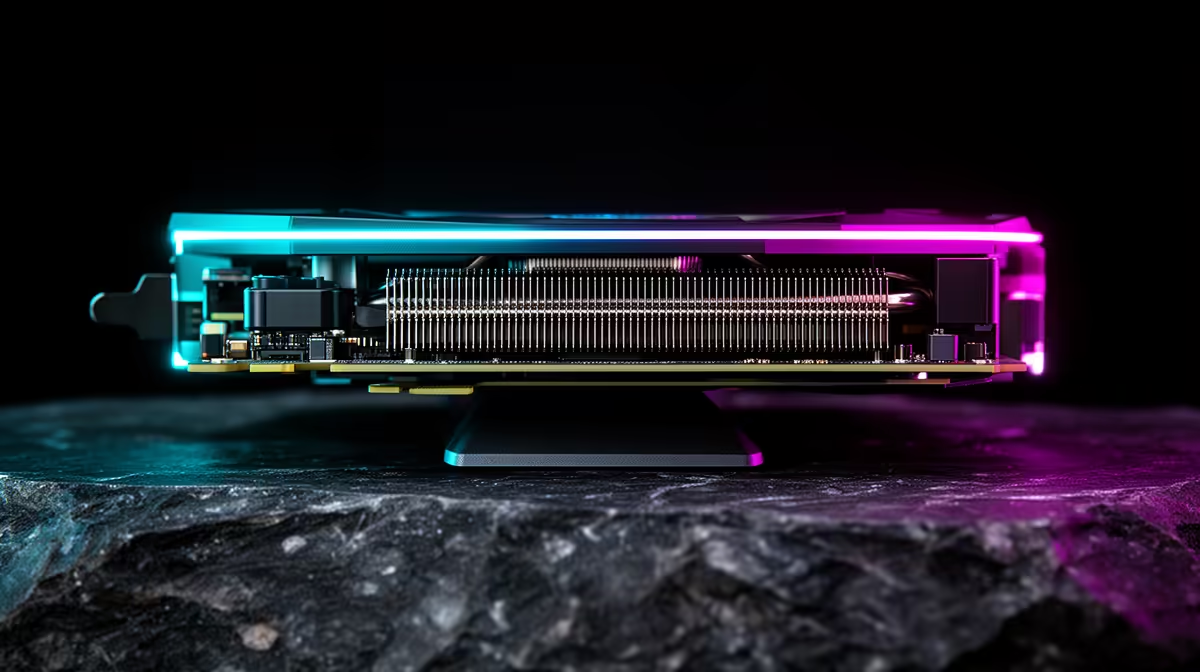
GPU sag matters when the card no longer sits square, the PCIe connector or bracket is under visible strain, or a power plug is being pulled sideways. Weight alone has no universal 1.5kg danger line. Cooler length, bracket stiffness, case alignment and support all change leverage.
Install a support when a heavy card droops, shifts during transport or makes you uneasy. Place the brace under the cooler frame at a solid point, clear of fans and cables. Lift only until the card is level; do not force the slot upward.
Compare card dimensions in the current NVIDIA GPU range and graphics-card best sellers. Product weight and included supports vary by exact model.
Power down and disconnect. Confirm the card is fully seated, the PCIe latch is engaged and bracket screws are tight. A misaligned case slot can look like sag.
Check that cables do not pull down or sideways. Give the high-power connector a gentle supported route with room before the bend.
A vertical post works when the case floor is firm and the contact pad reaches the card frame. A bracket fixed to expansion slots can move with the case. Magnetic feet need a steel surface and should not sit on a loose filter.
Avoid supporting the fan shroud where it flexes. Keep the brace out of fan blades and away from exposed components.
A heavy card loads its slot in changing directions while the case moves. For a long rough journey, remove and pack it in anti-static protection or follow the system maker's transport guidance.
If it remains installed, carry the case in the orientation that reduces leverage and support the card. Recheck seating and cables before power-on.
Thin expansion-slot metal can flex even when the GPU has a brace. Tighten the case bracket and confirm the rear of the card sits square. A support post at the far end works best when both ends are stable.
Some motherboards use reinforced slot housings. This can improve mechanical strength and does not remove leverage from a long cooler. The brace protects alignment and transport, rather than fixing an already damaged slot.
Ordinary cosmetic droop does not prove solder joints are failing. Investigate when the display cuts out as the case moves, the card loses link width, the bracket separates or the connector looks stressed.
Power down before reseating. Never push the live card to see whether the picture returns. Intermittent contact also needs the slot, riser and motherboard inspected through a qualified route.
A vertical mount can present the cooler and change sag direction. It needs a suitable riser, solid bracket and enough gap from the side panel for airflow.
Check PCIe generation support and cable quality. A poor riser can create link errors that look like a bad GPU. Test the card directly in the board before diagnosing through a riser.
No. Use visible alignment, card design and case support rather than slot count alone.
It can when overtightened or placed against a fan or weak shroud. Lift only to neutral.
It changes the load direction, while riser quality, airflow and case clearance become new checks.
Power down, correct the card and cable alignment and add a brace at a solid cooler point only until the GPU sits naturally level.
No. Use visible alignment, card design and case support rather than slot count alone.
It can when overtightened or placed against a fan or weak shroud. Lift only to neutral.
It changes the load direction, while riser quality, airflow and case clearance become new checks. {{PRODUCTS: { facets: { query: "heavy graphics card support" }, limit: 12, title: "Compare Large GPU Designs and Supports", style: "4" } }}
550W for RTX 5080 Super needs a full-build check, not a simple yes. Review GPU guidance, CPU draw, transient load, connectors, PSU quality, and upgrade plans before deciding.
Read more
8000Hz polling is overrated for most SA gamers because gains can be tiny next to battery drain and monitor limits. Mbombela players should weigh mouse feel, game support, and system stability before chasing the number.
Read more
Magnetic switches are taking over SA gaming keyboards because actuation can be tuned. For Sandton gamers, rapid trigger, reset control, and profile depth can help, but layout, key feel, and software quality still matter.
Read more
Polokwane oled monitor value questions need cautious SA context because pricing can move with availability, exchange rates, specs, and warranty support. Treat the trend as a planning signal, not a fixed price promise.
Read more
Arc B580 budget builds for Midrand gamers can shift with exchange rates, supply, specs, and model tier. Treat the title as a buying prompt, then compare SA warranty, timing, and build priorities.
Read more
ROG Ally X may beat the LCD Steam Deck for SA gamers who value stronger handheld performance, more memory, and Windows flexibility. Compare battery life, controls, game libraries, and Polokwane support needs before deciding.
Read more
Minisforum's M2 Pro pairs Core Ultra X7, Arc B390 graphics and 32GB onboard memory in 1.8 litres. SA buyers should weigh its fixed memory and $1,439 launch offer against local mini PCs.

Lenovo says Legion Go failures linked to BIOS N3CN42WW are not user error. Affected SA owners should stop retrying the update, preserve proof and open a support case.

Smart monitors can add apps and convenience, but they also add privacy settings and unwanted-software risk. SA buyers should audit the operating system before paying for extras.

A fake 113GB GTA VI ISO reportedly used empty padding around a small malware payload. SA gamers should delete unofficial builds, keep Windows security active and wait for official channels.

ASUS calls the ROG GT-BN98 the first Wi-Fi 8 gaming router. SA buyers should fix coverage and client limits before paying for a future wireless standard.

Apple's M6 Mac mini adds faster AI, graphics and networking in the same compact format. SA buyers should wait for a rand listing before comparing value.

The Vulcan II XP adds hot-swappable switches, sound damping and gaming controls to a full-size wired board. SA buyers should compare feel before features.

Microsoft says Windows on Arm now has over 7,000 verified apps and games. SA buyers should still check each driver, game and work tool before switching.

Xbox Insiders can test disc-to-digital from 31 August 2026. Supported Xbox One and Series X discs gain a digital entitlement, but older discs, regions and title coverage still need exact checks.

ViewSonic's XG2738 pairs QHD QD-OLED with 240Hz and automatic panel care. SA buyers should compare warranty, brightness, ports and burn-in protection against today's R9,999-plus OLED shelf.

NVIDIA's final Windows 10 Game Ready driver is due in October 2026. SA gamers can keep using their GPU, but new game optimisations move on while critical security fixes continue quarterly.

JBL's new Quantum 520, 520X and 120 headsets cover wireless, Xbox-certified and wired use. SA buyers should compare connection, comfort and microphone needs before paying for a new badge.