Storage planning for video editing in South Africa is where many creators either bottleneck their timeline or blow the budget on capacity they cannot keep full. The goal on a R50,000 budget is a fast scratch drive plus enough reliable space for projects and archives.
Quick Answer
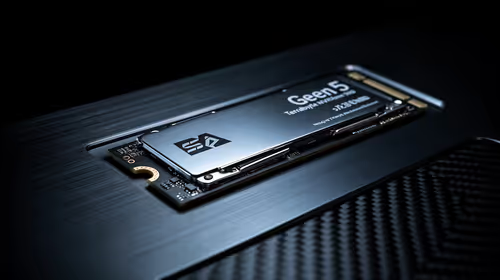
For video editing on a R50,000 budget, build a tiered setup: a 2TB to 4TB Gen4 NVMe scratch drive, a second NVMe for cache, and a high-capacity HDD or SSD for archive.
Match Drive Speed to Footage
4K and high-bitrate footage demands sustained read and write speeds, not just peak numbers. A Gen4 NVMe SSD delivering 5,000MB/s and up keeps multi-stream 4K timelines scrubbing smoothly, while a SATA SSD at around 550MB/s is fine for 1080p and proxy workflows. Editing directly off a mechanical HDD will stutter on anything beyond light 1080p, so keep HDDs for archive only.
Capacity planning matters as much as speed. 4K footage eats roughly 100GB to 400GB per hour depending on codec, so size your scratch drive for current projects and offload finished work. On a R50,000 budget, do not buy one giant slow drive; buy a fast working drive and add cheaper capacity behind it.
A R50,000 Storage Plan That Scales
Tier it: a fast Gen4 NVMe scratch drive, a second NVMe for cache and previews, and a large archive drive. This keeps even multi-cam 4K timelines responsive. Evetech stocks NVMe and SATA drives with local warranty, so you can build the right tier without overspending.
FAQ
How much storage do I need for video editing on a R50,000 budget?
On R50,000, build a tiered setup: a 2TB to 4TB Gen4 NVMe scratch drive, a second NVMe for cache, and a high-capacity HDD or SSD for archive. The priority is a fast working drive sized for current projects, with cheaper capacity behind it for archives.
Is NVMe really necessary for editing?
For 4K and high-bitrate work, yes. A Gen4 NVMe at 5,000MB/s and up keeps multi-stream timelines smooth, where a mechanical HDD will stutter on anything beyond light 1080p.
How much space does 4K footage use?
Roughly 100GB to 400GB per hour depending on codec and bitrate. Size your scratch drive for active projects and offload finished work to a larger archive drive.
projects on a fast Gen4 NVMe and archive finished work to cheaper capacity. Speed where you edit, capacity where you store.