



How to Fix FPS Drops on an RTX 5090 Build
FPS drops on an RTX 5090 build often have a fixable cause. Check settings, drivers, thermals, background tasks, network conditions, and bottlenecks before assuming a part must be replaced.
Read moreReplace Thermal Pads Your RX 7600: Guide. Step-by-step instructions with SA-specific tips, common pitfalls to avoid & expert recommendations.
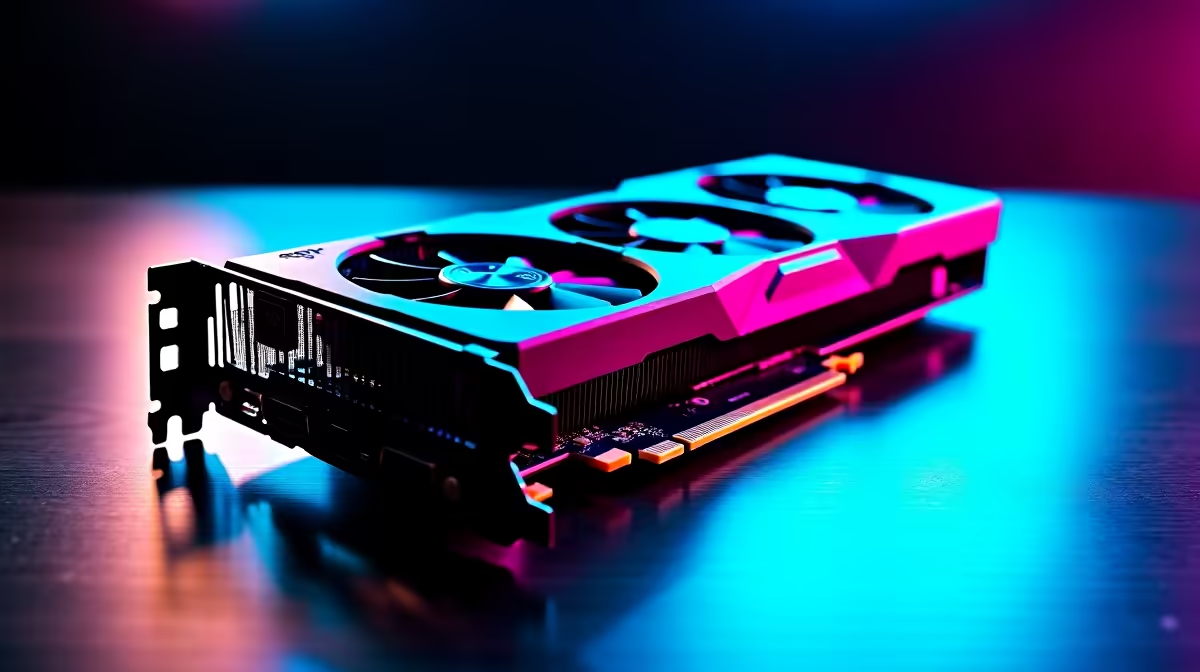
Is your graphics card running hotter than a Durban summer? The RX 7600 is a brilliant 1080p performer. Over time, factory cooling materials degrade and temperatures spike. If your fans sound like a jet engine during heavy gaming sessions, it might be time for a teardown. Learning how to replace thermal pads your RX 7600 is easier than you think... and it can save you thousands of Rands.
When factory pads dry out, memory modules overheat. This leads directly to thermal throttling. You lose precious frames when you need them most. A premium set of replacement pads usually costs around R250. This small investment restores peak performance instantly.
Before you rush out to buy a whole new rig, a simple pad swap does wonders. If you are already looking at upgrading your system cooling, checking out dedicated CPU coolers is a great next step for overall system health.
You cannot just rip the graphics card apart blindly. You need the right gear. Grab a precision screwdriver set, isopropyl alcohol, microfiber cloths, and high-quality thermal pads. Make sure you check your specific manufacturer model for the exact pad thickness... usually 1.0mm or 1.5mm.
If you are tired of DIY fixes and want something ready to plug and play, we have incredible best gaming PC deals that take the hassle out of hardware maintenance.
Always measure your old thermal pads before buying replacements. If the new pads are too thick, the GPU core will not make contact with the heatsink. If they are too thin, the memory modules will overheat quickly.
Let us get into the actual teardown process. Follow these steps carefully to avoid damaging components.
Remove the backplate screws carefully. Keep them organised in a tray. Gently pry the cooler away from the PCB. Unplug the delicate fan headers without pulling the wires.
Peel off the old, crusty pads. Wipe down the memory modules and VRMs with high-percentage isopropyl alcohol. Ensure no residue remains.
Cut your new thermal pads to size. Place them exactly where the old ones were located. Ensure full coverage over the memory chips.
Apply fresh thermal paste to the main GPU core. Reconnect the fan cables... carefully align the heatsink... and tighten the screws in a diagonal cross pattern.
Maybe taking apart a graphics card feels too risky. That is completely fine. You can always grab one of our premium pre-built PC deals and let our experts handle the technical assembly. Alternatively, if you need portability over desktop power, browse our massive range of notebooks for sale.
Boot up your PC and run a demanding stress test. Monitor your junction temperatures closely. You should see a massive drop in both heat and fan noise. Proper maintenance extends the life of your hardware significantly.
Keeping your tech running smoothly means you have more cash left over for games... or for taking advantage of our latest specials on peripherals and exciting upgrades.
Ready for a Hassle-Free Upgrade? If replacing thermal pads feels like too much work, or you simply want a massive power boost, we have you covered. Explore our massive range of graphics card specials and find the perfect hardware to conquer your next gaming session.
How to Replace Thermal Pads Your RX 7600 available at Evetech.co.za with local warranty and fast delivery.
How to Replace Thermal Pads Your RX 7600 - check Evetech for latest stock and SA pricing.
Depends on your use case. How to Replace Thermal Pads Yo offers good value at current Rand pricing.
FPS drops on an RTX 5090 build often have a fixable cause. Check settings, drivers, thermals, background tasks, network conditions, and bottlenecks before assuming a part must be replaced.
Read more
How to fix low FPS on 240Hz monitor starts with refresh rate, GPU load, and game caps. In South Africa, also check power mode, thermals, and display cable quality before assuming your PC cannot keep up.
Read more
31.5-inch 4K OLED gives SA gamers sharp work space and rich contrast for play. It suits buyers who want one high-end display for study, streaming, or editing by day, then immersive gaming after hours. Check desk depth and panel care first.
Read more
All-in-One PCs are niche in SA because they package the display and desktop into one tidy unit. That helps with space and setup, but SA buyers should weigh repair access, upgrade limits, monitor choice, and gaming expectations.
Read more
All-in-One PCs are niche in SA because the neat design comes with upgrade, repair, and performance trade-offs. They appeal to tidy desks and shared spaces, but buyers often compare them against laptops, towers, and separate monitors.
Read more
ARGB Cases In Mid-Tier SA Builds can change budget, compatibility or upgrade plans. SA PC builders should compare fit, warranty, platform needs and real workload value before committing.
Read more
Pre-Black Friday AIO cooler needs practical checks before buyers act. Build the shortlist around specs, warranty, fit, and real discount checks before campaign prices or ranges change. Keep it guide-safe for South African readers.

Used parts can lower the build cost, while buying new gives the SA warranty angle named in the title.

Choosing the right USB-C hub is essential for a clean, efficient desk setup. 🖥️ Discover exactly how many ports you need to replace your bulky desktop docking station without sacrificing performance or connectivity. ⚡

Black Friday Gaming PC Wait can help if your PC need is flexible. On a R5,000 SA budget, compare deal risk, component balance, warranty, and timing before waiting.

A recovery drive and system restore points turn a failed driver or BIOS update on a gaming pc from a full reinstall into a five-minute fix. Setting both up takes about 15 minutes, and Evetech recommends doing it the week you unbox a new build, before tweaking drivers.

RTX 5090 with a 1000W PSU is a strong compatibility target for high-end builds. SA buyers should still match the exact PSU quality, connector support, CPU choice, case airflow, and upgrade needs to the final system.

RTX 5090 on a 1000W PSU offers the best headroom in this PSU tier set. SA builders can plan more confidently for top-tier CPUs, cooling, and cautious OC, while still checking cable support and total system load.

A 550W PSU is a risky fit for an RTX 5080 Super system in SA unless guidance and demand support it. Check CPU draw, cabling, PSU age, cooling, and upgrade margin before deciding whether the setup is safe enough.
FPS drops on an RTX 5090 build often have a fixable cause. Check settings, drivers, thermals, background tasks, network conditions, and bottlenecks before assuming a part must be replaced.

The real world difference between PCIe 5.0 and PCIe 4.0 in competitive esports is rarely raw FPS. SA esports players should compare GPU lane needs, CPU limits, latency goals, and NVMe loading before upgrading.
How to fix low FPS on 240Hz monitor starts with refresh rate, GPU load, and game caps. In South Africa, also check power mode, thermals, and display cable quality before assuming your PC cannot keep up.

PCIe 5.0 vs PCIe 4.0 for aAA single-player gaming buyers - what changes is mostly about compatibility, budget, upgrade path, and setup fit. SA buyers should check device support and real needs before expecting a clear win from either option.