The MSI A520M-A PRO has a full-length PCIe x16 slot, so physically almost any desktop graphics card fits it. The MSI A520M-A PRO compatible GPU question is really about three other limits: the Ryzen processor beside it, the power connectors on your PSU, and how much room your case gives a long card.
Quick Answer
Any desktop card with a PCIe x16 connector will seat in the A520M-A PRO. Radeon cards in roughly the R9,999 to R19,999 band all fit that slot, though the A520 chipset runs the graphics slot at PCIe 3.0. That costs little on most cards. Budget cards that use only an x4 link, such as the RX 6400 and RX 6500 XT, lose noticeably more.
🔌 The Slot and the PCIe Speed
A520 is an entry-level AMD chipset, and its main graphics slot runs at PCIe 3.0 even when the card supports PCIe 4.0. A card that uses a full x16 link barely notices; the difference is usually a few percent. Cards built with only four lanes feel the cut harder, because the narrower link meets the slower generation. If you plan to buy a budget Radeon, that detail matters more than the board itself.
The board is micro-ATX, so it often sits in compact cases. Slot spacing and nearby headers are standard, but check that a thick triple-slot card does not cover your M.2 or second PCIe slot.
🧠 Match the Ryzen CPU to the Card
A strong card paired with a weak processor wastes money. A Ryzen 5 in the 3600 or 5600 class suits mid-range Radeon cards well, while an old dual-core or entry quad-core holds back anything above entry level. Check your CPU first, then pick the card.
Newer Ryzen 5000 chips on an A520 board may need a BIOS update before they will boot, so look at MSI's CPU support list for your board revision before swapping the processor.
⚡ Power Supply and Case Fit
Look at the label on your PSU for its wattage and count the PCIe power cables. Many mid-range cards want one 8-pin lead, and larger cards ask for two or an 8-pin plus 6-pin. A 550W to 650W unit from a trusted maker covers most Radeon cards in this class, but always follow the card maker's own recommended wattage.
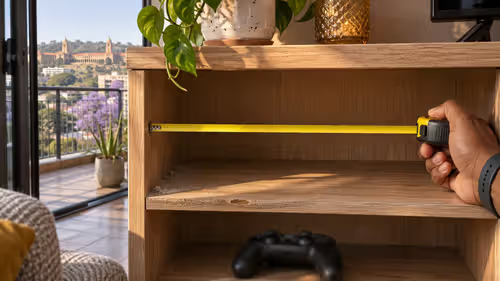
For clearance, measure from the back of the case to the front fan or drive cage, then compare with the card's published length. Long dual-fan cards can touch cages in small cases, and Gauteng dust clogs cramped coolers fast, so leave a few centimetres for airflow and clean filters often.
When you are ready to shop, the Radeon graphics card category lists the full range, and the best selling GPU page shows what other builders are choosing.
Frequently Asked Questions
Will any graphics card fit the slot on this board?
Physically yes, since the x16 slot takes any desktop card. Compatibility comes down to your PSU, case clearance and a CPU strong enough to feed the card.
Does the A520 board limit PCIe 4.0 cards?
A520 boards run the graphics slot at PCIe 3.0. Most cards lose little, but cards with only an x4 link, like the RX 6400 and 6500 XT, lose noticeably more.
Which Ryzen CPU should sit with a high-end GPU?
Pair a mid-range or better Ryzen 5 with a strong card. A weak dual-core or old quad-core holds back anything above entry level.
Do I need a BIOS update for newer Ryzen chips?
A520 boards can need a BIOS update before a Ryzen 5000 chip boots. Check MSI's CPU support list for your board revision before swapping the processor.
How much PSU headroom does the card need?
Follow the card maker's recommended wattage and count your PCIe cables. Many mid-range cards want a single 8-pin lead, so read the label on your own PSU.
Will it fit my micro-ATX case?
Measure from the slot to the front fan or drive cage. Long dual-fan cards can touch cages in small cases.
Ready to pick a card that suits your A520 build?
Browse the Radeon graphics card category at Evetech, then check each card's length and power connectors against your case and PSU.