Plenty of desks mix a Windows gaming PC with a MacBook for work, and a speaker that only behaves on one of them is a nuisance. AULA's driver software for the GS6 Pro lists Windows 10 and above, with nothing for macOS. So before you plan around the GS6 Pro on a Mac, it is worth separating what lives in that software from what lives in the bar itself.
Quick Answer
Without AULA's Windows driver, the AULA GS6 Pro still plays over Bluetooth 5.4, keeps the three sound modes that sit on its own button, and runs its RGB effects. The microphone keeps its built-in ENC noise cancellation and AEC echo cancellation. What you lose is the software layer: EQ, AI noise cancellation, the voice changer, game audio modes and the 7.1 surround effect, which need Windows 10 or later. Evetech has the GS6 Pro listed at R349.
🧩 Two layers: the bar and the software
The easiest way to think about the GS6 Pro is as two separate layers.
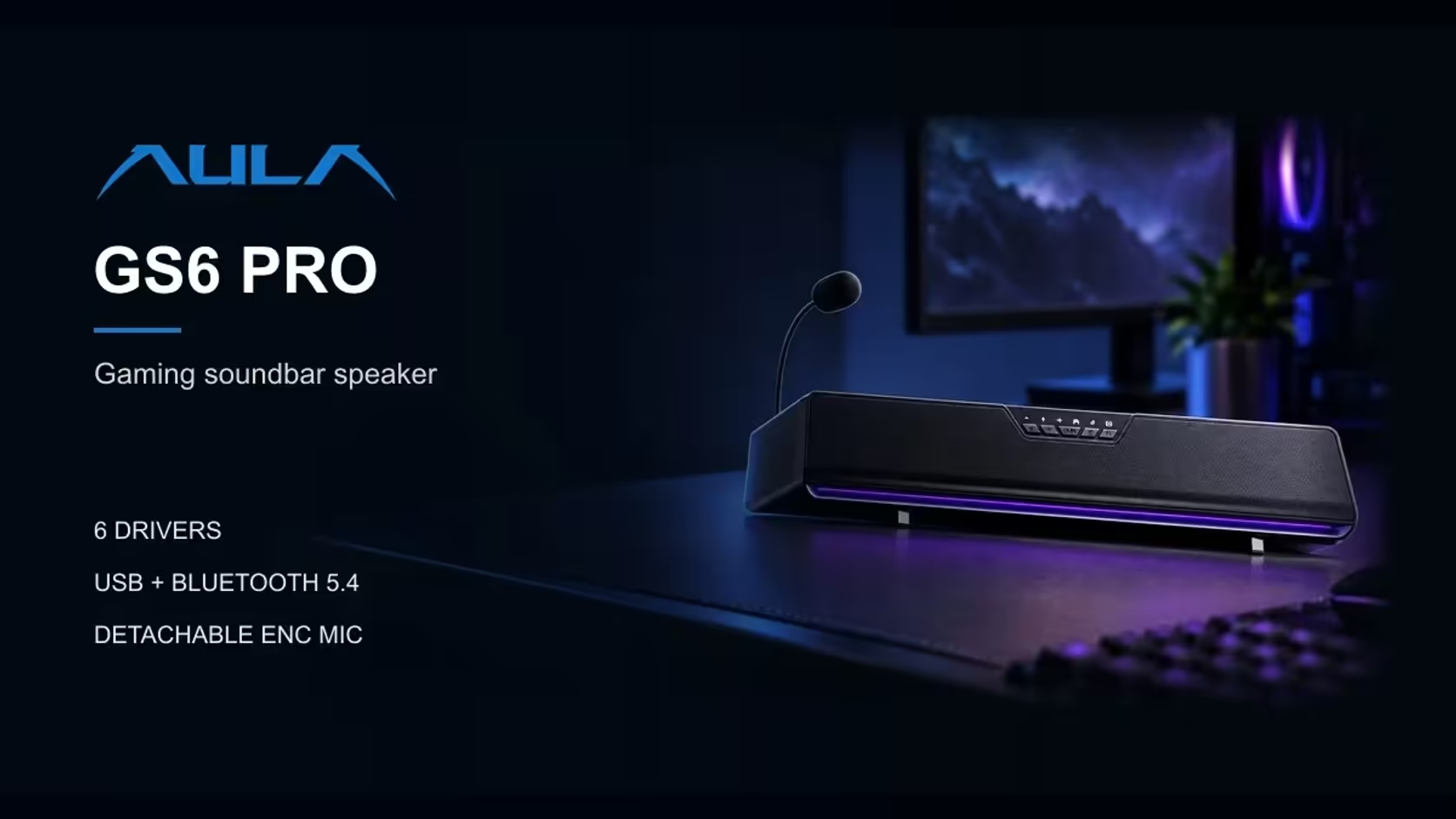
The hardware layer is everything built into the bar: six drivers, a C-Media sound card chip, the three sound modes on a button, the 15 RGB LEDs, the 3.5mm headphone output and the detachable 360-degree mic with its own noise and echo cancellation. None of that depends on an app.
The software layer is AULA's driver, which adds extra controls on top. AULA lists support for Windows 10 and above. On any other system, that layer is simply absent.
💻 What still works away from Windows
Sound modes
Game, Music and Movie are chosen with a button on the bar, so you can switch modes on any computer. That is the main way to shape the sound without software.
Lighting
AULA states that the RGB effects work without a driver. The 15 LEDs along the base keep their solid, flowing, breathing and music-rhythm options wherever the bar is connected.
The microphone's own processing
ENC and AEC are features of the mic itself. Background noise reduction and echo removal are handled in the hardware, so calls on a Mac still benefit from them. The mute button on the bar works too.
Headphone output
The 3.5mm port on the bar remains available for wired headphones, and AULA says headphones there get the speaker's sound processing.
🔗 Connecting to a Mac: Bluetooth or USB
The GS6 Pro offers two connections: USB, which carries both sound and power over a 1.4m cable, and Bluetooth 5.4.
Bluetooth is the route to plan on. Macs connect to Bluetooth speakers through their standard Bluetooth settings, the same way they would pair any wireless speaker. Power still has to come over the USB cable, since AULA's specification lists no battery, so the bar stays connected to a USB power source either way.
As for USB audio on macOS, AULA's page says nothing either way. Its software support is listed for Windows only, and there is no statement about macOS over USB. Until you have tried it yourself, treat Bluetooth as the dependable path on a Mac.
🎛️ What you give up without the driver
The features that live solely in AULA's Windows software are:
- EQ for fine-tuning bass and treble
- AI noise cancellation on top of the mic's ENC
- A voice changer
- Game audio modes in the software
- The 7.1 surround effect
For music, video calls and everyday listening on a Mac, the onboard modes cover most of what people need. If you rely on the 7.1 effect or detailed EQ, those belong on the Windows machine.
Plain wired sets with no software at all are listed among Evetech's desktop speakers, and the general speakers range holds further choices for a mixed Mac and Windows desk. Evetech's 1 Year Local Warranty on the GS6 Pro covers hardware faults; the Windows-only software is a design limit rather than a defect.
Frequently Asked Questions
Can I install AULA's software on a Mac?
AULA lists its driver software for Windows 10 and above only.
Do the sound modes need the software?
No. Game, Music and Movie switch from a button on the bar.
Will my Mac pair with it over Bluetooth?
It connects as a Bluetooth 5.4 speaker, through the Mac's normal Bluetooth settings.
Does the mic still cancel echo on a Mac?
Yes. AEC and ENC are built into the microphone, not the software.
Does the lighting work without the driver?
Yes. AULA says the RGB effects run without one.
Ready for a soundbar that works across your whole desk?
A desk shared by a Windows PC and a Mac needs audio that works on both, so see what Evetech's speakers range offers for that mix.