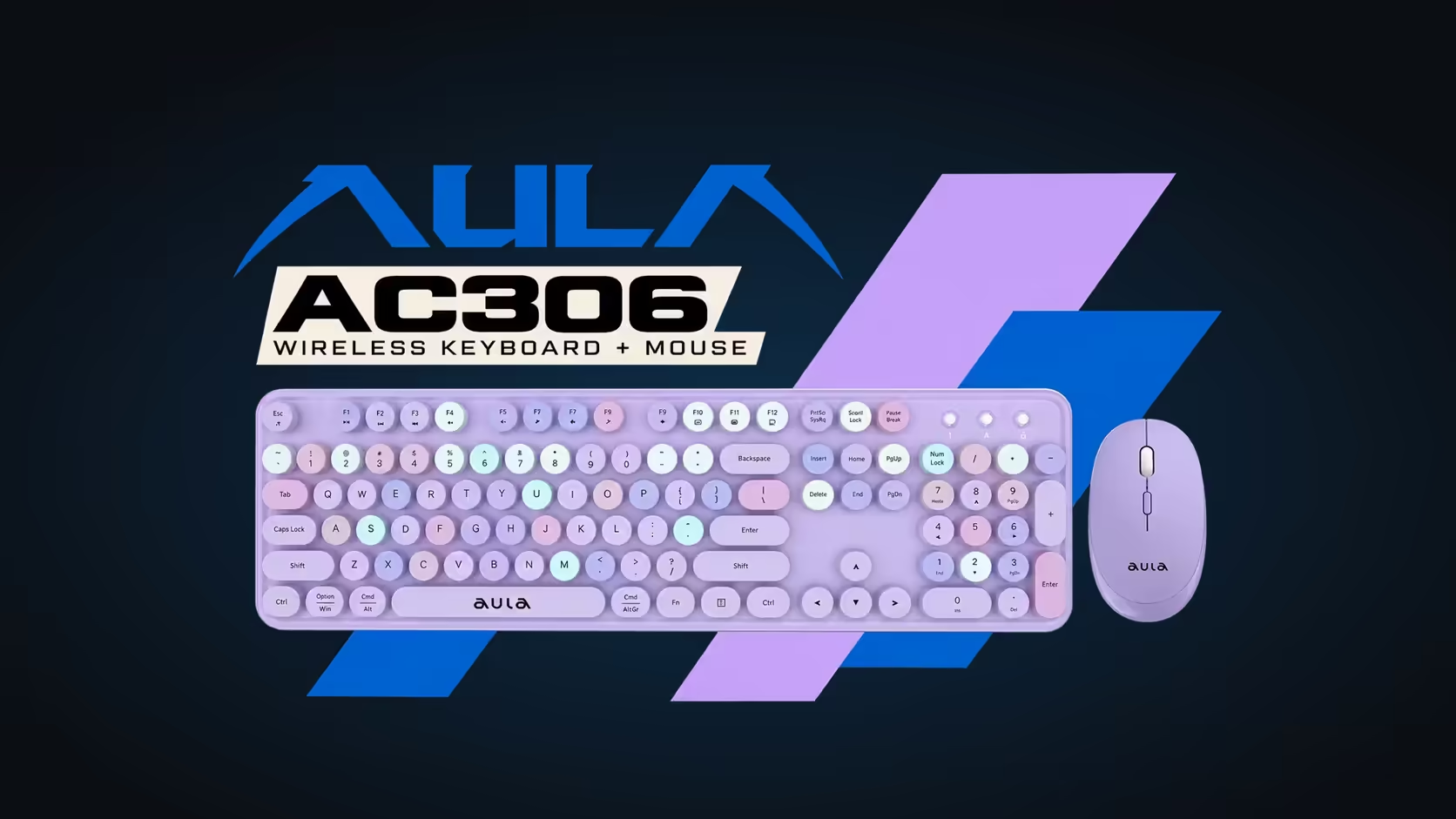
Wireless desk sets used to come with two dongles: one for the keyboard, one for the mouse. That meant two USB ports gone and two tiny receivers to lose. The AULA AC306 does it with one. Its keyboard and mouse share a single 2.4GHz USB receiver, and when you are not using it, the receiver tucks into a slot under the mouse. It is a small design choice that makes a real difference on a laptop with few ports.
Quick Answer
The AULA AC306 keyboard and mouse connect through one shared 2.4GHz USB receiver, which stores inside the underside of the mouse. One port does the work of two, and because the set does not use Bluetooth, there is no pairing to manage. Evetech's 1 Year Local Warranty applies to the whole set. The set sells for R239 at Evetech.
🔌 One port instead of two
Plug the receiver into any free USB port and both devices talk through it. On a desktop tower that frees a port for a printer or a flash drive. On a laptop it matters more: many slim laptops have only a couple of full-size USB ports, and giving up both of them to a keyboard and a mouse leaves nothing for anything else.
With the AC306, one receiver handles the set. The keyboard is a full-size 104-key membrane board with a number pad, and the mouse is a 4-button optical design with 800, 1000 and 1600 DPI steps. Both run over the same 2.4GHz link.
🧳 Where the receiver hides
Turn the mouse over and you will find a slot for the receiver. That is where it lives when the set is packed away, whether that is into a laptop bag, a drawer when work is done or a box when you move house. Keeping it inside the mouse means the one small part most likely to go missing always travels with the device that needs it.
A good habit: switch the mouse off with its on/off switch before stowing the receiver. Each device has its own switch, and turning the mouse off in the bag stops accidental clicks from waking it and using the AA battery.
📶 Why no Bluetooth?
The AC306 is a 2.4GHz-only set, and for its intended job that is a strength. There is no pairing menu to open, no forgotten device list and no hunting through settings on an older computer. You plug the receiver in, switch the two devices on, and start typing.
The trade-off is that the set needs a USB port. Phones and tablets without one are not its target. AULA pitches the AC306 for the office and everyday home use, where a PC or laptop with a USB port is the norm.
Which computers it works with
AULA lists Windows and Mac compatibility. On the keyboard, Fn + W sets Windows mode and Fn + E sets Mac mode, so the keyboard can be set up for whichever system it is plugged into. Media shortcuts, volume and lock screen sit on Fn with the F-keys in both modes.
🔋 Power for both devices
Each device runs on one AA battery, and both have their own on/off switch. The mouse also sleeps after about 8 seconds of inactivity and wakes when you click or scroll, which stretches its battery between changes. A low-power indicator on the keyboard tells you when its cell is running down.
Four colourways are listed at Evetech: pink, purple, a light blue and brown. The set sits with the keyboard and mouse combos at Evetech, and if you only need a keyboard for a work desk, the office keyboards category is the place to look.
Frequently Asked Questions
How many USB ports does the set use?
One. The keyboard and mouse share a single 2.4GHz receiver.
Where is the receiver stored?
In a slot on the underside of the mouse.
Can I connect over Bluetooth instead?
No. The AC306 uses 2.4GHz through its USB receiver only.
Why does a single dongle help laptop users?
Slim laptops often have few USB ports, so using one instead of two leaves room for other devices.
Which systems does the set work with?
AULA lists Windows and Mac, with Fn + W for Windows mode and Fn + E for Mac mode.
Should I switch the mouse off before storing it?
Yes. Its on/off switch stops stray clicks in a bag from draining the AA battery.
Short on USB ports?
Look over the combo sets Evetech lists and pick one that runs from a single receiver.