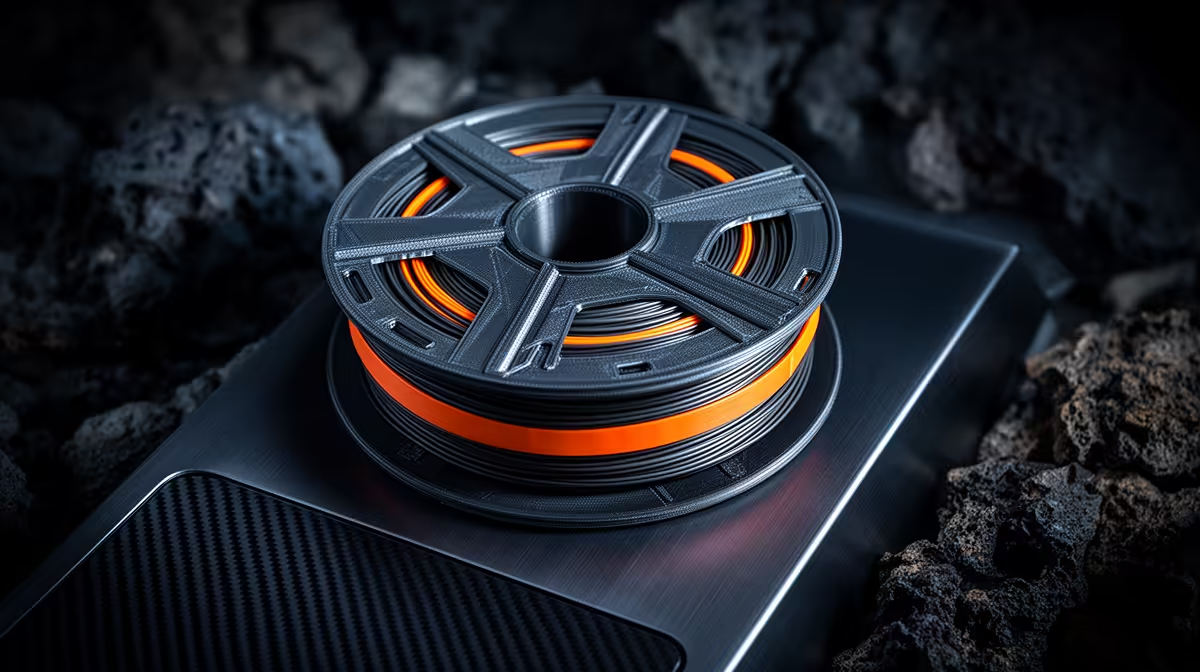
PLA is the friendliest filament to print and the easiest to misdiagnose when something goes wrong. A clog halfway through an overnight print, a spool that snaps the moment you load it, stringy webs across a model: every one of these has a root cause you can fix without guesswork. This PLA troubleshooting hub groups the common failures by symptom so you can jump straight to the cure.
Quick Answer
Most PLA failures trace back to three culprits: heat creep softening filament above the nozzle, moisture turning spools brittle, and temperature or retraction settings being slightly off. PLA softens at roughly 60C, so any heat drifting up the heatbreak causes clogs. Keep filament dry, cool the cold-end well, and dial retraction in, and most problems disappear.
Heat Creep and Clogs: The Number One Killer
Heat creep happens when warmth travels up past the heatbreak and softens filament before it reaches the melt zone, where it swells, jams and stops feeding. PLA is especially prone because its low softening point gives heat very little margin. The fix is airflow: confirm the heatsink fan on the hotend cold-end is actually spinning and unobstructed. Drop the nozzle temperature in 5C steps to find the lowest clean-extruding value, and avoid long pauses mid-print where filament sits cooking in the throat. If a clog has already formed, a cold pull usually lifts the plug out cleanly.
Brittle, Snapping Filament: Blame the Humidity
If your spool cracks like a dry twig, it has drunk too much moisture from the air, which is easy in a Cape Town winter or a humid coastal home. Wet PLA also prints with a faint hiss and rough, popcorn-textured surfaces as trapped water flashes to steam in the nozzle. Dry the spool in a filament dryer or a low oven around 45C for several hours, then store it in a sealed box with silica gel. Buying fresh, sealed spools and keeping them airtight from day one prevents the problem entirely.
Stringing, Blobs and Under-Extrusion
Stringing, those fine hairs strung between parts, points at retraction that is too short or a nozzle running too hot. Increase retraction distance a little and trim the temperature down until the strings vanish. Blobs and zits usually mean retraction or coasting needs tuning, while patchy under-extrusion suggests a partial clog, a worn nozzle, or a tension issue at the extruder. Change one variable, reprint a short test, and compare, rather than altering several settings at once.
First-Layer and Adhesion Faults
A print that lifts at the corners or refuses to grip the bed is almost always a levelling or surface-prep issue, not a filament fault. Re-level so the nozzle gap holds a sheet of paper with slight drag, clean the build surface of finger oils, and use a touch of glue stick or a brim for tricky shapes. Slightly raising bed temperature helps the first layer key in. Keeping a small stash of replacement nozzles and surface aids from our printer accessories range means a worn part never stalls a build for days.
When the Printer, Not the PLA, Is at Fault
Sometimes the filament is innocent. A loose belt, a worn PTFE tube, a failing thermistor or an extruder gear stripping plastic will all mimic filament faults. If swapping to a known-good spool changes nothing, inspect the mechanics methodically. A printer kept in good order is the foundation for clean PLA prints, and our 3D printer lineup includes machines with enclosed cold-ends that resist heat creep from the start.
Frequently Asked Questions
How do I tell heat creep apart from a normal nozzle clog?
Heat creep clogs appear partway through longer prints and often after the hotend has been hot for a while, whereas a debris clog can happen at any time. If the jam clears after letting the printer cool and improving cold-end cooling, heat creep was the cause. A persistently weak heatsink fan is the classic giveaway.
Can I rescue PLA that has gone brittle?
Often, yes. Drying the spool in a dedicated filament dryer or a low oven drives moisture back out and restores flexibility for many filaments. Badly degraded or sun-damaged PLA may not fully recover, in which case a fresh sealed spool is the safer bet.
What nozzle temperature should I use for PLA?
A common starting band is 195C to 215C, but the right value depends on the specific filament and your printer. Run a temperature tower to find where layers bond strongly without stringing or scorching. Note that figure on the spool for next time.
Why does my PLA string so much between parts?
Stringing usually means retraction is too low or the nozzle is too hot, leaving molten plastic to ooze during travel moves. Raise retraction distance gradually and lower temperature a few degrees until the hairs disappear. Drying the filament also helps, since moisture worsens oozing.
Does PLA really need a dry box in South Africa?
In dry inland areas you can often get away without one for a while, but coastal humidity makes airtight storage worthwhile everywhere. A sealed container with silica gel costs little and prevents the brittle, hissing prints that wet filament causes. It pays for itself in saved spools.
Stop fighting failed prints. Equip your bench with reliable nozzles, dryers and surface aids from our 3D printing accessories and get back to clean, repeatable PLA.