



550W PSU Planning for RTX 5080 Super Builds in SA
550W for RTX 5080 Super needs a full-build check, not a simple yes. Review GPU guidance, CPU draw, transient load, connectors, PSU quality, and upgrade plans before deciding.
Read morePWM fans like the EX12A adjust speed automatically via a 4-pin header, while fixed-speed fans run at one constant RPM. PWM control gives finer temperature response and quieter idle running at the same R249 price point.
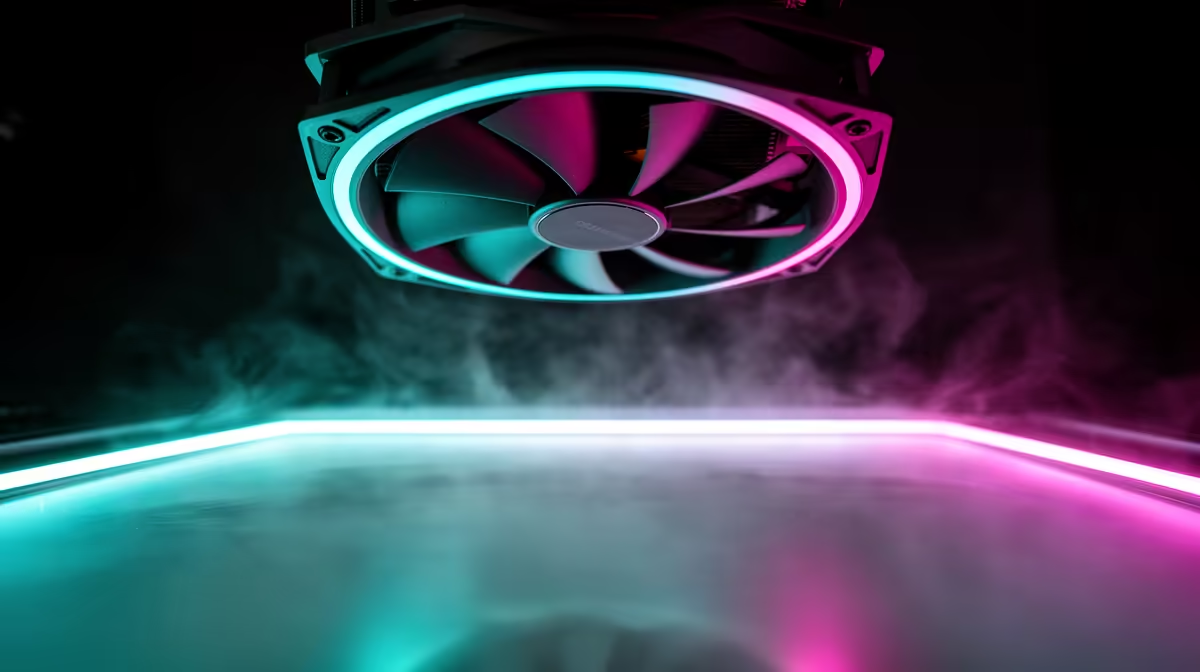
Fixed-speed fans only know one setting: full RPM, from the second the PC powers on until the moment it shuts down. That single fact is the whole reason the pwm vs fixed speed fan comparison exists, and it is also why the Einarex EX12A ships with a proper 4-pin connector rather than the older 2-wire type.
The Einarex EX12A costs R249 and uses PWM to let the motherboard vary its speed automatically between idle and its 82.9 CFM maximum. A fixed-speed fan at a similar price would spin at one constant RPM regardless of how hot the system gets, with no automatic adjustment at all.
A PWM fan has four wires instead of three: power, ground, a tachometer signal, and a dedicated speed-control line. That fourth wire lets the motherboard send rapid pulses that tell the fan how fast to spin, adjusting many times a second as CPU or case temperature changes. The EX12A uses this to move between a quiet idle state and its rated 82.9 CFM ceiling without anyone touching a physical switch. A fixed-speed fan skips that control wire entirely, so it has no way to respond to temperature at all beyond running flat out constantly.
Because the EX12A's 40.7 dBA maximum is only reached at full PWM speed, most of the time it can sit well below that figure during normal browsing or light gaming. A fixed-speed equivalent would produce its peak noise level permanently, with no quieter idle state to fall back on.
Under sustained gaming or rendering load, a PWM fan like the EX12A ramps toward its 82.9 CFM ceiling automatically once temperatures climb, then backs off again as the system cools. A fixed-speed fan is already running at that same top output the whole time, so it offers no reserve capacity to react to a spike, and no quiet reward once the load ends. The tradeoff is really about control, not raw top-end performance, since both fan types can reach similar CFM numbers at full speed.
Most modern motherboards include 4-pin PWM headers as standard, so fitting the EX12A into an existing build usually just means plugging it in and letting the BIOS fan curve handle the rest. PC case fans with PWM support are worth checking for compatible headers before buying if your board is a few years old, though most builds sold in the last decade support the standard without issue.
If your case already has a few 3-pin headers left over and you want simple, predictable cooling, a fixed-speed fan will do the job at a lower cost. If you want temperature-responsive quiet running most of the time with full 82.9 CFM airflow available under load, the Einarex EX12A at R249 is built for exactly that. Anyone assembling a full build around Einarex cases will find the PWM header layout matches this fan without any adapters needed.
Yes, most motherboards will run it at a fixed voltage instead of true PWM control, though you lose the automatic speed adjustment.
No, the control signal itself is silent; any noise still comes from the blades and bearing at whatever speed the curve selects.
Fixed-speed fans can be slightly cheaper since they use simpler wiring, though the price gap is often small at the budget end of the market.
No, PWM speed control is a standard feature designed to reduce unnecessary wear by letting the fan spend less time at full RPM.
Ready to upgrade from fixed-speed to proper PWM control? Bring home Evetech's Einarex EX12A case fan (R249) at Evetech, and let fan speed respond automatically to your system temperature.
Yes, most motherboards will run it at a fixed voltage instead of true PWM control, though you lose the automatic speed adjustment.
No, the control signal itself is silent; any noise still comes from the blades and bearing at whatever speed the curve selects.
Fixed-speed fans can be slightly cheaper since they use simpler wiring, though the price gap is often small at the budget end of the market.
No, PWM speed control is a standard feature designed to reduce unnecessary wear by letting the fan spend less time at full RPM.
550W for RTX 5080 Super needs a full-build check, not a simple yes. Review GPU guidance, CPU draw, transient load, connectors, PSU quality, and upgrade plans before deciding.
Read more
8000Hz polling is overrated for most SA gamers because gains can be tiny next to battery drain and monitor limits. Mbombela players should weigh mouse feel, game support, and system stability before chasing the number.
Read more
Magnetic switches are taking over SA gaming keyboards because actuation can be tuned. For Sandton gamers, rapid trigger, reset control, and profile depth can help, but layout, key feel, and software quality still matter.
Read more
Polokwane oled monitor value questions need cautious SA context because pricing can move with availability, exchange rates, specs, and warranty support. Treat the trend as a planning signal, not a fixed price promise.
Read more
Arc B580 budget builds for Midrand gamers can shift with exchange rates, supply, specs, and model tier. Treat the title as a buying prompt, then compare SA warranty, timing, and build priorities.
Read more
ROG Ally X may beat the LCD Steam Deck for SA gamers who value stronger handheld performance, more memory, and Windows flexibility. Compare battery life, controls, game libraries, and Polokwane support needs before deciding.
Read more
Minisforum's M2 Pro pairs Core Ultra X7, Arc B390 graphics and 32GB onboard memory in 1.8 litres. SA buyers should weigh its fixed memory and $1,439 launch offer against local mini PCs.

Lenovo says Legion Go failures linked to BIOS N3CN42WW are not user error. Affected SA owners should stop retrying the update, preserve proof and open a support case.

Smart monitors can add apps and convenience, but they also add privacy settings and unwanted-software risk. SA buyers should audit the operating system before paying for extras.

A fake 113GB GTA VI ISO reportedly used empty padding around a small malware payload. SA gamers should delete unofficial builds, keep Windows security active and wait for official channels.

ASUS calls the ROG GT-BN98 the first Wi-Fi 8 gaming router. SA buyers should fix coverage and client limits before paying for a future wireless standard.

Apple's M6 Mac mini adds faster AI, graphics and networking in the same compact format. SA buyers should wait for a rand listing before comparing value.

The Vulcan II XP adds hot-swappable switches, sound damping and gaming controls to a full-size wired board. SA buyers should compare feel before features.

Microsoft says Windows on Arm now has over 7,000 verified apps and games. SA buyers should still check each driver, game and work tool before switching.

Xbox Insiders can test disc-to-digital from 31 August 2026. Supported Xbox One and Series X discs gain a digital entitlement, but older discs, regions and title coverage still need exact checks.

ViewSonic's XG2738 pairs QHD QD-OLED with 240Hz and automatic panel care. SA buyers should compare warranty, brightness, ports and burn-in protection against today's R9,999-plus OLED shelf.

NVIDIA's final Windows 10 Game Ready driver is due in October 2026. SA gamers can keep using their GPU, but new game optimisations move on while critical security fixes continue quarterly.

JBL's new Quantum 520, 520X and 120 headsets cover wireless, Xbox-certified and wired use. SA buyers should compare connection, comfort and microphone needs before paying for a new badge.