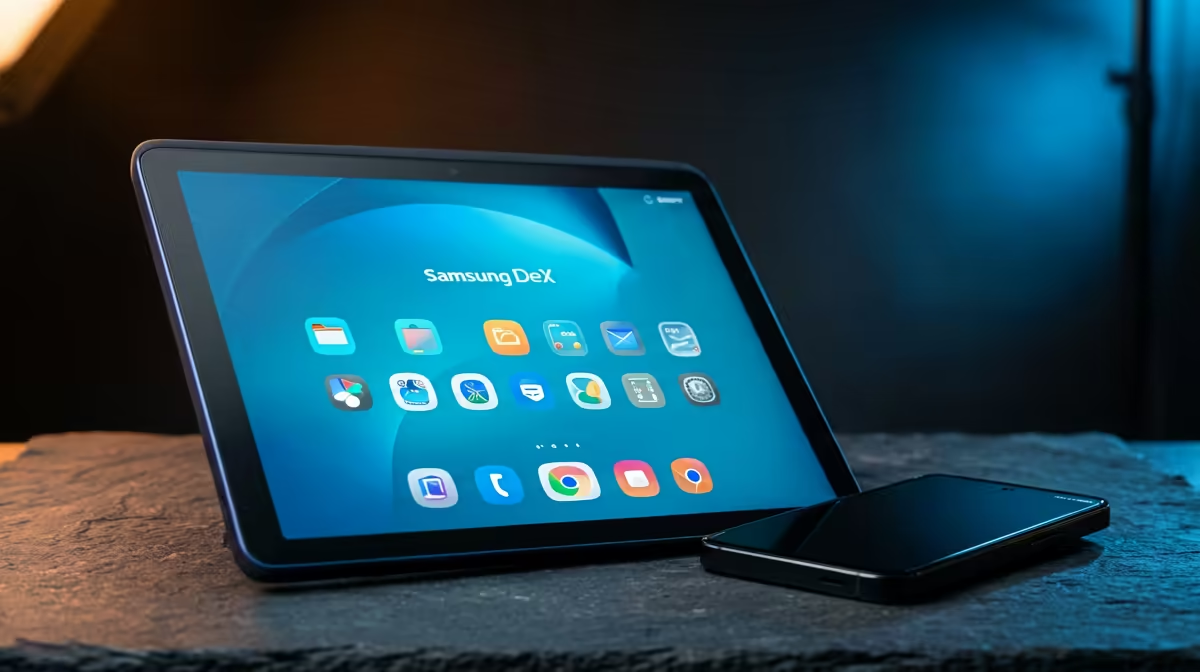
Your Galaxy already holds a desktop operating system; it just never shows it on the small screen. Samsung DeX on a portable monitor unlocks it, outputting a windowed, PC-style interface over a single USB-C cable so the phone in your pocket becomes a travel workstation with a real second display, a keyboard and a mouse.
Quick Answer
Samsung DeX sends a desktop-style interface out over USB-C, so plugging a supported Galaxy phone into a portable monitor turns it into a PC-like workstation. You get a full-screen second display, resizable windows, and external keyboard and mouse support, all driven by the phone.
How DeX Turns a Phone Into a Desktop
DeX is not screen mirroring. Instead of copying the phone's vertical layout onto the monitor, it launches a separate desktop environment with a taskbar, a system tray, and apps that open in movable, resizable windows. You can run several apps side by side, drag files between them, and work the way you would on a laptop.
The phone keeps doing phone things while DeX runs on the external screen, so a message can arrive on the handset without interrupting the document open on the monitor. For travel and hot-desking, that single-cable setup is genuinely useful, and the portable monitors range shows the slim USB-C panels that pair well with it.
What You Need to Set It Up
The appeal of DeX on a portable monitor is how little kit it takes.
- A DeX-capable Galaxy phone. Flagship and many mid-range Galaxy S and Note devices support DeX. Check your specific model, since support varies across the lineup.
- A USB-C portable monitor. A panel that takes both video and power over a single USB-C cable is the cleanest option, because one cable carries the display signal.
- A USB-C cable that carries video. Not every cable handles DisplayPort Alt Mode, so use one rated for video output.
- A keyboard and mouse. Bluetooth peripherals pair to the phone, or you can plug them in through a hub.
Plug the phone into the monitor, and DeX either launches automatically or prompts you to start it. From there you arrange windows and work as you would on any desktop.
Where This Setup Shines
DeX on a portable monitor suits the person who travels light but still needs a real screen. A student in res can leave the laptop at home and run notes and a browser off the phone. A professional on the road can answer email, edit a document and join a call on a proper display without packing a second machine.
The limits are worth knowing too. DeX runs Android apps, so heavy desktop software has no equivalent, and the phone's chip sets the performance ceiling. For browsing, documents, email and media it is comfortably capable. When you are ready to choose a panel, the portable monitor range at Evetech covers the USB-C panels that pair cleanly with a DeX setup. For a sense of what SA buyers are gravitating toward, the monitor best sellers at Evetech show which screens are moving right now.
Frequently Asked Questions
Which Galaxy phones support DeX?
Most flagship Galaxy S and Note models support DeX, along with several mid-range devices, but it is not universal. Check your exact model's specification before buying a monitor for it, since support differs across the range.
Do I need a special monitor for DeX?
Any external display works, but a USB-C portable monitor that accepts video over a single cable is the cleanest match. It keeps the whole rig to a phone, one cable and a screen.
Is DeX the same as mirroring my phone?
No. Mirroring copies the phone's screen as-is, while DeX launches a separate desktop interface with windows and a taskbar. DeX is built for productivity, not just casting your phone's display.
Can I use a keyboard and mouse with DeX?
Yes. You can pair Bluetooth peripherals to the phone or connect wired ones through a hub. With a keyboard and mouse, the DeX desktop behaves much like a laptop.
Will DeX run demanding desktop software?
It runs Android apps, so there is no equivalent to heavy desktop programs, and the phone's processor sets the ceiling. For browsing, documents, email and media it works well, but it is not a replacement for a workstation under load.
Want to turn your Galaxy into a travel desktop? Browse the USB-C portable monitors at Evetech and pick a single-cable panel that makes DeX a true workstation.