



OLED monitors Context for SA PC Builders — Updated 2026
OLED monitors talk for Randburg buyers should be treated as market context, not a live claim. Compare demand, specs, warranty, platform fit, and total build value.
Read moreFan controller or motherboard control for esports depends on header count, noise goals, and case airflow. SA builders should try BIOS fan curves first, then add a controller when wiring or zones demand it.
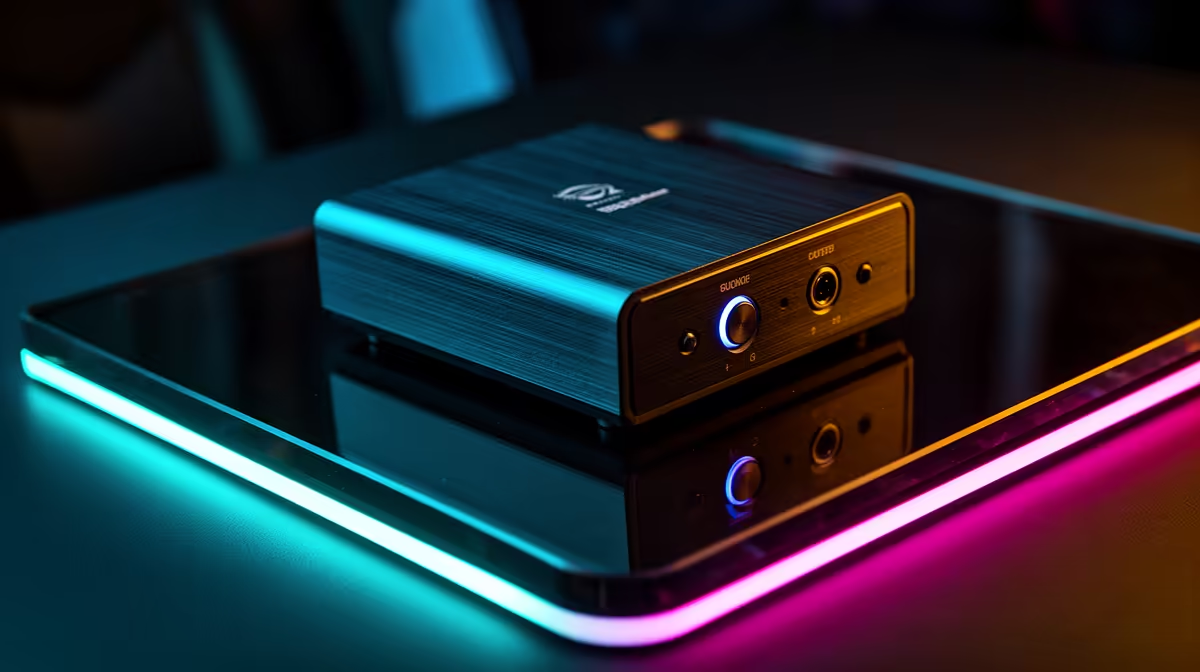
For esports cooling, a dedicated fan controller like an NZXT or Corsair Commander is worth it only if you run many fans or want unified RGB and fine curve control; otherwise the motherboard's fan headers do the job well. Modern boards control four to eight fans with custom curves for free, while a hub adds capacity for R600-R1,500.
Most current motherboards offer four to eight PWM fan headers with full curve control in the BIOS or a desktop app. That lets you tune each fan to a temperature target, keeping your rig quiet during light esports loads and ramping only when the CPU heats up. For a typical build with a CPU cooler and two or three case fans, the board handles everything with no extra hardware. Set sensible curves so fans idle near silent and spin up only when temperatures climb past the mid-60s Celsius.
A fan controller or commander unit makes sense when you exceed your board's headers or want centralised control of many fans and RGB. A build with six or more fans, or one chasing synchronised lighting and per-fan curves through one app, benefits from a hub like an NZXT or Corsair Commander. These run roughly R600-R1,500 and add headers plus a single control surface. For competitive players who keep a quiet, high-airflow rig with lots of fans, the convenience and noise tuning can be worth it; for a standard build, the motherboard suffices.
Usually not. Modern motherboards control four to eight fans with custom curves for free, which covers most builds. A dedicated controller helps only with many fans or unified RGB and curve control.
Most current boards offer four to eight PWM headers, each with BIOS or software curve control. A typical CPU-cooler-plus-case-fan setup fits comfortably within that.
A quality hub or commander unit is currently stocked at Evetech in roughly the R600-R1,500 range. It adds fan headers and a single control surface for larger or RGB-heavy builds.
For most esports rigs, use the motherboard's headers and set curves so fans idle near silent until temperatures pass the mid-60s Celsius; add a hub only if you run six or more fans.
OLED monitors talk for Randburg buyers should be treated as market context, not a live claim. Compare demand, specs, warranty, platform fit, and total build value.
Read more
Ryzen X3D chips stand out in SA gaming PCs because extra cache can help frame consistency in many games. Durban builders should still compare motherboard cost, cooling, BIOS support, and GPU balance before choosing a CPU.
Read more
Ryzen X3D chips dominate many SA gaming PC discussions because extra cache can lift performance in CPU-sensitive games. Kimberley gamers should compare GPU pairing, cooling, platform cost, and upgrade timing before buying.
Read more
ROG Ally X can beat LCD Steam Deck when Windows game access, battery, and handheld performance matter most. SA buyers in Mbombela should compare controls, storage, screen, weight, and how much setup friction they will accept.
Read more
USB-C charging is becoming the standard because it cuts cable clutter and supports more modern peripherals. For SA buyers, it makes keyboards, mice, headsets, and controllers easier to charge across mixed setups.
Read more
Will the RTX 5090 handle Dragon Ball Sparking should be shortlisted around the job it must do. South African buyers should compare GPU tier, VRAM, cooling, and PSU headroom, warranty path, and upgrade room before treating any pick as best.
Read more
NVIDIA lists 550W required system power for the RTX 5060 reference specification, based on a high-end test system. A quality 550W unit can be enough, but CPU draw, transient load, connectors and ageing decide real headroom.

80+ Gold vs 80+ Platinum for couch co-op gaming is about PSU efficiency, heat, fan behaviour, quality, and wattage headroom, not direct FPS. SA buyers should compare the whole build.

Upgrade your setup with the best USB-C hubs for creators. Discover why high-capacity card readers and dual 4K output are essential for professional South African content production. 🚀💻

B850 motherboard FPS drops needs a methodical troubleshooting pass. Review drivers, thermals, power settings, background apps, cables and game settings before replacing parts in an SA gaming setup.
NVIDIA lists 550W required system power for the RTX 5060 reference specification, based on a high-end test system. A quality 550W unit can be enough, but CPU draw, transient load, connectors and ageing decide real headroom.

OpenRGB's master branch now carries changes labelled for 1.0 final, including translation and platform work, but the official tags page still lists 1.0rc3.1 as the newest packaged release. Stable users should wait for the signed release channel.

A motherboard can remain useful for many years when power, cooling and connectors stay healthy. Replace it for confirmed faults, damaged power delivery or a blocked platform need, not simply because the calendar reaches a fixed age.

The VAIO T combines a 13.3-inch display with a multi-flip mechanism for laptop, tablet and outward-facing viewing modes. Orders begin in Japan on 18 September; South African availability is unconfirmed.
OLED monitors talk for Randburg buyers should be treated as market context, not a live claim. Compare demand, specs, warranty, platform fit, and total build value.

Wi-Fi 7 vs Wi-Fi 6e for aaa single-player gaming comes down to router support, latency goals, device compatibility, and coverage. SA buyers should match the choice to the real network setup.
Ryzen X3D chips stand out in SA gaming PCs because extra cache can help frame consistency in many games. Durban builders should still compare motherboard cost, cooling, BIOS support, and GPU balance before choosing a CPU.

Wi-Fi 7 and Wi-Fi 6E affect AAA single-player gaming through downloads, updates, cloud saves, and remote features. The real world difference between wi fi 7 and wi fi depends on your router, fibre speed, and SA home layout.