



550W PSU Planning for RTX 5080 Super Builds in SA
550W for RTX 5080 Super needs a full-build check, not a simple yes. Review GPU guidance, CPU draw, transient load, connectors, PSU quality, and upgrade plans before deciding.
Read moreUnplugging a power supply-fed PC, TV and router during an unplanned outage is the cheapest protection against the restoration surge. The exception is a fridge, best left off the wall a few minutes after power returns to protect the compressor.
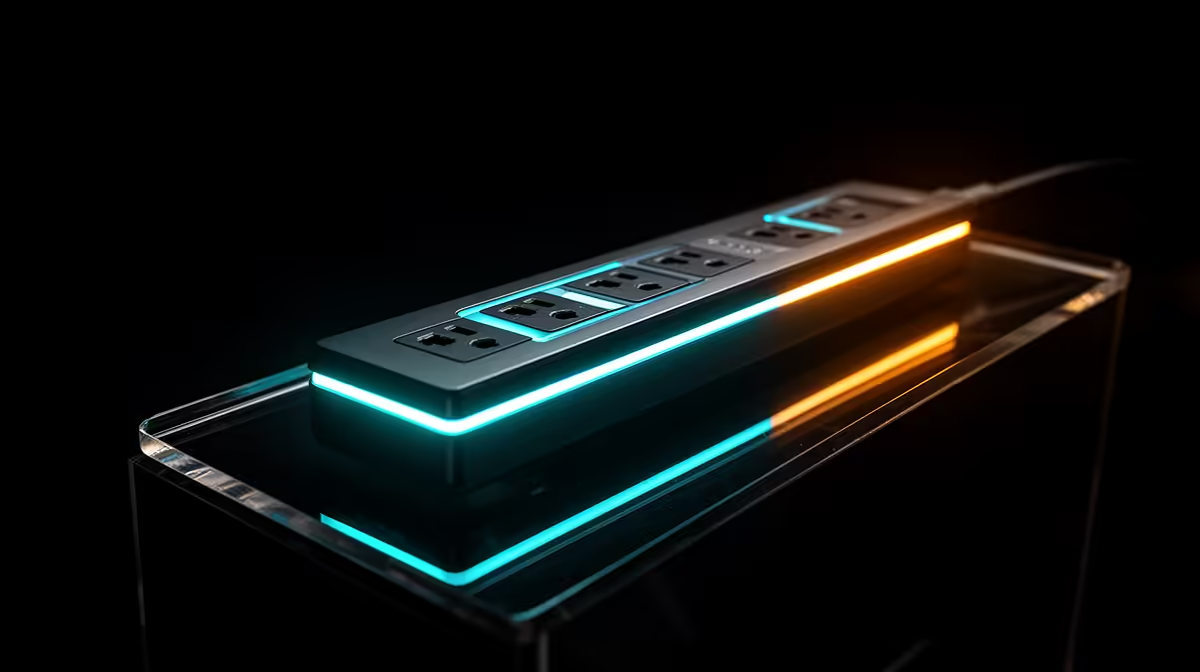
Unplug non-essential electronics during an outage when you can do so safely. This isolates them from unstable restoration and removes standby loads. Leave equipment alone when plugs are inaccessible, the area is dark or wet, or the device has critical operating requirements.
Wait until supply appears stable before reconnecting. Follow each product maker's shutdown and restart guidance.
If a UPS is running, save work and shut down before its battery is exhausted. Switch off the PC and monitor, then unplug from the wall where safe.
Do not pull a plug by the cable. Keep a torch available and avoid moving around loose leads in darkness.
If the PC stopped without shutdown, wait for stable power before starting and check storage or system messages.
A router and fibre ONT may stay on a correctly sized DC backup for communication. That backup and its batteries need their own supported setup.
Fibre cable does not conduct, while the powered ONT, router and copper Ethernet are electrical paths. Include them in the protection plan.
Do not improvise battery voltages or connectors.
Once lights and supply appear stable, wait according to equipment and local service guidance. Reconnect one equipment group at a time.
Watch for dimming, buzzing, smell, heat or repeated trips. Stop and use a qualified electrician for abnormal behaviour.
Coordinated SPDs reduce surge risk but do not replace this safe routine. If the PC PSU needs assessed replacement, use Corsair PSU listings and popular power supplies for exact model comparison.
Do not unplug medical, security, refrigeration or other critical equipment from generic advice. Follow the maker, service provider and qualified professional guidance for those loads.
People using powered medical equipment need a planned backup and emergency route from the relevant healthcare and equipment authorities.
Keep communications available through a supported network backup where practical.
Label PC, monitor, router and ONT plugs. Keep a torch and clear route to the outlet.
Test the UPS shutdown and note which devices may stay on. Do not improvise voltage, polarity or connectors on a mini UPS.
Save work often and keep important files in another secure location. Unplugging protects hardware paths; it cannot recover unsaved data.
After restoration, inspect surge indicators, plugs and cables for external damage. Stop for smell, heat or discolouration.
Do not open a strip, UPS or PSU. Use the written support route or a qualified technician.
If the same circuit behaves strangely, leave equipment disconnected until an electrician has checked the property path.
Yes for non-essential electronics when the action is safe and compatible with maker guidance.
Prepare before the storm reaches the area. Do not handle plugs or wiring during nearby lightning or unsafe conditions.
No. UPS protection varies by design, and severe events can exceed it. Use a broader coordinated plan.
Shut the PC down, unplug non-essential gear only when safe, and reconnect one group at a time after supply appears stable.
Yes for non-essential electronics when the action is safe and compatible with maker guidance.
Prepare before the storm reaches the area. Do not handle plugs or wiring during nearby lightning or unsafe conditions.
No. UPS protection varies by design, and severe events can exceed it. Use a broader coordinated plan. {{PRODUCTS: { facets: { query: "power supply" }, limit: 12, title: "Backup Power Gear", style: "4" } }}
550W for RTX 5080 Super needs a full-build check, not a simple yes. Review GPU guidance, CPU draw, transient load, connectors, PSU quality, and upgrade plans before deciding.
Read more
8000Hz polling is overrated for most SA gamers because gains can be tiny next to battery drain and monitor limits. Mbombela players should weigh mouse feel, game support, and system stability before chasing the number.
Read more
Magnetic switches are taking over SA gaming keyboards because actuation can be tuned. For Sandton gamers, rapid trigger, reset control, and profile depth can help, but layout, key feel, and software quality still matter.
Read more
Polokwane oled monitor value questions need cautious SA context because pricing can move with availability, exchange rates, specs, and warranty support. Treat the trend as a planning signal, not a fixed price promise.
Read more
Arc B580 budget builds for Midrand gamers can shift with exchange rates, supply, specs, and model tier. Treat the title as a buying prompt, then compare SA warranty, timing, and build priorities.
Read more
ROG Ally X may beat the LCD Steam Deck for SA gamers who value stronger handheld performance, more memory, and Windows flexibility. Compare battery life, controls, game libraries, and Polokwane support needs before deciding.
Read more
Minisforum's M2 Pro pairs Core Ultra X7, Arc B390 graphics and 32GB onboard memory in 1.8 litres. SA buyers should weigh its fixed memory and $1,439 launch offer against local mini PCs.

Lenovo says Legion Go failures linked to BIOS N3CN42WW are not user error. Affected SA owners should stop retrying the update, preserve proof and open a support case.

Smart monitors can add apps and convenience, but they also add privacy settings and unwanted-software risk. SA buyers should audit the operating system before paying for extras.

A fake 113GB GTA VI ISO reportedly used empty padding around a small malware payload. SA gamers should delete unofficial builds, keep Windows security active and wait for official channels.

ASUS calls the ROG GT-BN98 the first Wi-Fi 8 gaming router. SA buyers should fix coverage and client limits before paying for a future wireless standard.

Apple's M6 Mac mini adds faster AI, graphics and networking in the same compact format. SA buyers should wait for a rand listing before comparing value.

The Vulcan II XP adds hot-swappable switches, sound damping and gaming controls to a full-size wired board. SA buyers should compare feel before features.

Microsoft says Windows on Arm now has over 7,000 verified apps and games. SA buyers should still check each driver, game and work tool before switching.

Xbox Insiders can test disc-to-digital from 31 August 2026. Supported Xbox One and Series X discs gain a digital entitlement, but older discs, regions and title coverage still need exact checks.

ViewSonic's XG2738 pairs QHD QD-OLED with 240Hz and automatic panel care. SA buyers should compare warranty, brightness, ports and burn-in protection against today's R9,999-plus OLED shelf.

NVIDIA's final Windows 10 Game Ready driver is due in October 2026. SA gamers can keep using their GPU, but new game optimisations move on while critical security fixes continue quarterly.

JBL's new Quantum 520, 520X and 120 headsets cover wireless, Xbox-certified and wired use. SA buyers should compare connection, comfort and microphone needs before paying for a new badge.