



550W PSU Planning for RTX 5080 Super Builds in SA
550W for RTX 5080 Super needs a full-build check, not a simple yes. Review GPU guidance, CPU draw, transient load, connectors, PSU quality, and upgrade plans before deciding.
Read moreKeeping roughly 10 to 15% of an SSD free gives the controller room for garbage collection and TRIM, which keeps write speeds steady over time. Drop much below that and performance can dip, so Evetech suggests sizing up if you are often running near full.
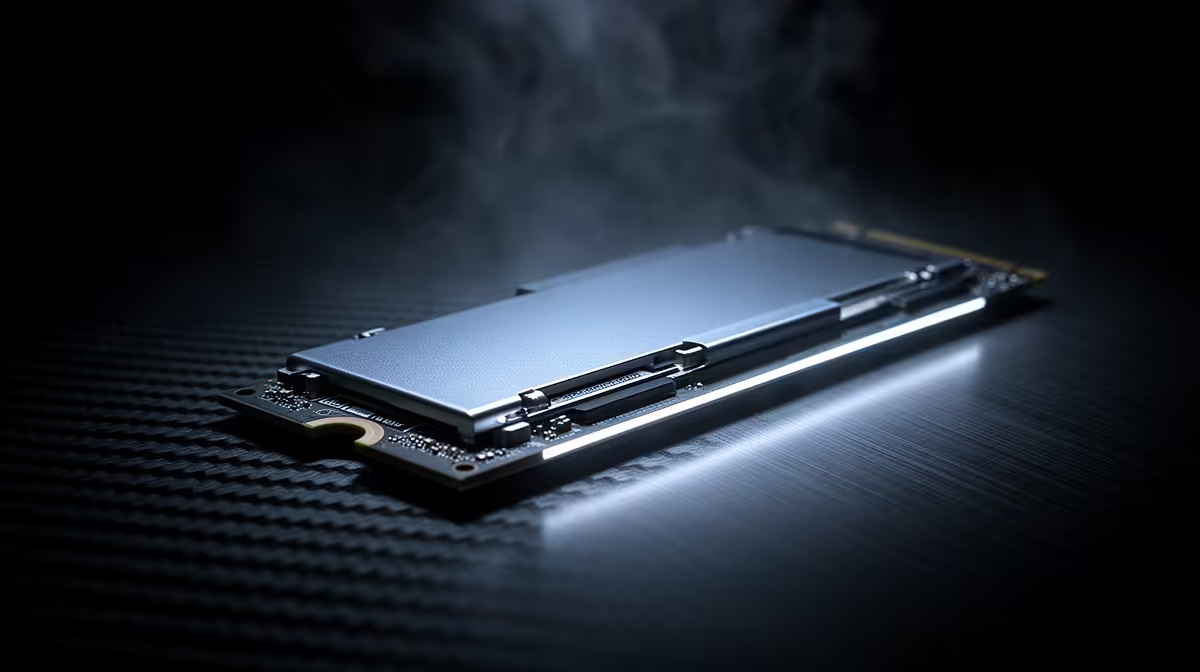
An SSD almost full is not automatically damaged, and 15% is not a secret line where every drive becomes slow. Free space gives the controller more flexibility for new writes and background housekeeping. The effect becomes most visible during long writes, updates and other work that has to reorganise nearly full flash.
Keep roughly 10-15% free as a practical target on a frequently written system or gaming SSD. A mostly read-only game drive can tolerate less, while a creator drive handling large exports benefits from more. Evetech listed the internal ADATA SU650 512GB SATA SSD at R1,599 as of July 2026. If maintaining free space becomes a weekly chore, a larger drive is a capacity fix, not a performance luxury.
SSDs cannot overwrite flash pages as simply as a hard drive rewrites a sector. The controller groups data into larger blocks, moves valid pages and erases blocks before reusing them. More available space gives that process more clean blocks to work with.
TRIM lets Windows tell the SSD which deleted data no longer needs to be preserved. Garbage collection then reclaims that space internally. Neither feature turns a completely packed drive into an efficient workspace instantly; the controller still needs time and usable flash.
Many drives also use part of their NAND as a fast write cache. When the drive is nearly full, that cache can shrink, and a large copy may fall to the slower sustained speed of the underlying flash.
It may be for a drive that is mostly read and receives small updates. It is uncomfortable for a Windows drive that needs room for temporary files, feature updates, shader caches and game patches. A 100GB update can need far more working room than its final installed size.
Start by clearing temporary files, old installers, unused games and duplicated media. Move large archives rather than deleting random Windows folders. Then leave the PC idle for a while so the controller can complete background work.
Compare the wider SSD range and SSD best-sellers when the normal workload continually consumes the restored space.
Ten to 15% is a useful everyday target. Heavy write workloads may benefit from more; read-heavy secondary drives can cope with less.
It can, especially during sustained writes, updates and cache-heavy work. Read speed may appear normal while write consistency falls.
TRIM tells the SSD which deleted blocks are no longer needed. Free space gives garbage collection more room to prepare blocks for later writes.
It may work until a large game update needs temporary space. More headroom avoids failed updates and sudden housekeeping.
The exact impact varies by controller, NAND, cache and over-provisioning, but every active drive needs enough working capacity for its workload.
Usually. Delete or move data, ensure TRIM is enabled and allow idle time. Performance should recover unless another fault is present.
Yes, when ordinary use repeatedly fills the drive. Capacity planning is better than constant emergency deletion.
Outgrowing the current SSD? Compare Evetech storage by usable capacity and sustained workload, then leave enough room for Windows, updates and the next game rather than filling the replacement on day one.
Ten to 15% is a useful everyday target. Heavy write workloads may benefit from more; read-heavy secondary drives can cope with less.
It can, especially during sustained writes, updates and cache-heavy work. Read speed may appear normal while write consistency falls.
TRIM tells the SSD which deleted blocks are no longer needed. Free space gives garbage collection more room to prepare blocks for later writes.
It may work until a large game update needs temporary space. More headroom avoids failed updates and sudden housekeeping.
The exact impact varies by controller, NAND, cache and over-provisioning, but every active drive needs enough working capacity for its workload.
Usually. Delete or move data, ensure TRIM is enabled and allow idle time. Performance should recover unless another fault is present.
Yes, when ordinary use repeatedly fills the drive. Capacity planning is better than constant emergency deletion.
550W for RTX 5080 Super needs a full-build check, not a simple yes. Review GPU guidance, CPU draw, transient load, connectors, PSU quality, and upgrade plans before deciding.
Read more
8000Hz polling is overrated for most SA gamers because gains can be tiny next to battery drain and monitor limits. Mbombela players should weigh mouse feel, game support, and system stability before chasing the number.
Read more
Magnetic switches are taking over SA gaming keyboards because actuation can be tuned. For Sandton gamers, rapid trigger, reset control, and profile depth can help, but layout, key feel, and software quality still matter.
Read more
Polokwane oled monitor value questions need cautious SA context because pricing can move with availability, exchange rates, specs, and warranty support. Treat the trend as a planning signal, not a fixed price promise.
Read more
Arc B580 budget builds for Midrand gamers can shift with exchange rates, supply, specs, and model tier. Treat the title as a buying prompt, then compare SA warranty, timing, and build priorities.
Read more
ROG Ally X may beat the LCD Steam Deck for SA gamers who value stronger handheld performance, more memory, and Windows flexibility. Compare battery life, controls, game libraries, and Polokwane support needs before deciding.
Read more
Minisforum's M2 Pro pairs Core Ultra X7, Arc B390 graphics and 32GB onboard memory in 1.8 litres. SA buyers should weigh its fixed memory and $1,439 launch offer against local mini PCs.

Lenovo says Legion Go failures linked to BIOS N3CN42WW are not user error. Affected SA owners should stop retrying the update, preserve proof and open a support case.

Smart monitors can add apps and convenience, but they also add privacy settings and unwanted-software risk. SA buyers should audit the operating system before paying for extras.

A fake 113GB GTA VI ISO reportedly used empty padding around a small malware payload. SA gamers should delete unofficial builds, keep Windows security active and wait for official channels.

ASUS calls the ROG GT-BN98 the first Wi-Fi 8 gaming router. SA buyers should fix coverage and client limits before paying for a future wireless standard.

Apple's M6 Mac mini adds faster AI, graphics and networking in the same compact format. SA buyers should wait for a rand listing before comparing value.

The Vulcan II XP adds hot-swappable switches, sound damping and gaming controls to a full-size wired board. SA buyers should compare feel before features.

Microsoft says Windows on Arm now has over 7,000 verified apps and games. SA buyers should still check each driver, game and work tool before switching.

Xbox Insiders can test disc-to-digital from 31 August 2026. Supported Xbox One and Series X discs gain a digital entitlement, but older discs, regions and title coverage still need exact checks.

ViewSonic's XG2738 pairs QHD QD-OLED with 240Hz and automatic panel care. SA buyers should compare warranty, brightness, ports and burn-in protection against today's R9,999-plus OLED shelf.

NVIDIA's final Windows 10 Game Ready driver is due in October 2026. SA gamers can keep using their GPU, but new game optimisations move on while critical security fixes continue quarterly.

JBL's new Quantum 520, 520X and 120 headsets cover wireless, Xbox-certified and wired use. SA buyers should compare connection, comfort and microphone needs before paying for a new badge.