


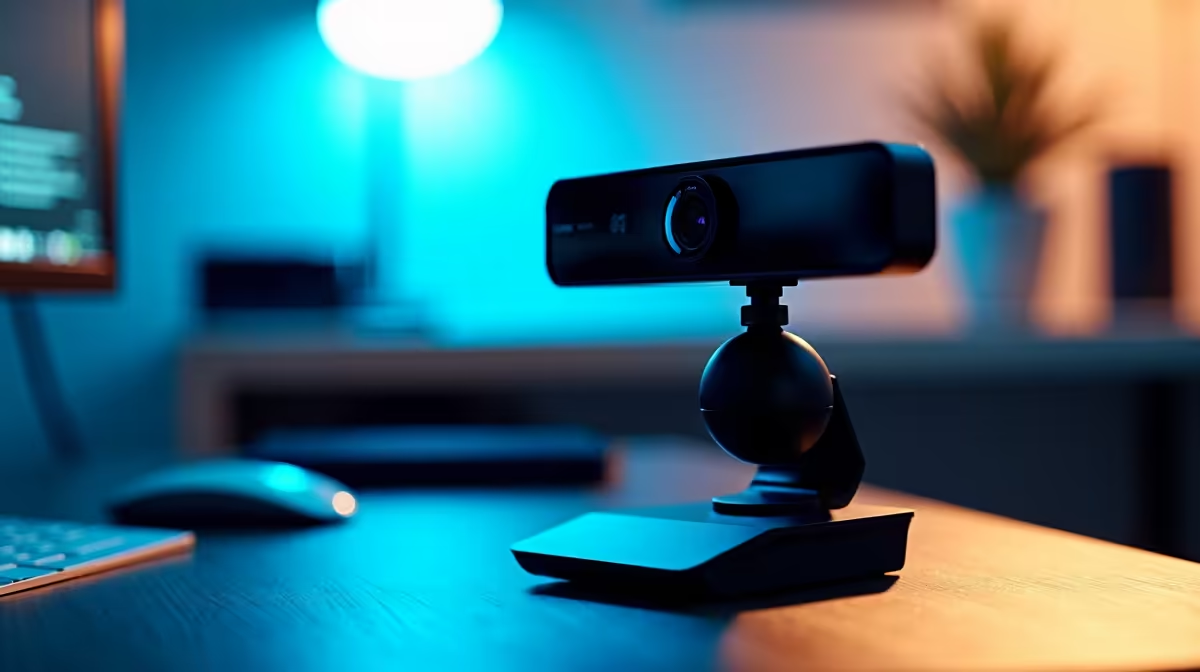
Clipping a webcam to a fixed monitor mount gets you up and running, but once you want to shift between a straight-on talking-head frame and a slight high-angle, you are out of options. That is where a 360 degree ball head earns its place on a streaming desk: one knob, a twist, and you have repositioned without stopping the broadcast.
Quick Answer
A 360 degree ball head is not essential, but it makes webcam positioning noticeably more flexible than a fixed clip. It unlocks full pan and deep tilt from a single locking point, and at under R300 for most compact models the price is low enough that the upgrade rarely needs justification.
🎯 What the Ball Head Actually Adds
A fixed mounting clip holds one angle. If that angle suits your setup precisely, it is all you need. The problem is that desks shift, chairs get adjusted, and what looked perfectly level last week might be pointing at the ceiling tile after you rearranged the monitor stack.
A ball head replaces that rigidity with a friction joint that moves in every direction simultaneously. You loosen the collar, tilt forward, pan left, roll slightly to correct a horizon, then tighten again. The whole sequence takes a few seconds and you never leave your chair. For anyone who varies their shot between segments, that freedom has real broadcast value.
Most compact ball heads sized for webcams and small cameras use the same 1/4 inch 20 UNC thread that your existing desktop stand almost certainly already has. You unscrew the current clip, thread the ball head on, then attach the webcam to the top socket. No adapters, no additional tools.
🔧 Load Ratings and Sag Risk
A webcam typically weighs between 100g and 200g. Even the cheapest compact ball head rates somewhere around 1kg to 2kg of load capacity, which puts the webcam well below the rated limit. When a ball head sags or drifts during a session it is almost never because the load exceeded the rating; it is because the friction collar was not tightened enough before the stream started.
The fix is straightforward: set the tension to roughly 60 to 70 percent of maximum. That range holds a lightweight webcam firmly for hours of continuous use without requiring so much force that repositioning becomes a struggle. Some models include a secondary knob dedicated to controlling panning friction independently from tilt, which is useful when you want to lock vertical position but leave horizontal pan free.
🚀 When a Ball Head Is Probably Overkill
If your setup is a single fixed shot that never changes, a tilt bracket handles initial alignment more simply and for less money. Ball heads pay off when the situation shifts mid-session: switching between a face-cam and a product shot, levelling the camera after a desk knock, or accommodating a co-host at a different height. For static streams, the friction collar is an extra variable without a corresponding benefit.
Frequently Asked Questions
Does a ball head give better angle control than a fixed clip?
Yes. A single locking collar on a ball head frees the camera to pan a full circle and tilt through roughly 90 degrees, while a fixed clip is committed to whatever position it ships in. If your desk or monitor position ever changes, a ball head means you never have to buy a new mount to fix the framing.
Will the friction joint hold all session without drifting?
Provided it is tightened correctly at the start. Set the collar to about 60 to 70 percent of its maximum tension and a 150g to 200g webcam stays put for hours. If you notice slow drift over a long session, a quick half-turn on the collar at the next break sorts it out without interrupting the broadcast.
Can a ball head attach to my current desktop stand?
In most cases, yes. The 1/4 inch 20 UNC thread is the industry standard connector for cameras, webcams, lights, and mounting hardware. As long as your existing stand has that socket at the top, the ball head screws straight on. Stands that use proprietary clips or non-standard threads are the exception, not the rule.
Is a ball head useful for a static talking-head stream?
Probably not essential. A single fixed angle that you set once and leave does not need a ball head's range of motion. A tilt bracket is simpler, cheaper, and less likely to drift if bumped. The ball head pays off when you change framing regularly or shoot more than one type of content from the same desk position.
What thread standard do webcam ball heads use?
The 1/4 inch 20 UNC thread is standard across webcams, compact cameras, LED panels, and most microphone mounts. It is the connector worth understanding when building a desk studio, because it links ball heads, mini tripods, and phone clamps into one shared system.
Ready to take precise control of your webcam framing? Browse the camera mounts and desktop stand accessories at Evetech and find the ball head or tilt bracket that fits your streaming setup.











