



550W PSU Planning for RTX 5080 Super Builds in SA
550W for RTX 5080 Super needs a full-build check, not a simple yes. Review GPU guidance, CPU draw, transient load, connectors, PSU quality, and upgrade plans before deciding.
Read moreCompetitive esports players should consider a USB microphone when team communication needs cleaner, more reliable voice than a basic mic provides. In South Africa, this sits beside the listed buying ladder of GAMDIAS Hermes P2A R130, Logitech G305 R525, Promate Baton R280 and Logitech Pro X2 Superstrike R2,708 a.
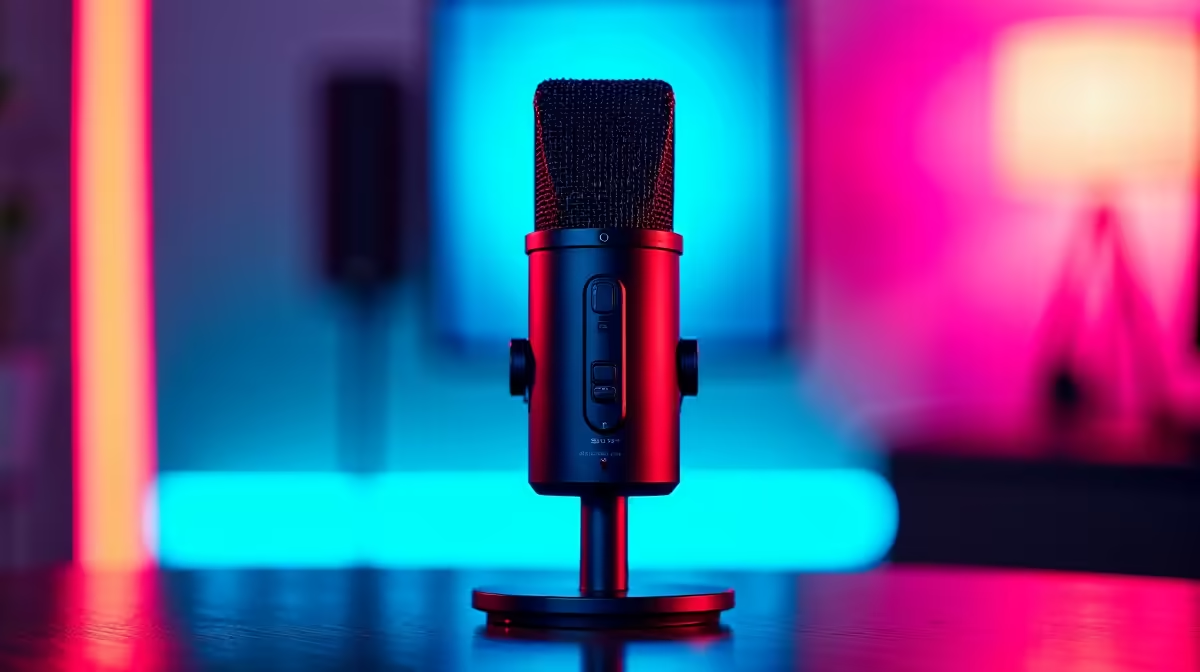
HyperX SoloCast 2 at R690 suits competitive players who want cleaner team comms from a simple USB microphone without turning the gaming desk into a studio. It is worth it when your headset mic makes callouts sound thin, noisy, or distant, because clearer voice can help teammates react faster during ranked rounds and scrims.
HyperX SoloCast 2 at R690 is the straightforward pick for a focused gaming setup because it keeps the choice simple: a dedicated USB mic for voice, separate from the headset you use for sound. For players who spend hours in Discord, party chat, or tournament lobbies, that separation can make callouts easier to understand without needing a larger desk setup.
NearStream AM10X-P USB/XLR at R730 is the more flexible option if you want room to grow. Its USB/XLR spec matters because USB keeps the setup quick now, while XLR gives a clearer upgrade path later if the desk becomes a creator or streaming station. At only R40 more than the HyperX SoloCast 2, it makes sense for players who may record clips, stream, or join organised team sessions.
MARVO MIC-07 at R351 is the budget-friendly way to test whether a dedicated mic improves your squad communication. The key spec here is the standalone microphone format at a lower price, which is useful if your current headset mic is the weak link but you still want to keep spending tight.
For a South African competitive gaming room, the best choice depends on how permanent the station is. HyperX SoloCast 2 at R690 fits a clean ranked-play desk, NearStream AM10X-P USB/XLR at R730 fits a gaming and creator desk, and MARVO MIC-07 at R351 fits a student desk where every rand has to work harder.
Ready to choose the right microphone? Use HyperX SoloCast 2 at R690 as the microphone shortlist benchmark, then check whether its listed spec matches the space, workload, and upgrade path.
For competitive esports, the microphone only earns its place if teammates hear calls clearly during fast rounds.
Give priority to stable voice pickup and simple controls, because match focus should stay on play rather than settings.
The mic must connect cleanly to the current setup and sit where it does not interfere with mouse movement.
A competitive player should pay for dependable communication if the cheaper mic causes unclear callouts or distracting handling noise.
The esports angle is simple: better voice capture helps coordination only when the rest of the setup already works.
A USB microphone can sharpen team chat, but it cannot compensate for weak aim, poor settings or unsuitable peripherals.
550W for RTX 5080 Super needs a full-build check, not a simple yes. Review GPU guidance, CPU draw, transient load, connectors, PSU quality, and upgrade plans before deciding.
Read more
8000Hz polling is overrated for most SA gamers because gains can be tiny next to battery drain and monitor limits. Mbombela players should weigh mouse feel, game support, and system stability before chasing the number.
Read more
Magnetic switches are taking over SA gaming keyboards because actuation can be tuned. For Sandton gamers, rapid trigger, reset control, and profile depth can help, but layout, key feel, and software quality still matter.
Read more
Polokwane oled monitor value questions need cautious SA context because pricing can move with availability, exchange rates, specs, and warranty support. Treat the trend as a planning signal, not a fixed price promise.
Read more
Arc B580 budget builds for Midrand gamers can shift with exchange rates, supply, specs, and model tier. Treat the title as a buying prompt, then compare SA warranty, timing, and build priorities.
Read more
ROG Ally X may beat the LCD Steam Deck for SA gamers who value stronger handheld performance, more memory, and Windows flexibility. Compare battery life, controls, game libraries, and Polokwane support needs before deciding.
Read more
Minisforum's M2 Pro pairs Core Ultra X7, Arc B390 graphics and 32GB onboard memory in 1.8 litres. SA buyers should weigh its fixed memory and $1,439 launch offer against local mini PCs.

Lenovo says Legion Go failures linked to BIOS N3CN42WW are not user error. Affected SA owners should stop retrying the update, preserve proof and open a support case.

Smart monitors can add apps and convenience, but they also add privacy settings and unwanted-software risk. SA buyers should audit the operating system before paying for extras.

A fake 113GB GTA VI ISO reportedly used empty padding around a small malware payload. SA gamers should delete unofficial builds, keep Windows security active and wait for official channels.

ASUS calls the ROG GT-BN98 the first Wi-Fi 8 gaming router. SA buyers should fix coverage and client limits before paying for a future wireless standard.

Apple's M6 Mac mini adds faster AI, graphics and networking in the same compact format. SA buyers should wait for a rand listing before comparing value.

The Vulcan II XP adds hot-swappable switches, sound damping and gaming controls to a full-size wired board. SA buyers should compare feel before features.

Microsoft says Windows on Arm now has over 7,000 verified apps and games. SA buyers should still check each driver, game and work tool before switching.

Xbox Insiders can test disc-to-digital from 31 August 2026. Supported Xbox One and Series X discs gain a digital entitlement, but older discs, regions and title coverage still need exact checks.

ViewSonic's XG2738 pairs QHD QD-OLED with 240Hz and automatic panel care. SA buyers should compare warranty, brightness, ports and burn-in protection against today's R9,999-plus OLED shelf.

NVIDIA's final Windows 10 Game Ready driver is due in October 2026. SA gamers can keep using their GPU, but new game optimisations move on while critical security fixes continue quarterly.

JBL's new Quantum 520, 520X and 120 headsets cover wireless, Xbox-certified and wired use. SA buyers should compare connection, comfort and microphone needs before paying for a new badge.