



Best GPU for Valorant 300 FPS — SA Picks (2026)
Checklist: best GPU for Valorant 300 FPS — pick top GPUs; compare SA prices & benchmarks; recommend 2026 builds 🎮⚡ Find GPUs that reach 300+ FPS at 1080p/1440p.
Articles related to 300 Fps Gaming.
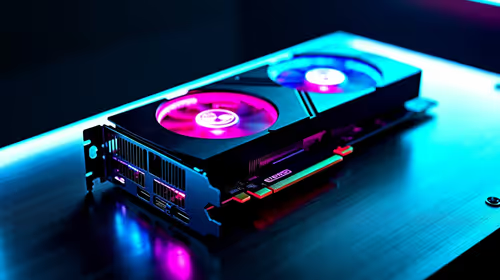
Checklist: best GPU for Valorant 300 FPS — pick top GPUs; compare SA prices & benchmarks; recommend 2026 builds 🎮⚡ Find GPUs that reach 300+ FPS at 1080p/1440p.

Windows Delivery Optimisation can share update files with other PCs. Review its activity, choose local-only sharing or turn peer sharing off, and use bandwidth controls; those choices do not disable Windows Update.

RTX 5090 alternatives make more sense for office and study PCs in South Africa when the goal is smooth screens, quiet use, and sensible cost. Focus on display support, reliability, power use, desk space, and whole-system balance first for SA buyers.

student laptop guide for Gqeberha gamers should be shortlisted around the job it must do. South African buyers should compare CPU, GPU, RAM, and screen quality, warranty path, and upgrade room before treating any pick as best.

Recommended build for Expedition 33 at R40 000 gives SA buyers premium 1440p headroom and selective 4K potential. Spend on the GPU, CPU balance, cooling, NVMe storage, power quality, and the right display pairing.
Windows Delivery Optimisation can share update files with other PCs. Review its activity, choose local-only sharing or turn peer sharing off, and use bandwidth controls; those choices do not disable Windows Update.

Windows touch indicator adds visual feedback where you touch a screen. Change it in Accessibility, Mouse pointer and touch; a feedback circle is different from inaccurate input, ghost touches or a damaged panel.

Windows underline access keys makes supported menu letters easier to see. Enable the keyboard accessibility option, then follow the app's displayed Alt cues; this does not remap keys or create missing app shortcuts.

Windows notification duration controls how long supported banners stay visible. Adjust the dismissal time in Accessibility, Visual effects, then test a real alert; app permissions and Do not disturb remain separate settings.
Windows Delivery Optimisation can share update files with other PCs. Review its activity, choose local-only sharing or turn peer sharing off, and use bandwidth controls; those choices do not disable Windows Update.
Windows touch indicator adds visual feedback where you touch a screen. Change it in Accessibility, Mouse pointer and touch; a feedback circle is different from inaccurate input, ghost touches or a damaged panel.
Windows underline access keys makes supported menu letters easier to see. Enable the keyboard accessibility option, then follow the app's displayed Alt cues; this does not remap keys or create missing app shortcuts.
Windows notification duration controls how long supported banners stay visible. Adjust the dismissal time in Accessibility, Visual effects, then test a real alert; app permissions and Do not disturb remain separate settings.